
 Script Planner Assistant▸
 AI Apps
 AI News
Where Is the Digital Human Feature in JianYing and How to Use It?

Where Is the Digital Human Feature in JianYing and How to Use It?
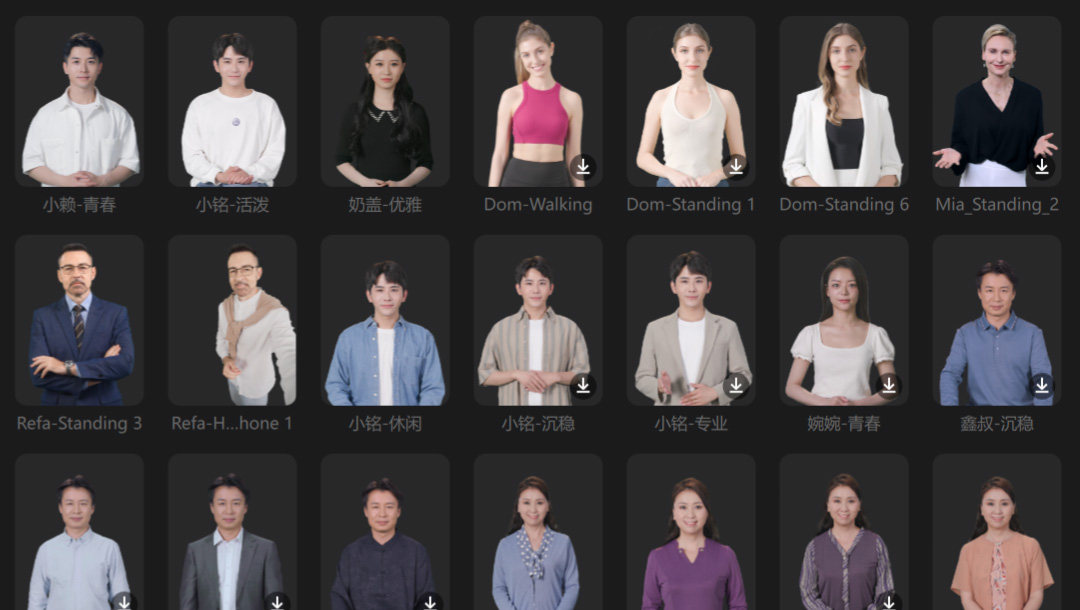
CapCut Digital Human is a virtual avatar generated using AI technology, which users can apply when making videos with CapCut software. CapCut's Digital Human feature allows users to create and edit virtual avatars for video editing, live streaming, and other scenarios.
CapCut Digital Human is suitable for video self-media, short video, or premium course production, especially for users who do not want to appear on camera themselves[[2]]. After the update, CapCut Professional Edition has also added the Digital Human avatar feature, providing users with more convenience.
However, since the launch of CapCut Digital Human, many users still do not know where to find this feature. Follow our tutorial below to master the use of CapCut Digital Human step by step. The following is for the CapCut PC Professional Edition.
CapCut Digital Human Tutorial:
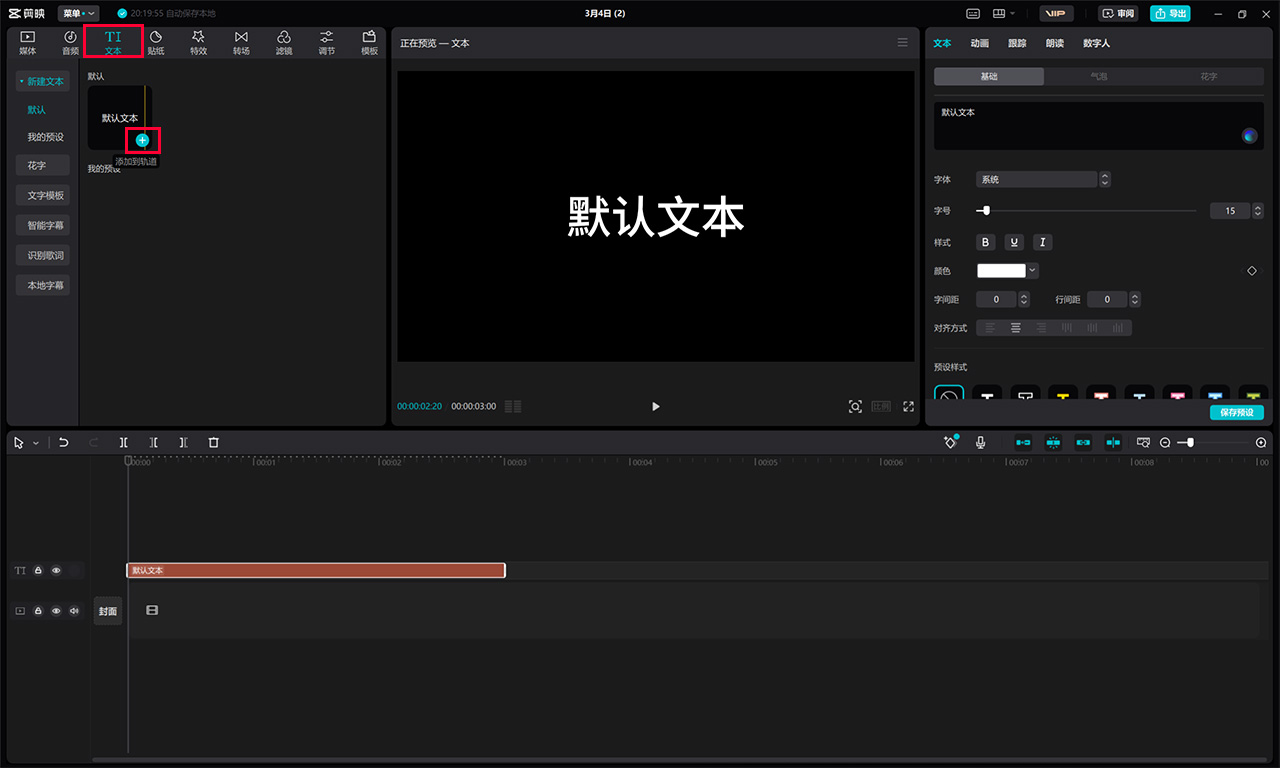
1. Locate the Digital Human feature: First, open CapCut and create a blank video project. Select New and click Text, then click the + icon on the default text to add text. After selecting the middle player, the Digital Human navigation bar will appear on the right.
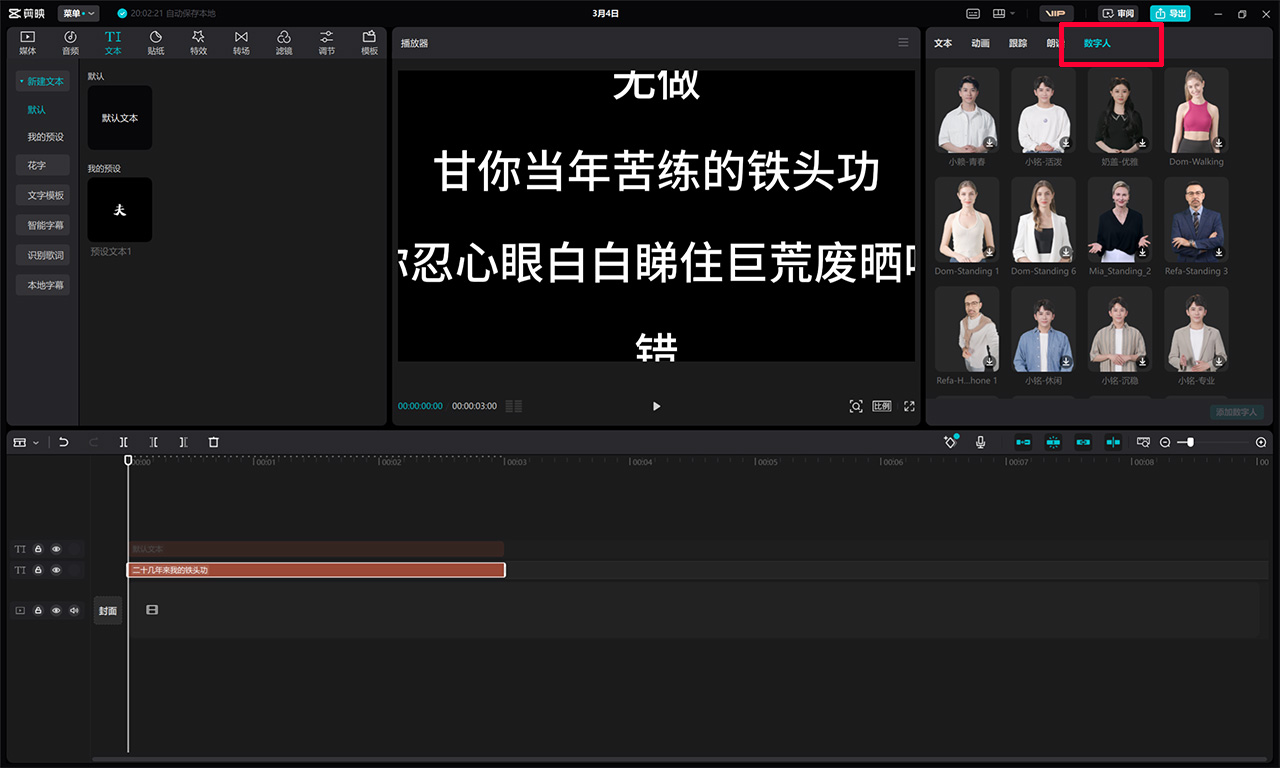
2. Choose the Digital Human effect: On the right side of the player, select Digital Human, and you can see many built-in Digital Human avatars in CapCut.
3. Select a Digital Human avatar: Choose a suitable Digital Human avatar as needed, then click OK. This step is to determine the appearance and style of the Digital Human.
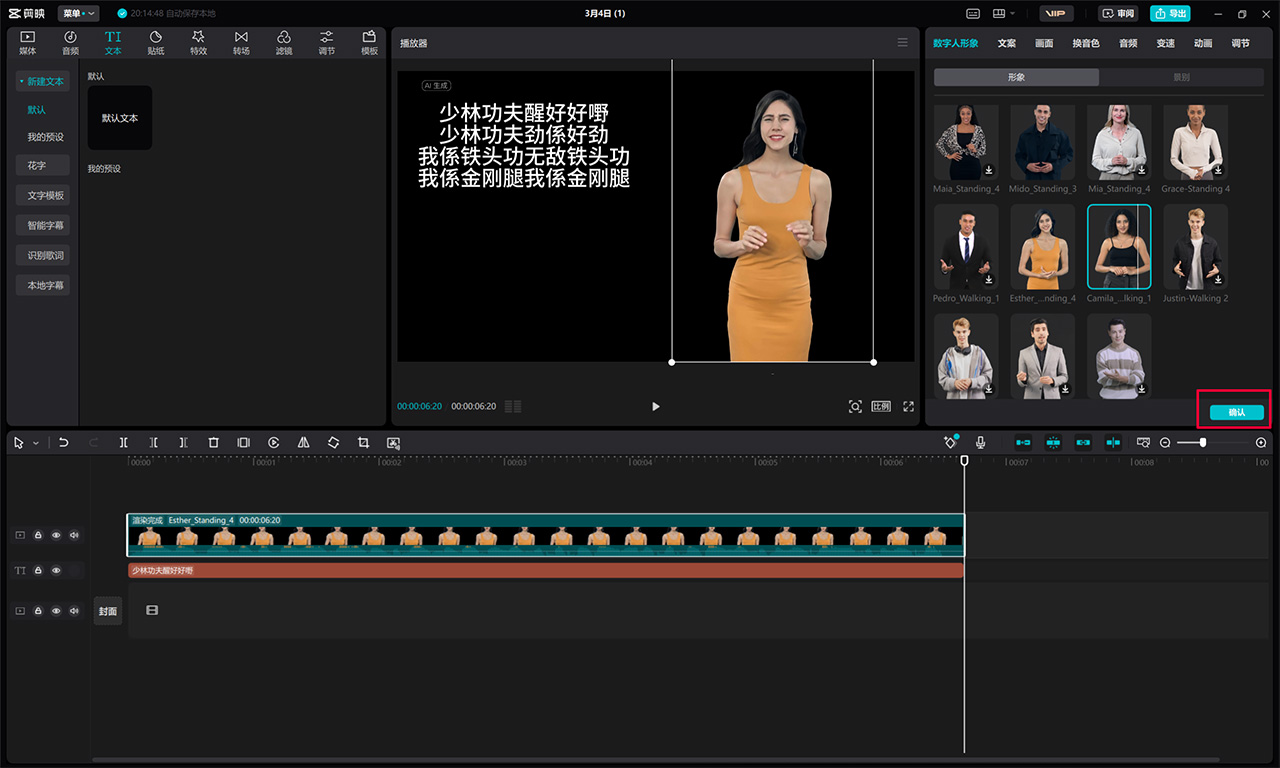
4. Enter the script/copy: Input the script content on the Digital Human avatar. This content will be used to guide how the Digital Human expresses the content, such as speaking, singing, etc.
5. Adjust the Digital Human's movements: To make the Digital Human video more vivid, you can adjust the Digital Human's movements. This includes adjusting head movement, speed, facial expressions, etc., to ensure the video content matches the script.
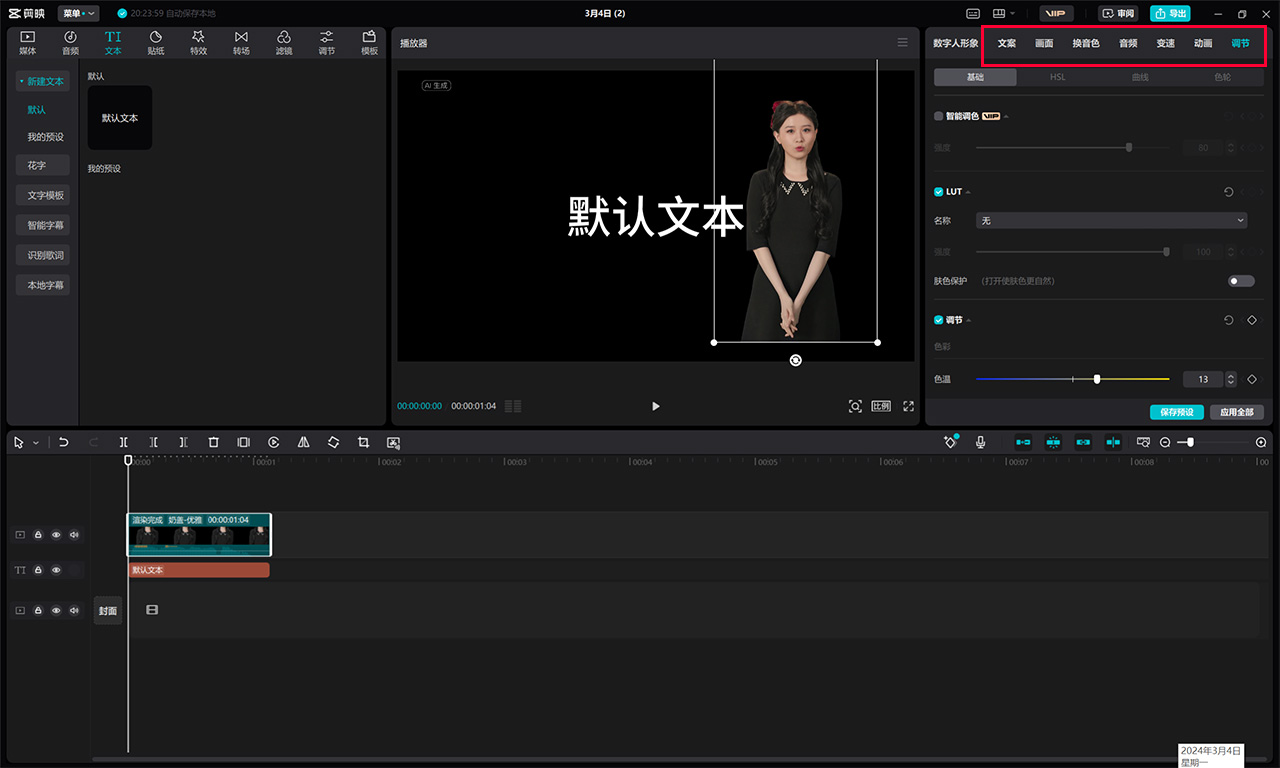
6. Export the video: Finally, export the finished Digital Human video as needed. This step integrates all the production results into a video file, which can be directly used for sharing or publishing.
In summary, selecting and setting up CapCut Digital Human involves creating a video project, choosing a Digital Human avatar, inputting the script, adjusting the Digital Human's movements, and exporting the video. Through these steps, users can easily locate CapCut's Digital Human feature and create personalized and professional Digital Human videos.









