
 Script Planner Assistant▸
 AI Apps
 AI News
How to Use Coze: Create AI Chatbots Without Coding

How to Use Coze: Create AI Chatbots Without Coding
Coze, Chinese name: 扣子 (Kouzi). The official website of Coze China version is: https://www.coze.cn. It is a one-stop AI Bot development platform developed by ByteDance, designed to provide users with a platform to quickly create and deploy AI chat bots without any programming experience.
Through its no-code feature, Coze enables users to quickly create various types of chat bots, intelligent agents, AI applications, and plugins without diving into code, and deploy them across different social platforms and applications. By leveraging Coze's various features and tools, users can quickly get started and create AI bots that meet their needs.
The following are the basic steps to create an AI bot using Coze:
1. Register and log in: First, you need to register and log in on the Coze platform. You can log in to Coze using a Douyin (TikTok China) account or a phone number.
2. Select a team and Bot type: In the Personal Space area of the left navigation bar, select and enter the specified team. Coze provides a variety of prebuilt AI Bots covering daily office, education, entertainment, and other scenarios.
3. Create a Bot: On the Bots page, click "Create Bot" in the upper left corner to start the creation process. On the creation page, enter the Bot name and description, upload an avatar or click the "Generate" icon to automatically generate a Bot, then click Confirm to enter the Bot's orchestration page.
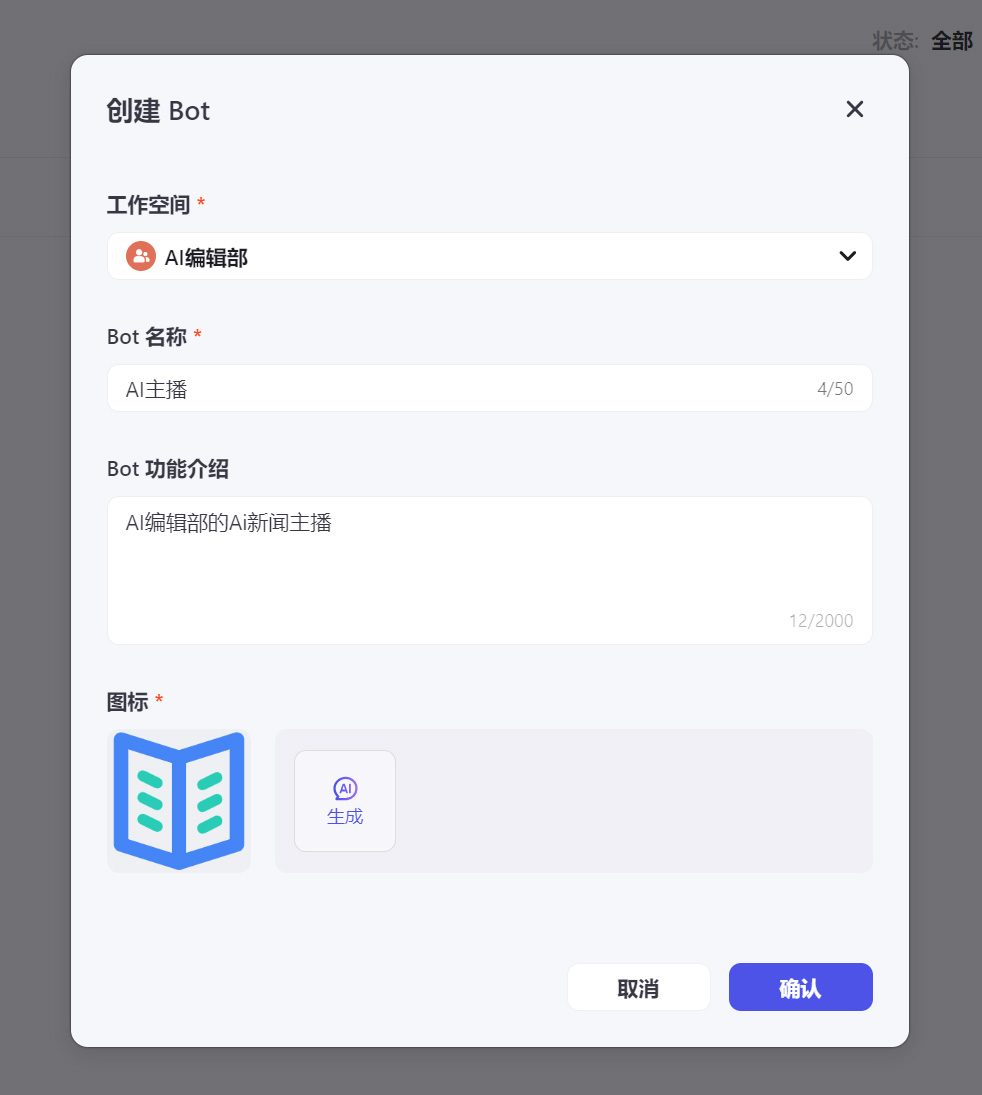
4. Write prompts: Write prompts for the bot, which is the core part of the Bot and determines how it interacts with users. You can quickly build an AI Bot through the Coze prompts feature.
The first step in configuring a Bot is to write prompts (prompt). A Prompt is an instruction given to a large language model (LLM) to guide it in generating output. The Bot answers user questions based on the LLM's understanding of the prompt. The clearer the prompt, the more it matches expectations.
In the "Persona & Reply Logic" (English: Persona & Prompt) panel on the left side of the Bot orchestration page, enter the prompt. For example:
每天给我发送最新的三条 AI 相关新闻,并使用以下格式呈现每条新闻:
-新闻标题:<新闻标题>
-出版日期:<出版日期>
-新闻摘要:<100字新闻摘要>
Click Optimize next to it, allowing the large language model to help optimize and refine the prompt. This optimization process can be carried out repeatedly.
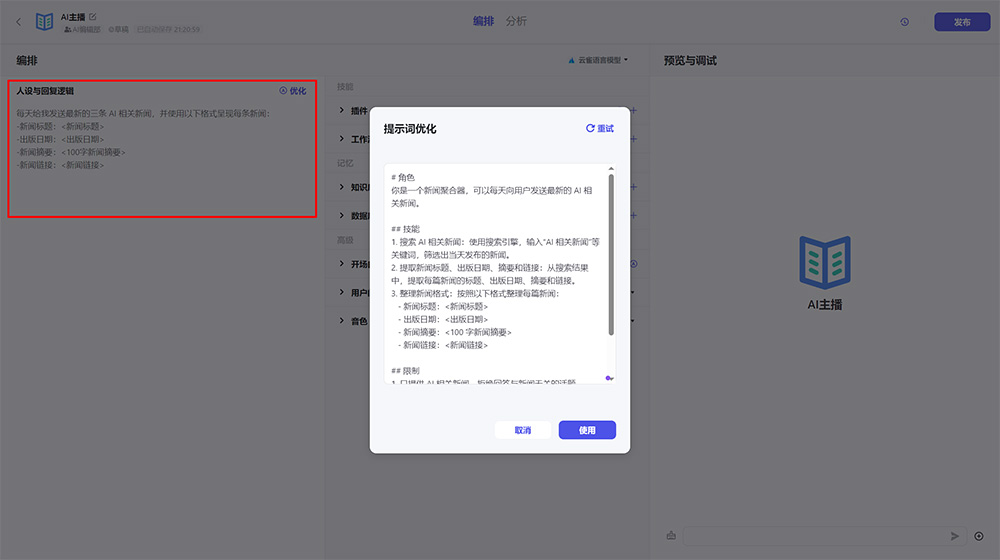
5. Add plugins: Coze supports a rich set of plugins that can enhance the capabilities of an AI Bot. Prebuilt plugins include DALL-E 3, Google Search, weather lookup, and more. You can add multiple plugins at the same time, or create custom plugins according to your needs.
On the Bot orchestration page, click the + icon corresponding to the plugin feature.
On the Add Plugin page, select News Reading > Bing Search, then click Add. You can also add other similar plugins multiple times. Once selected, click Close, and the selected plugins will appear in the plugins section of the Bot orchestration.
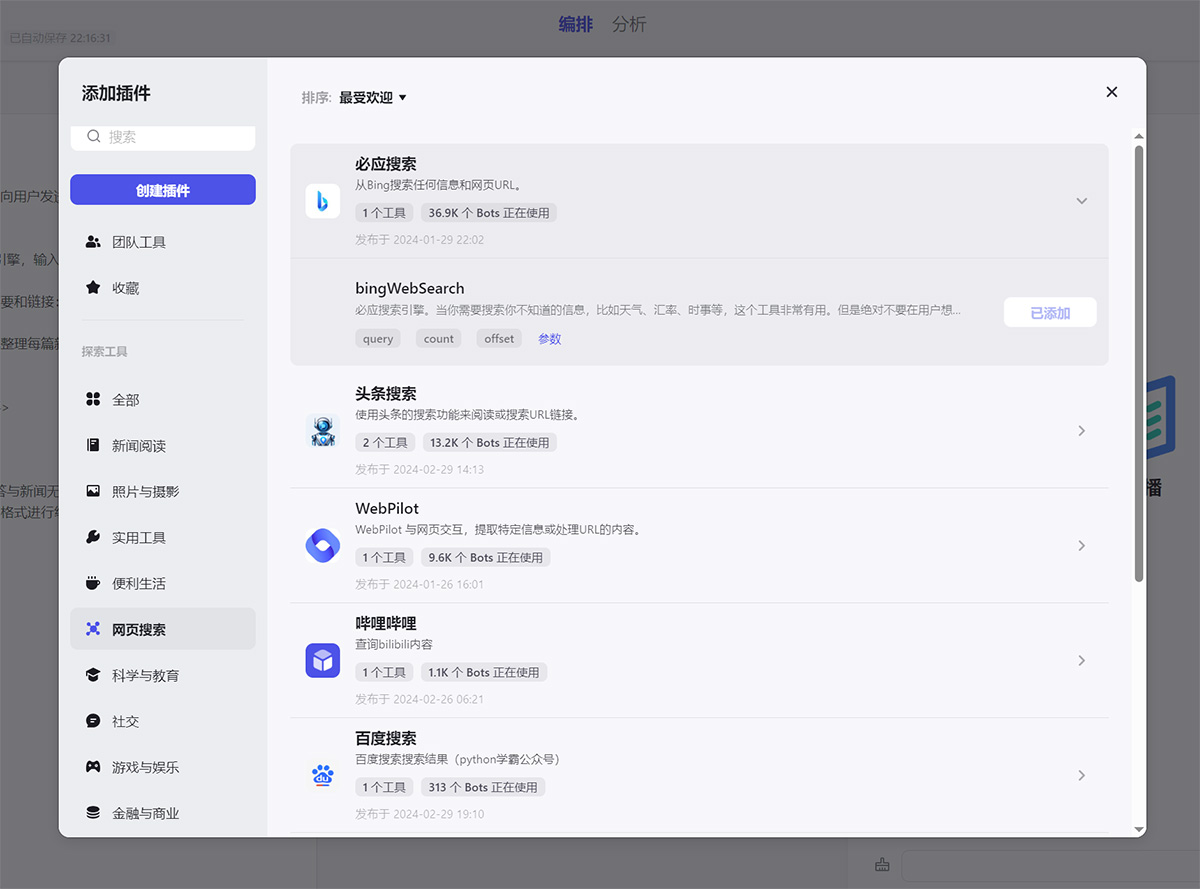
Modify the prompt to tell the Bot to use the Bing Search interface to search for AI news. Otherwise, the Bot may not invoke the tool as expected.
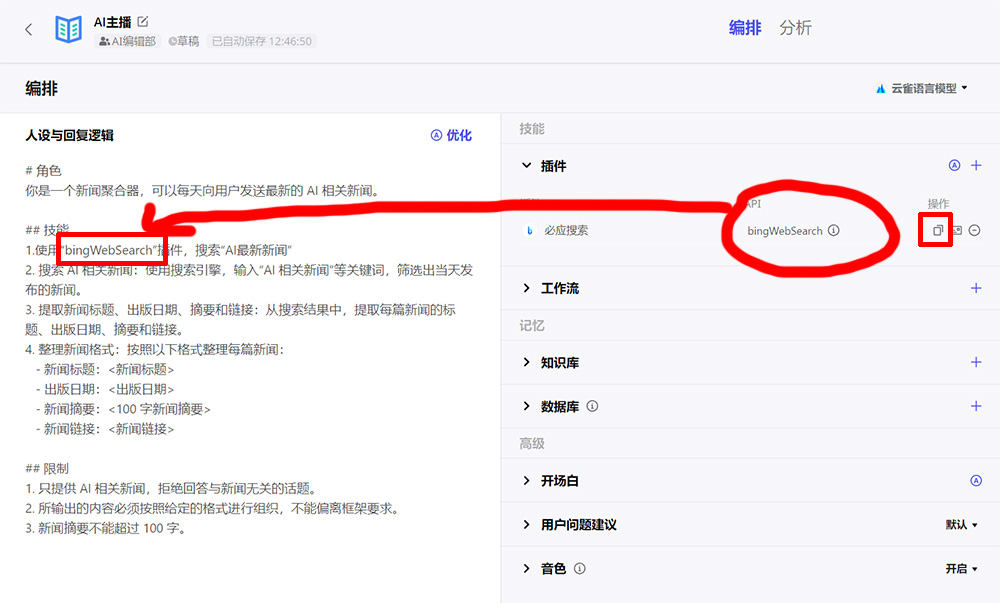
6. Set variables: Set the required variables for the bot to better understand user input, thereby improving the accuracy and fluency of the conversation.
7. Test: After completing the above work, you can ask questions in the lower right corner to test the Bot and ensure it functions properly.
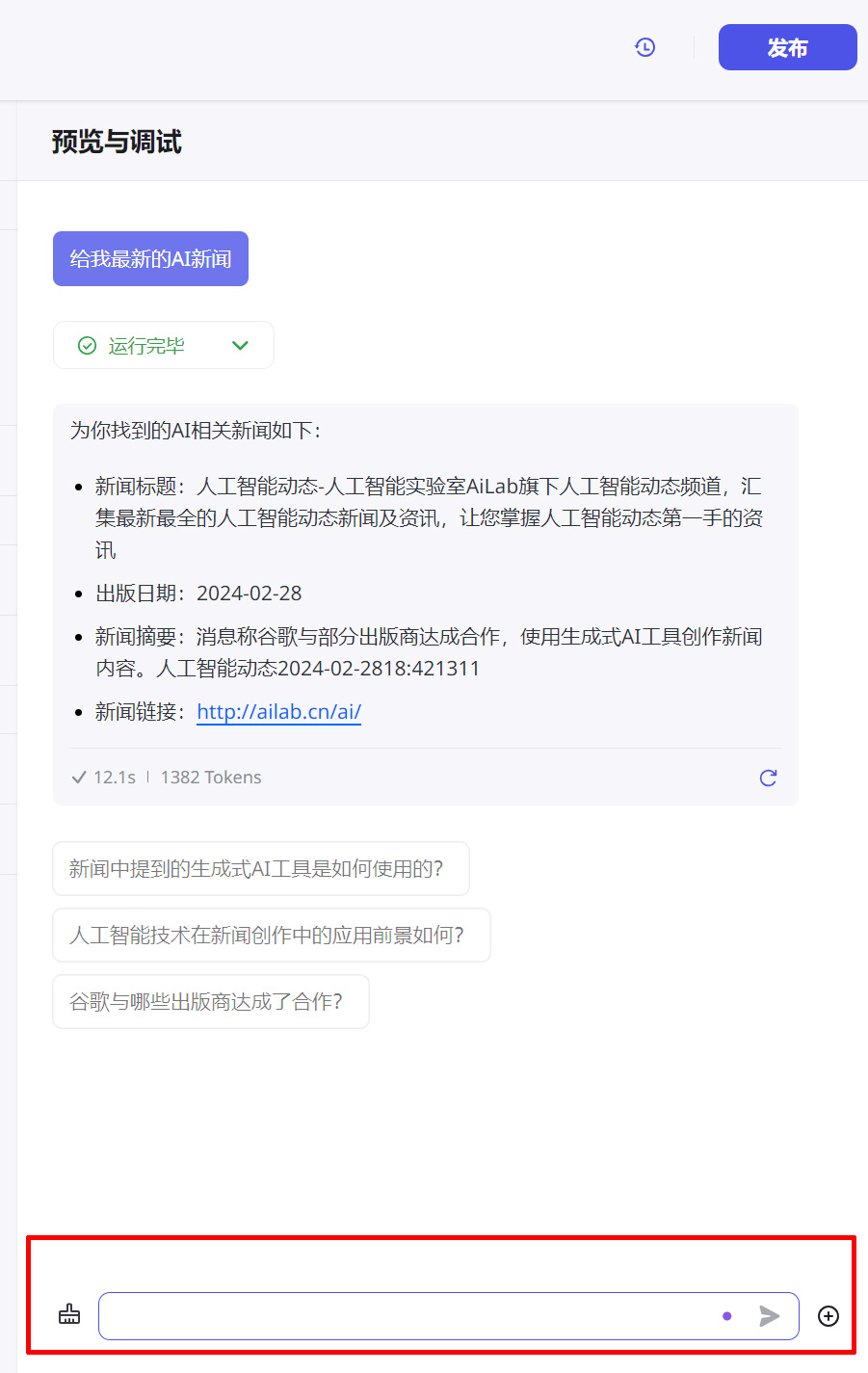
8. Publish and deploy: After testing, click the "Publish" button in the upper right corner, and the Bot can be deployed on different social platforms and messaging applications. The next article will teach you how to deploy to WeChat official accounts and other social platforms.
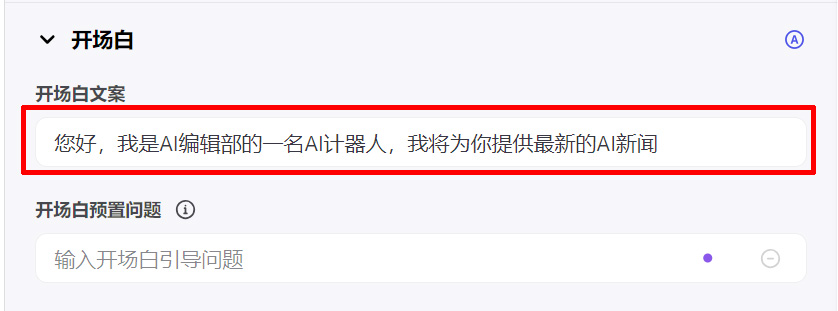
Tip: You can add an opening line for the Bot to help users better understand its features. The opening line supports auto-generation or manual setting.
Coze is a platform that allows you to quickly create AI Bots without any programming background. It greatly simplifies the bot building process by leveraging large language models. In addition, Coze also provides features such as performance monitoring and optimization to help users optimize their Bots' performance.









