
 Script Planner Assistant▸
 AI Apps
 AI News
Where to Find AI Voice Cloning in Jianying & How to Use It
小编 ·

Where to Find AI Voice Cloning in Jianying & How to Use It
Recently, Jianying (CapCut) quietly launched the AI Voice Cloning feature. At the end of last year, this feature was only available to a small number of users for trial.
What is Jianying's AI voice cloning?
The AI voice cloning feature of Jianying allows users to quickly generate an AI voice by recording their own voice. It is an attractive feature for creators who want to produce high-quality audio content in a short time. However, one notable aspect of this feature is that, for privacy and security reasons, it only supports users cloning their own voice, rather than cloning someone else's voice as in some open-source projects, since this could lead to personal information leakage or misuse by malicious actors.
Jianying's voice cloning feature requires very little material — users only need to record 5 to 10 seconds of their voice in Jianying's "Text-to-Speech" feature to achieve voice cloning. This makes the operation simpler and faster. In addition, Jianying also provides the function of converting Chinese or English text into audio with the cloned voice. More languages are not yet supported, but it is already sufficient to meet the needs of most users.
Where can you find Jianying's AI Voice Cloning?
Jianying's AI Voice Cloning is located in the APP. The specific steps are:
1. Open Jianying, click "Start Creating", and add image or video material.
2. Click "Audio" in the menu bar.
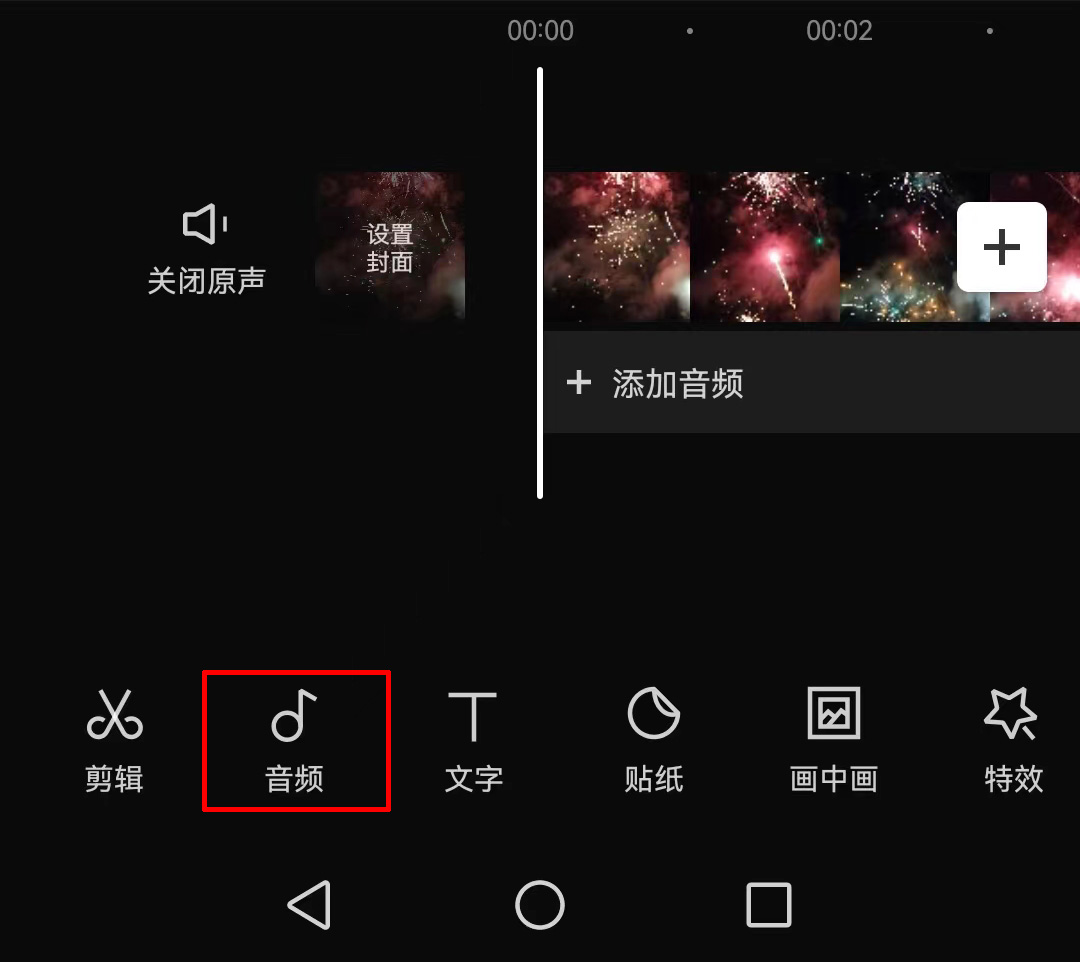
3. Swipe the menu to the left to see the "Clone Voice" feature.
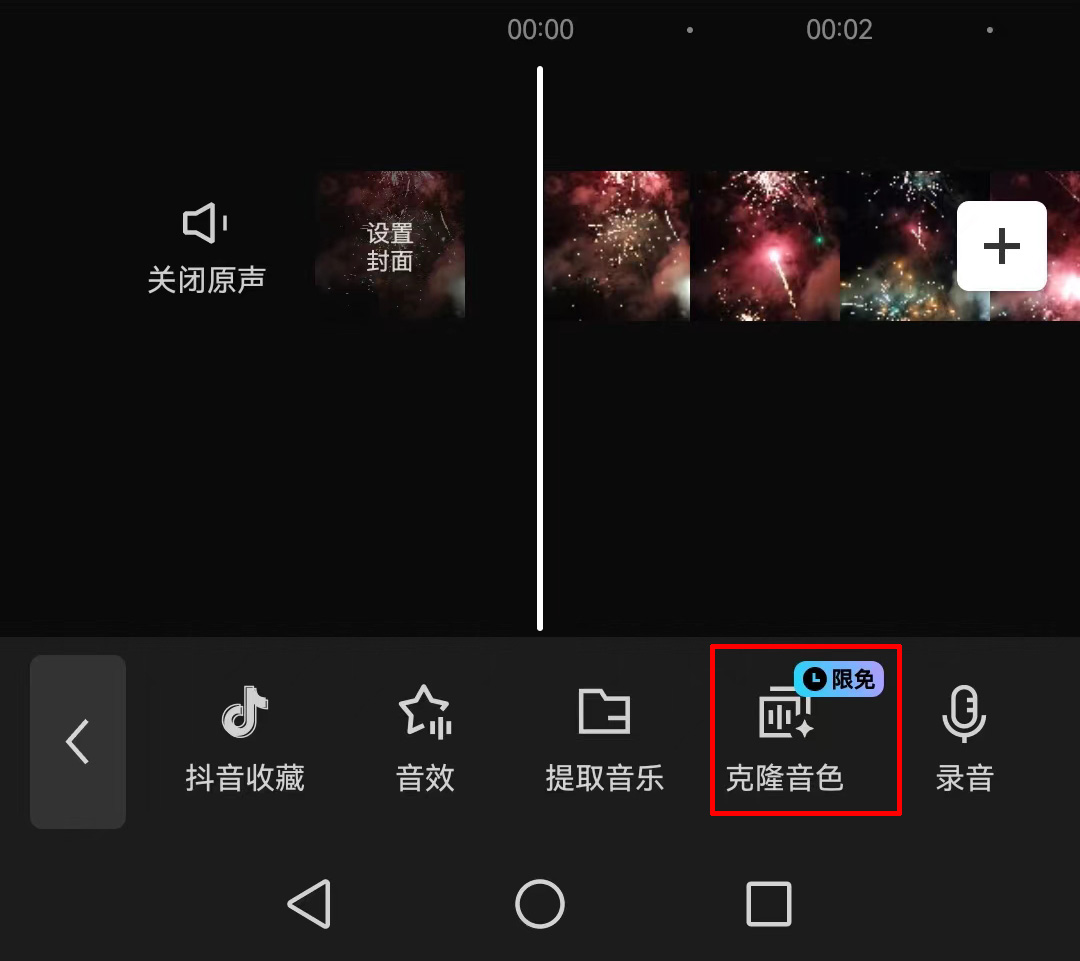
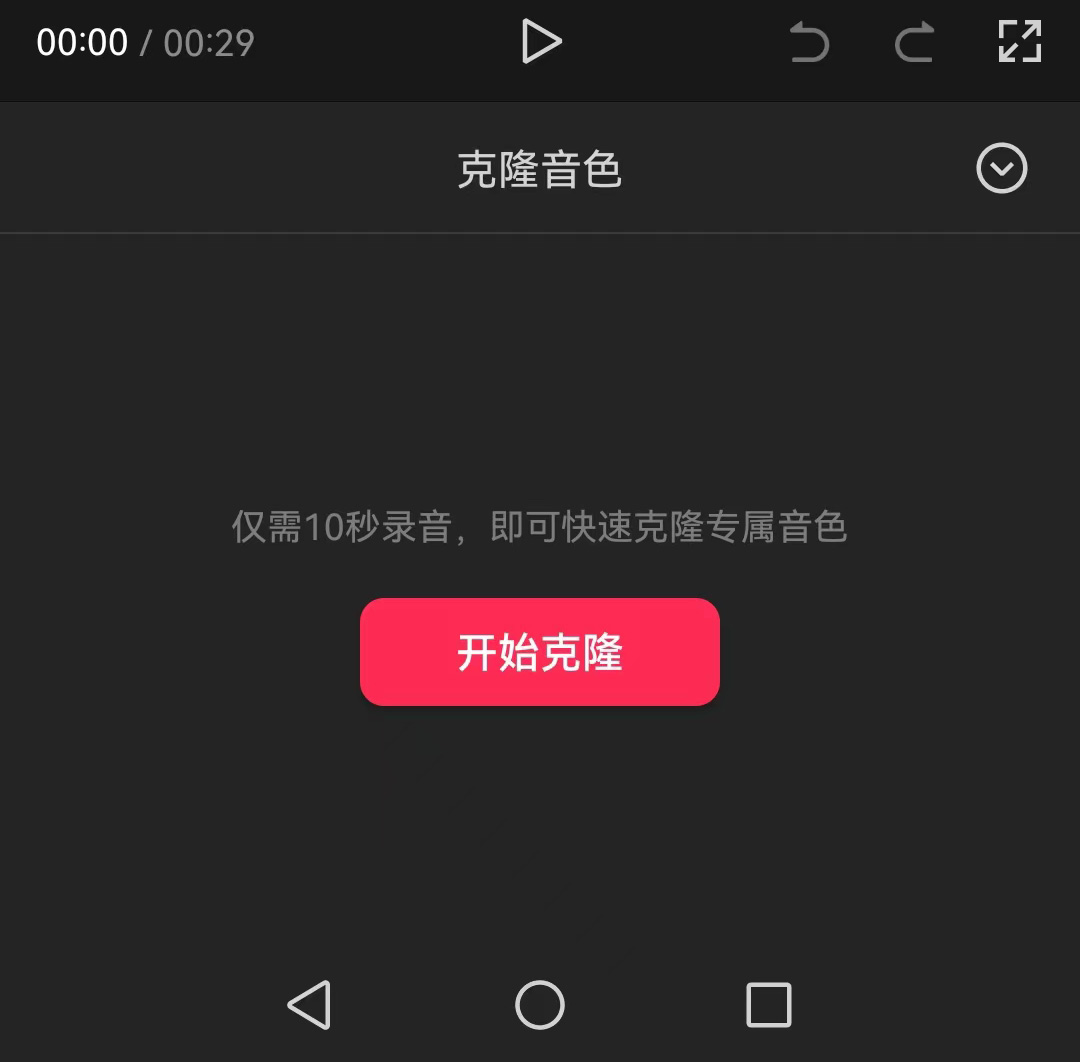
4. Click in to start the voice cloning.
What are the steps to use Jianying's AI Voice Cloning?
The steps to use Jianying's AI Voice Cloning mainly include the following:
Step 1: Open the Jianying app and click the "Start Creating" button.
Step 2: Upload a video as the background, or choose to create your own text.
Step 3: Click "Text" - "New Text". The text can be self-written, or you can choose AI creation.
Step 4: Copy the text content into the input box.
Step 5: When using, simply insert the recorded voice sample into the timeline, and long-press the audio segment to access the clone function, where you can see the recent "Clone Voice" feature.
The location and usage tutorial of Jianying's AI Voice Cloning feature have been clearly explained. Users only need to follow simple recording and operation steps to use their own voice for video editing or text-to-speech.
It should be noted that Jianying's AI Voice Cloning feature is currently in a limited-time free state, and the specific end time has not yet been determined.









