
 Script Planner Assistant▸
 AI Apps
 AI News
Still Using Photoshop? Try Canva's New AI Features

Still Using Photoshop? Try Canva's New AI Features
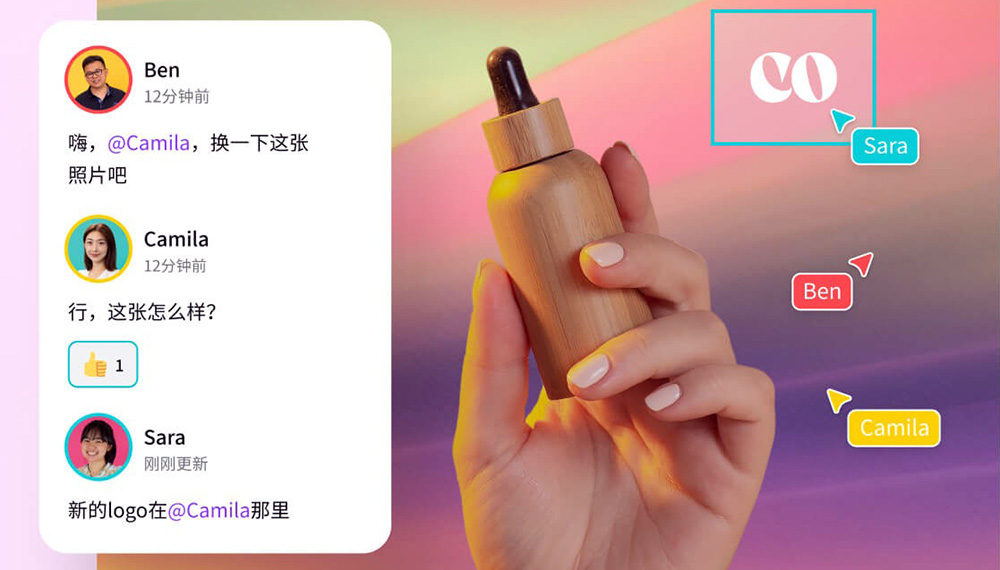
Recently, Canva has launched new features powered by artificial intelligence. The following 10 new Canva features can save you countless hours of work.
1. Magic Design:
Magic Design will help you turn images into fully customizable templates. It automatically selects fonts, images, graphics, and styles for a perfect design.
2. Draw:
Use Canva's free drawing tool to sketch out your ideas and unleash your creativity. Draw lets you add custom sketches and graphics to your designs, making them stand out.
3. Translate:
Canva's fast and simple online translator. With the online translation tool provided by Canva, translating content is faster and easier. You can create designs in Chinese and, with the help of the online translation tool, easily translate your designs into languages that suit local markets with just a few clicks.
4. Magic Eraser:
Use Magic Eraser to instantly clean up images online. With Magic Eraser, you can easily remove unwanted objects or delete people from photos.
5. Beat Sync on Canva:
Use Beat Sync to synchronize audio and video. Match your video to every beat of sound to showcase peak moments and capture your audience's attention. Use Beat Sync on Canva's video editor to automatically sync audio and video online.
6. Canva Presentations:
Design, present, and inspire with Canva ppt presentations. Reimagine your presentations with cinematic visual effects to engage your audience, because Canva presentations will give your ideas impact. Canva offers thousands of professionally designed presentation templates, so whether or not you have design skills, you can quickly complete your design with the help of templates.
7. Introducing Magic Write in Canva Docs:
Magic Write in Canva Docs is your own ai text generator that helps you quickly generate first drafts. Simply start with a prompt and watch lists, bios, content ideas, brainstorming, and more appear in seconds.
8. Improved Text to Image:
Text to Image lets you create unique images in seconds from simple descriptions. Using Canva's AI image generator, Text to Image, watch your words and phrases transform into beautiful images.
9. Create Animations:
Simply draw the path you want your animation to follow, speed up or slow down along the way, and then sit back and watch the magic happen.
10. Brand Hub:
Canva's new Brand Hub provides all the ingredients your team needs to create branded designs within the Canva editing experience.









