
 Script Planner Assistant▸
 AI Apps
 AI News
How to Create Presentations with Prezo

How to Create Presentations with Prezo
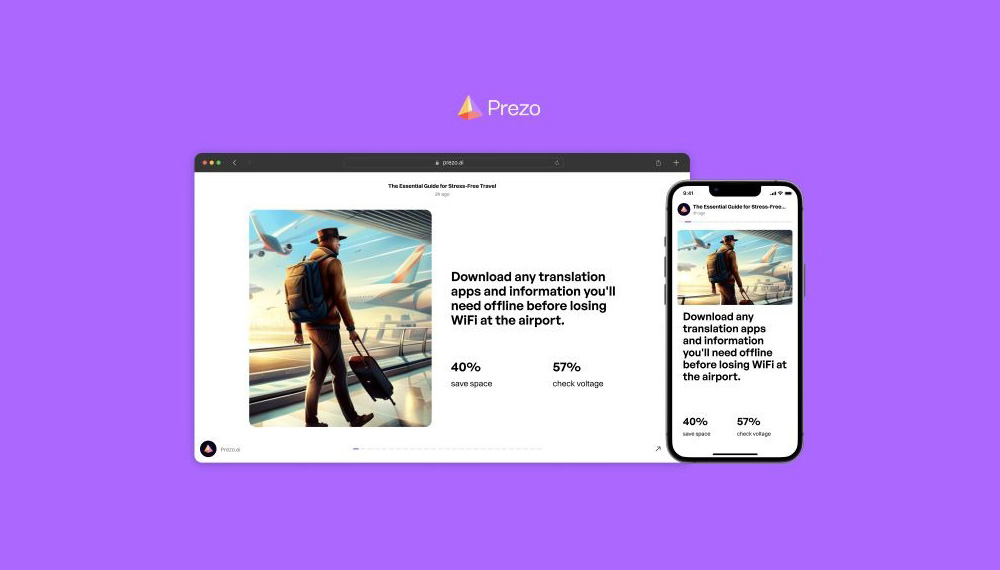
What is Prezo.ai?
Prezo.ai is an AI-powered PPT automatic generation tool that makes the process of creating visually appealing and engaging ppt presentations. It is designed to optimize PPT presentations for web and mobile viewing.
Prezo.Ai Features:
Artificial Intelligence: Prezo integrates AI to help users create presentations, documents, and websites.
Interactive Blocks: The software offers beautiful interactive blocks that can be used with a single click to share presentations globally.
Multimedia Integration: Prezo supports multimedia elements, making it suitable for various types of presentations, including public speaking and business communication.
Efficiency: Thanks to its AI capabilities, users can create professional-grade slides ten times faster than traditional methods.
Customization: Prezo allows the generation of custom images and animations, further enhancing the visual appeal of presentations.
Prezo.AI Applications:
Long-form Content Conversion: Prezo can transform dense long-form content (such as articles or memos) into visually engaging presentations by identifying key information and formatting it into slide-friendly logical sections.
Custom Image and Text Generation: Users can describe the image concept or specific mood they want to convey, and Prezo's AI will generate custom illustrations or modify existing images to fit the presentation's narrative. Additionally, Prezo assists in rewriting, adjusting length, or changing the tone of text to resonate with the target audience.
Layouts for Various Scenarios: Prezo offers layouts tailored to different settings, whether for professional events, classroom environments, or other themes. These layouts ensure that presentations remain focused and engaging at all times.
User-Friendly Editing and Viewing: The editing process in Prezo is very straightforward, featuring an intuitive drag-and-drop interface that makes arranging elements on slides a pleasure. Additionally, Prezo ensures that presentations look impeccable on both desktop and mobile devices.
Extensive Customization Tools: Prezo provides a range of blocks that allow users to integrate various content such as tables, charts, and other tools to enhance the aesthetics and data delivery of presentations.
Mobile Compatibility: One of Prezo's standout features is its mobile compatibility. Any design created on the web will be automatically optimized for mobile viewing, providing a consistent experience for audiences regardless of the device used.
How to Use Prezo:
Here are the steps on how to use Prezo:
1. Register: Visit the official Prezo website and sign up for an account.
2. Create a New Presentation: After logging in, you can create a new presentation by selecting the "Create New Presentation" option.
3. Choose a Template: Prezo offers a variety of templates to choose from. Select the template that suits your presentation needs, or start with a blank canvas.
4. Add Content: Customize your presentation by adding text, images, videos, charts, and other multimedia elements. Prezo provides an intuitive interface that lets you easily drag and drop elements onto slides.
5. Design and Format: Prezo offers automated design features to help you create visually appealing slides. You can also customize fonts, colors, and layouts to match your preferences.
6. Add Transitions and Animations: Enhance your presentation by adding transitions between slides and animations to individual elements.
7. Preview and Present: Before presenting, preview your presentation to ensure everything displays as expected. Then, use Prezo's presentation mode to deliver your presentation to your audience.
Please note that specific steps may vary depending on the version and features of Prezo you are using. It is recommended to refer to the official Prezo documentation or tutorials for detailed instructions on using the specific version of Prezo you have.
In summary, Prezo leverages AI technology to streamline the PPT presentation creation process, minimizing time and effort while ensuring the final product is visually appealing and engaging for both web and mobile audiences.









