
 Script Planner Assistant▸
 AI Apps
 AI News
How to Use HeyGen for AI Avatars and Voice Cloning

How to Use HeyGen for AI Avatars and Voice Cloning
What is HeyGen?
HeyGen is at the forefront of digital human identity solutions, offering innovative tools to create AI digital humans and voice clones that resonate with your real life. With its user-friendly interface and advanced technology, HeyGen allows you to bring your digital human to life without any technical complexity.
Prerequisites for using HeyGen:
Before diving into the digital human generation process, make sure you have the following:
An internet-enabled device (PC, smartphone, or tablet).
A clear front-facing photo for your avatar.
A quiet environment to record your voice.
How to use HeyGen?
1. Set up your HeyGen account
Visit the HeyGen website: Go to HeyGen's official website.
Sign up: Click the "Get started" button in the upper right corner and enter your details. You can also sign up using your Google or Facebook account for faster access.
Verify your email: Check your inbox for a verification email and click the link provided.
If you are using a proxy, HeyGen cannot be logged in.
2. Create your digital human
Access the HeyGen feature: After logging in, navigate to the "Instant Avatar" section.
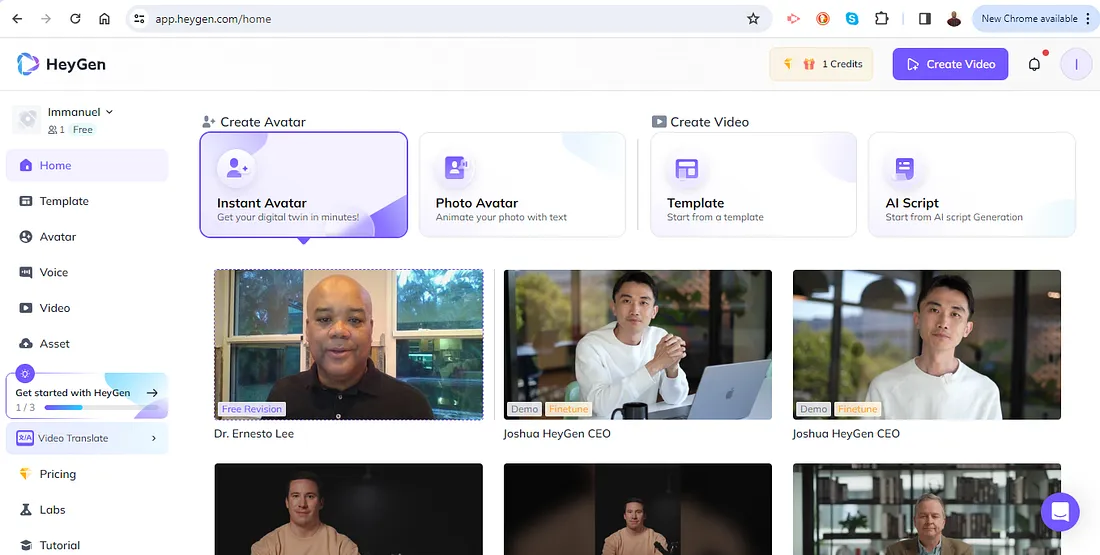
Upload your materials: Follow the prompts to create a sample video (HeyGen uses this sample video to create your digital human and clone your voice. Then it will ask you to record a short 10-second consent.
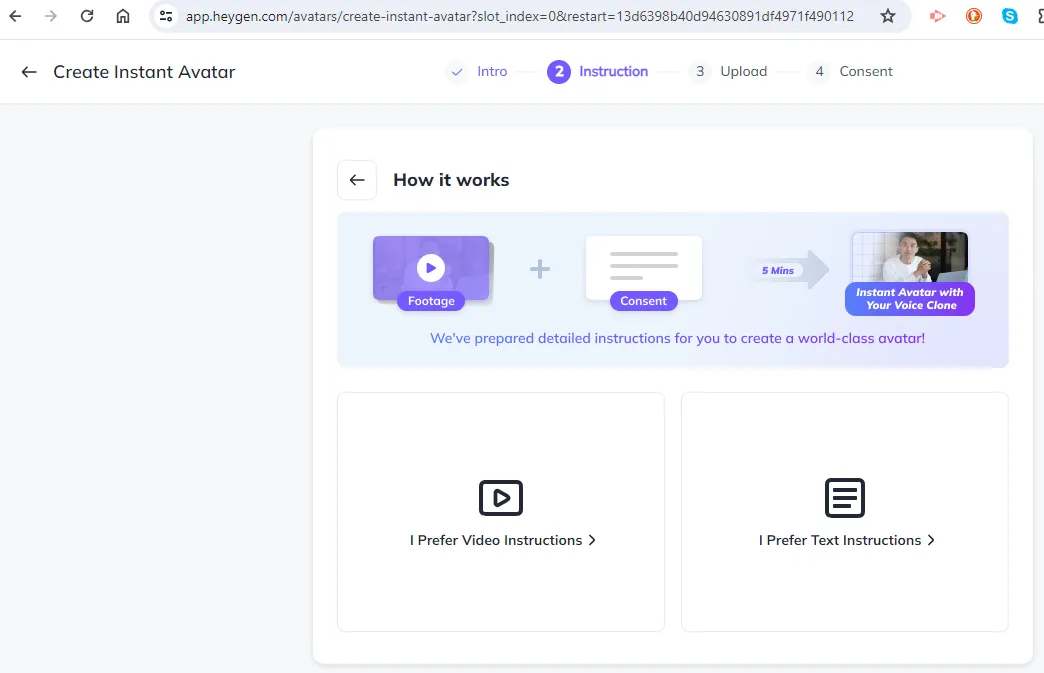
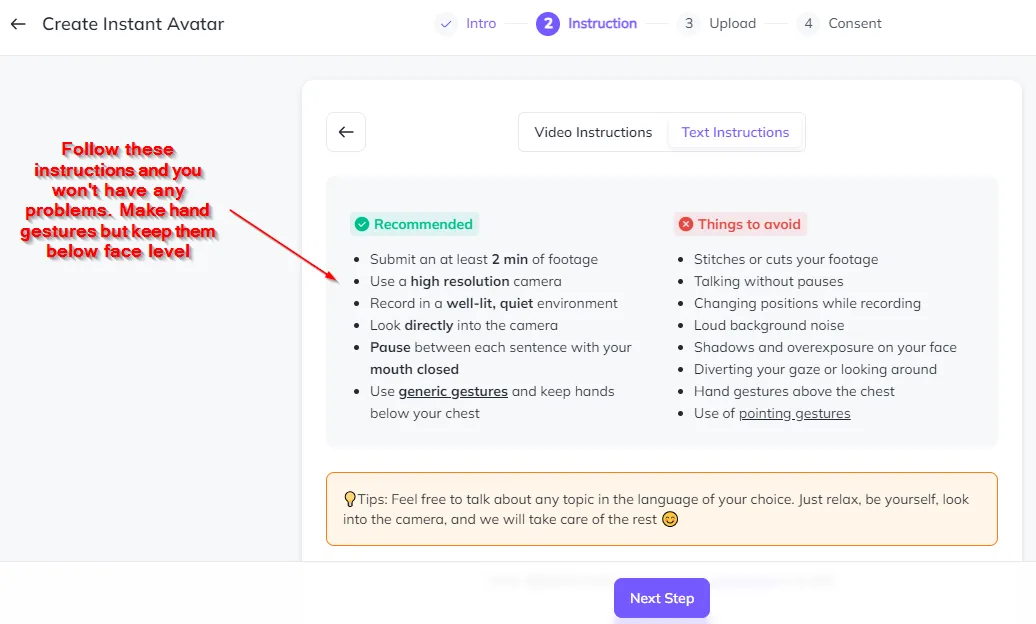
Then click Next Step to proceed.
Customize: Once the video is uploaded, you can customize your digital human. Adjust features such as skin tone, hairstyle, and attire to match your preferences.
Preview and save: Preview your digital human. If satisfied, click "Save" to add it to your HeyGen profile.
3. Create a custom video
Navigate to Create Video: Select landscape.
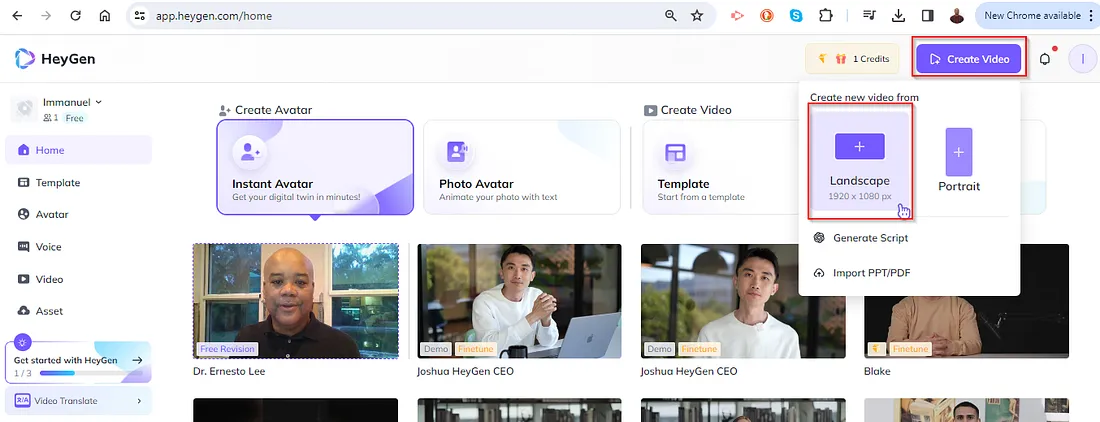
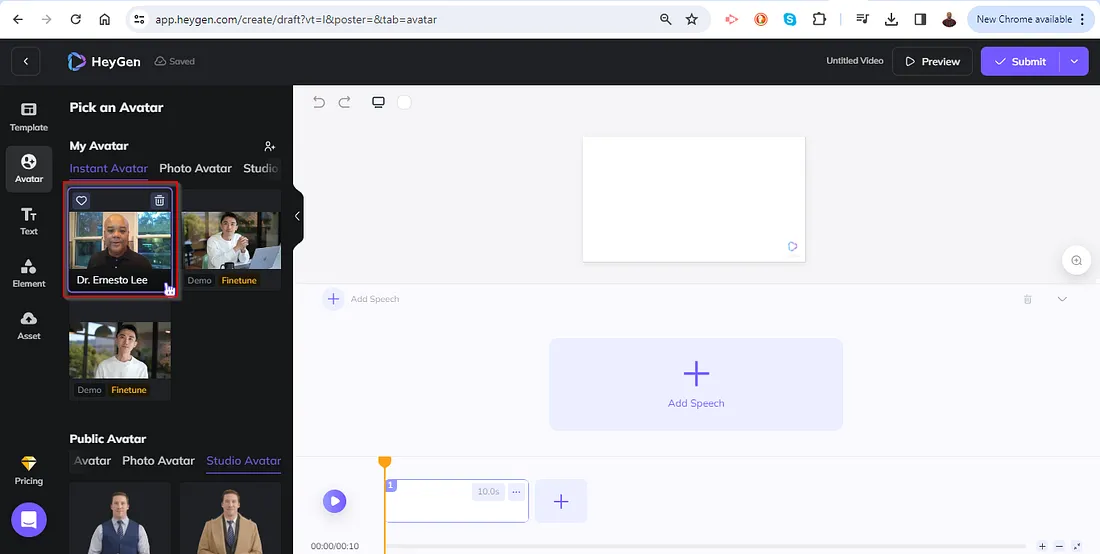
Select your newly created digital human: It should be easy... you will recognize yourself.
Customize, transcribe, and review: Adjust the pitch and tone as needed, preview, and make any necessary adjustments.
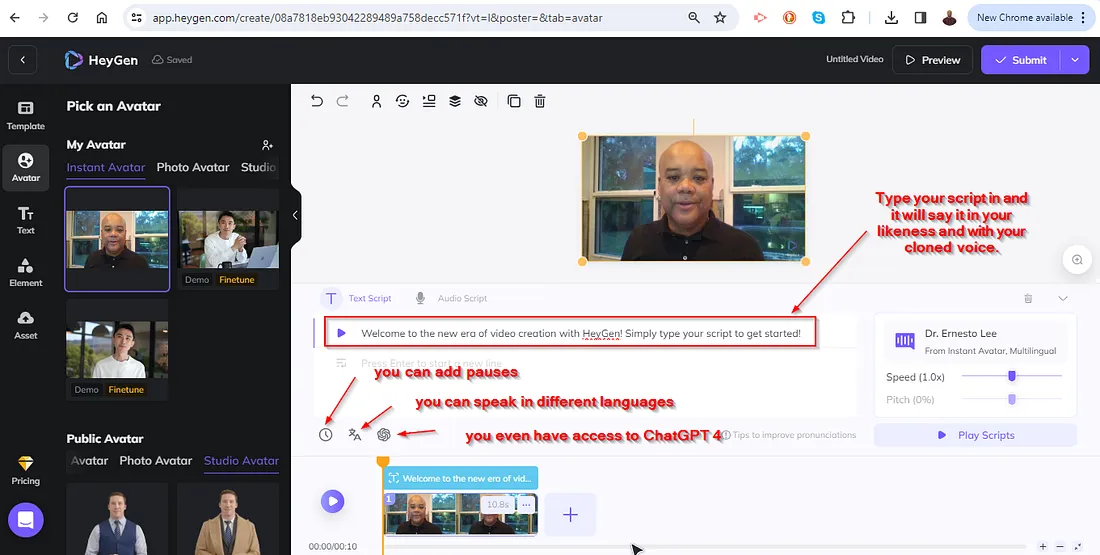
Save your digital human: Once you are satisfied with the result, click "Submit" to create your clone.

4. Use your digital human
Your digital human and voice clone are now ready! You can use them across various online platforms that support digital avatars and voice modulation. Whether it's virtual meetings, gaming, or social media, your HeyGen digital human and voice clone will make your digital persona more realistic and engaging.
HeyGen's AI digital human feature is a revolutionary tool that brings a new level of personalization to your avatar. By following these simple steps, you can create a digital human and voice clone that truly represents you in the digital world. Dive into the world of digital identity with HeyGen and experience a new era of online interaction.









