
 Script Planner Assistant▸
 AI Apps
 AI News
How to Use Gemini: Gemini Pro API Application Guide

How to Use Gemini: Gemini Pro API Application Guide
What is Google Gemini?
Gemini ai is a large language model (LLM) developed by Google DeepMind. It is still under development, but it is expected to be more powerful than the current state-of-the-art LLM, ChatGPT.
The latest Gemini 1.5 has some impressive features that beat SoTA models: a massive context window that can span context lengths of up to 10 million tokens, reduced training computation through a mixture-of-experts architecture, and superior performance compared to the Gemini 1.0 model, GPT-4, and other SoTA models.
Gemini comes in three versions: Nano, Pro, and Ultra. Nano is designed for fast on-device tasks and can run on mobile devices, while Pro is a versatile version that acts as a middle tier. Ultra is the most powerful of the three, suitable for highly complex tasks, and is set to launch next year while undergoing safety checks.
Gemini Ultra is positioned against OpenAI's GPT-4; Gemini Pro is positioned against OpenAI's GPT-3.5. Currently, only the API for the Gemini Pro version is open.
To use Gemini AI, developers first need to create an account and obtain an API key. Once they have the API key, they can use it to call the Gemini AI API. The API will allow them to interact with Gemini AI and use its features.
How to apply for the Gemini Pro API?
1. Register a Google account: Visit the Google API website (https://developers.google.com/) and register your Google account.
2. Create a Gemini API key: We must first obtain an API key, which you can get here: https://ai.google.dev/tutorials/setup
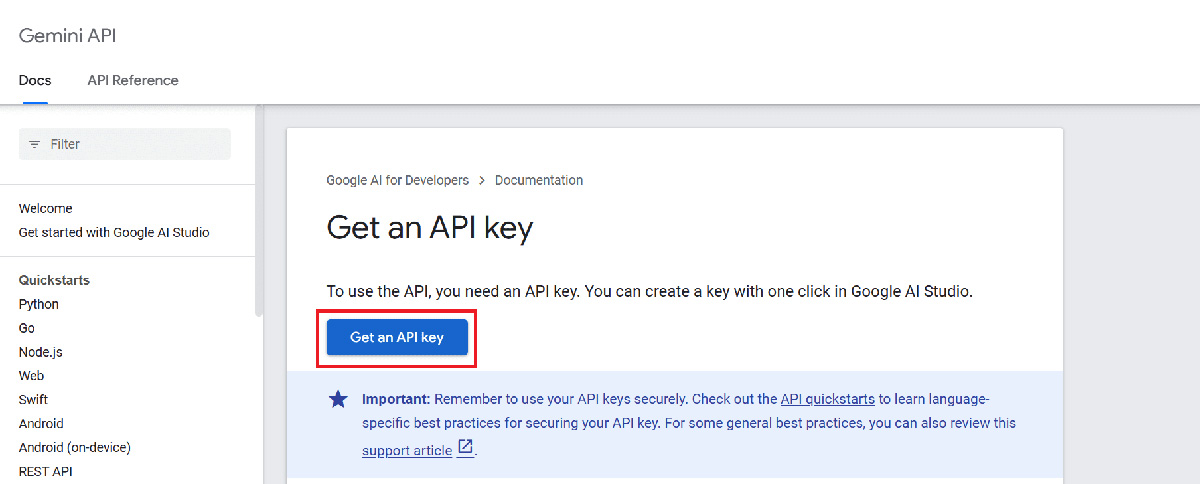
3. Click the "Get API key" button, then click "Create API key in new project". Then click apply, fill in the relevant information, submit the application, and wait for review.
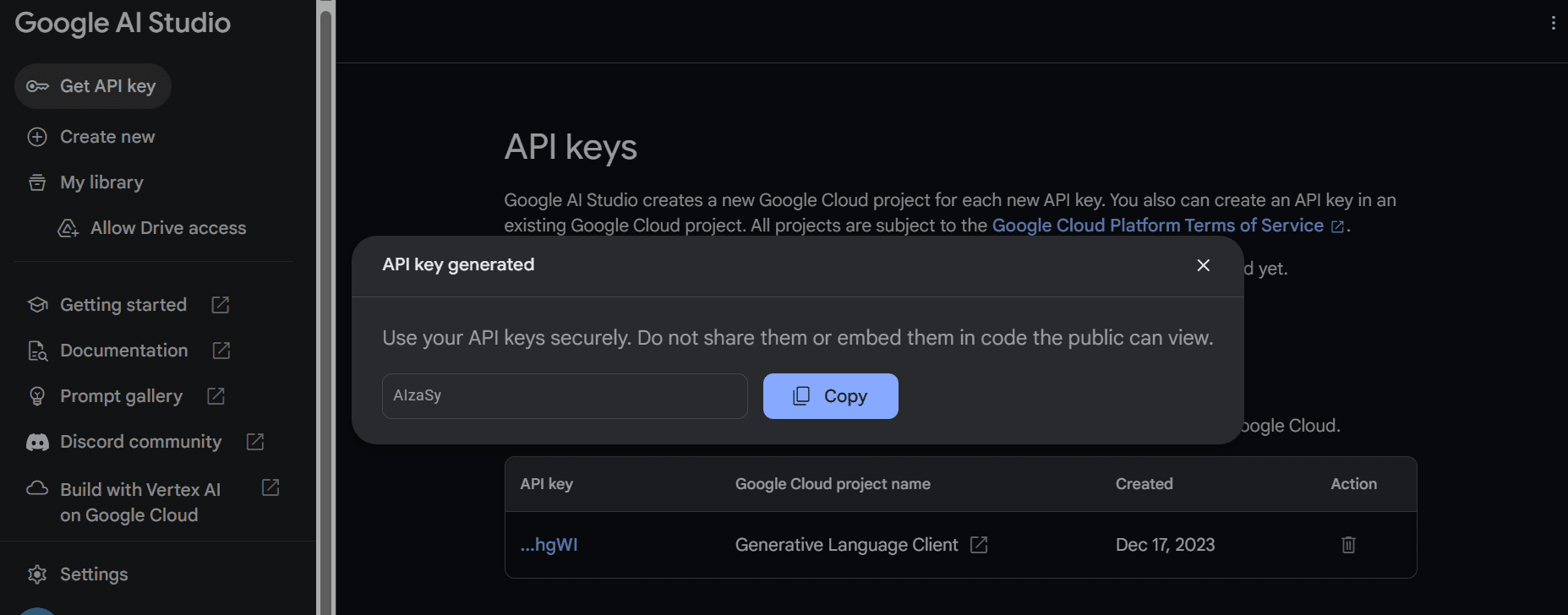
4. Copy the API key and set it as an environment variable.
5. After setting up the API key, calling the API via Python code to generate content with the Gemini Pro model is simple. Provide a prompt to the "generate_content" function and render the output as Markdown.
For more detailed instructions on how to install and use Gemini AI, please refer to the Gemini AI documentation.
Google plans to release the standard Gemini 1.5 model for broader use later in 2024 (date to be determined). Its features and release date remain unknown.









