Script Planner Assistant▸
 AI Apps
 AI News
Chushu AI Comics: New AI Manga Creation Zone Opens — Make Strips Easily!

Chushu AI Comics: New AI Manga Creation Zone Opens — Make Strips Easily!
Is it really possible to generate manga with AI and publish it?
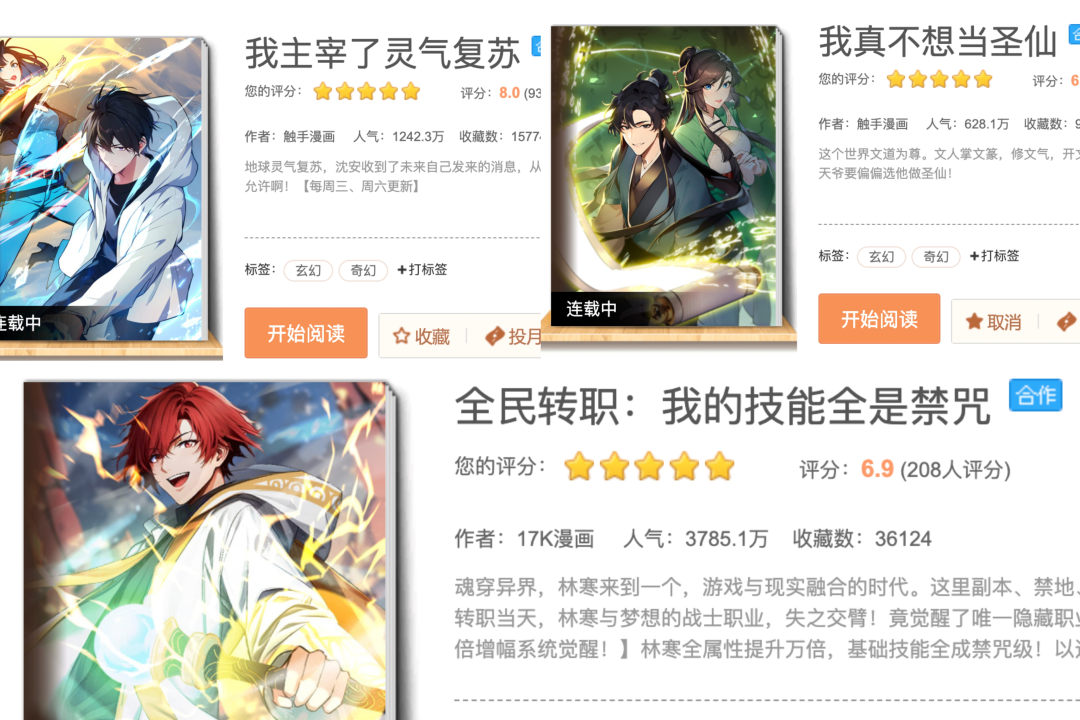
Three manga produced by Touchu AI are already being serialized on major platforms at home and abroad, including Tencent Comics, Kuaikan Comics, and Bilibili Comics! The creators involved are all regular users from the Touchu AI platform. They use Touchu AI to complete character training, sketch refinement, line art coloring, and other tasks, greatly boosting manga production efficiency and becoming the new driving force in manga production!
Visit the Touchu AI Manga web client:http://www.douchu.ai
To let more friends use AI to draw the manga world in their minds and even participate in the later production of hundreds of commercial manga works, Touchu AI's brand-new AI manga creation zone has opened just before the New Year. Even beginners can easily create strip manga with AI and realize their dream of becoming a manga artist!
The strip manga creation tool launched this time provides a one-stop manga workflow covering script processing, character training, image generation, and strip manga assembly. Whether you need to fix character roles, choose art styles and themes, or quickly stitch images and text together, it can all be done with ease! Let's take a look at the features of the creation zone below!
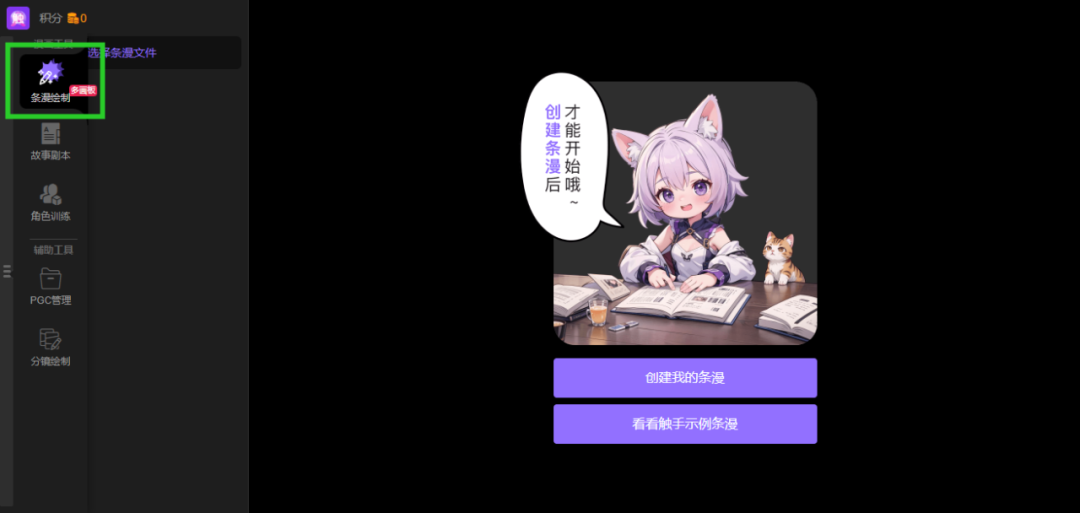
The functions currently available in the AI manga creation zone are [Strip Manga Drawing]. Other functions such as [Manga Management] and [Storyboard Drawing] are still in beta testing or under development.
The creation area of the strip manga tool is a complete canvas divided into four zones: [Script Area], [Canvas Area], [Global Settings Area], and [Assembly]. All operations are completed within this integrated workspace. Let's take a look at the functions of each zone below.
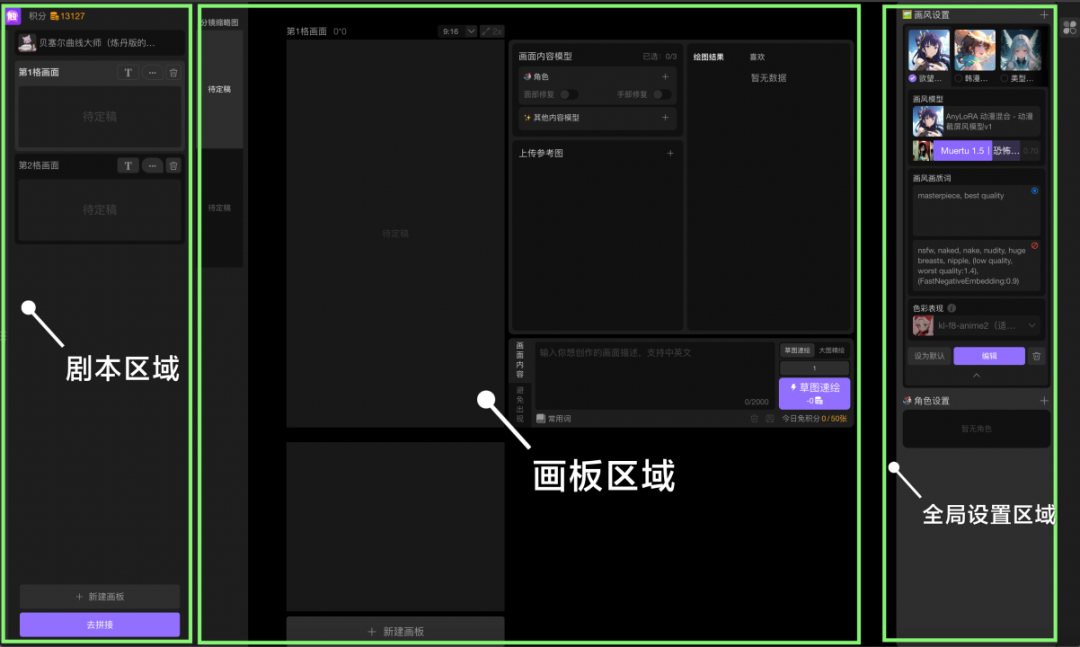
Script Area
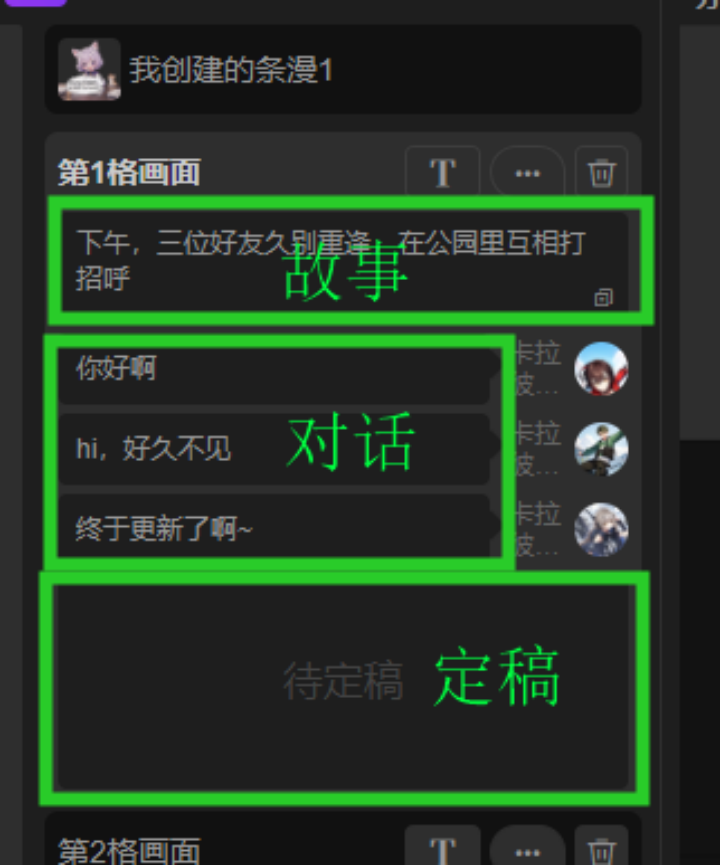
1. Break down and organize the story by individual panels.
2. Quickly set the dialogue text for characters, which will be automatically imported into speech bubbles during strip manga assembly.
3. View the finalized image of each individual panel.
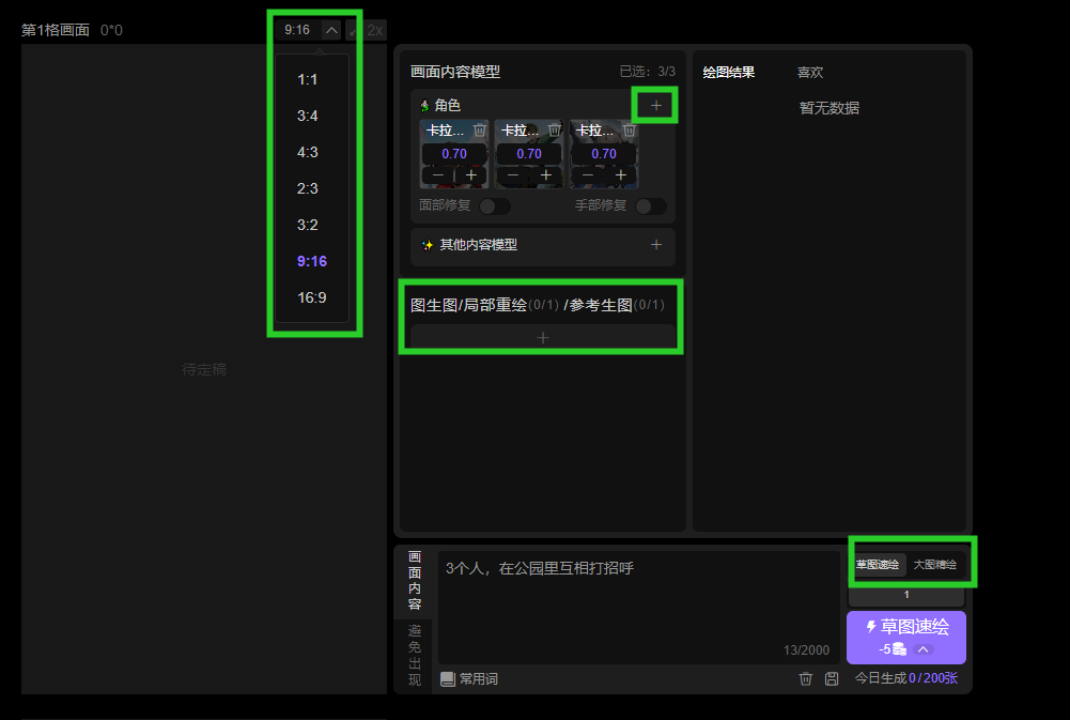
Canvas Area
1. Draw each individual panel through AI, supporting text-to-image, image-to-image, and reference-to-image generation.
2. Set the required character LoRA models for image generation, and additionally add effect LoRAs.
3. Set parameters such as the image aspect ratio.
4. Choose quick sketch mode for fast preview, or switch to large-image refined drawing for high-quality output.
5. The thumbnails on the left allow you to quickly view all finalized images. Click to jump directly to the corresponding canvas.
6. Quickly view the drawing results of each canvas and mark them as favorite or finalized.
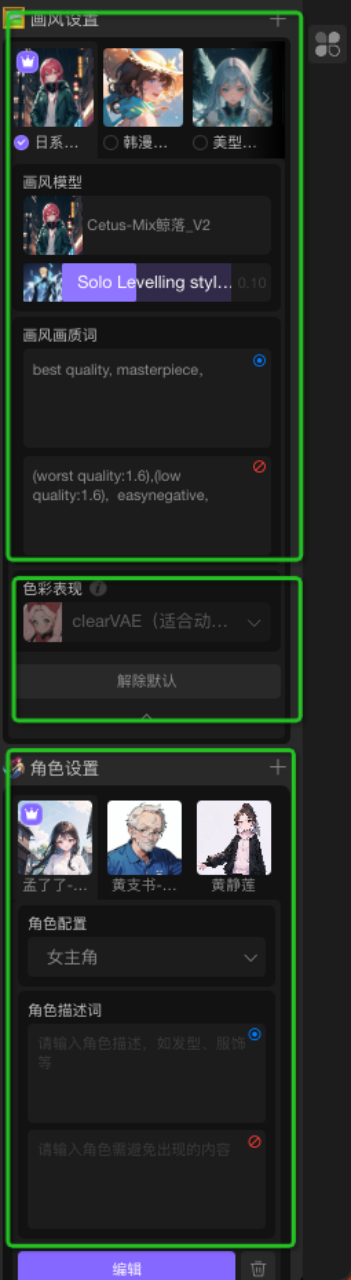
Global Settings Area
1. The global settings area on the far right of the canvas allows you to set the art style, base model, overlay model, keywords, and VAE for the entire strip manga.
2. Set up all character models and configure the corresponding positive and negative keywords for each character.
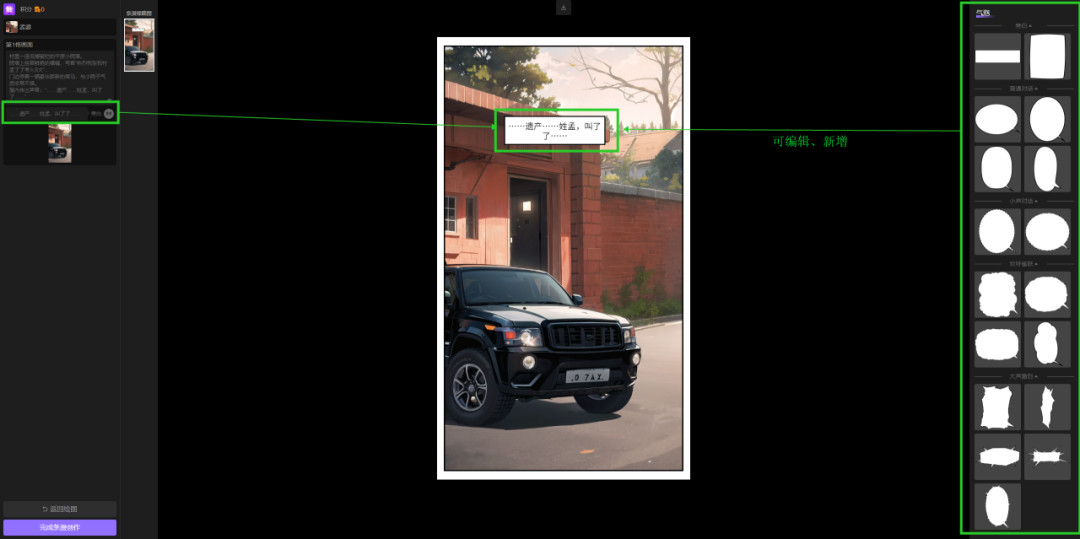
One-Click Auto Assembly
After completing the creation of individual panels, one-click auto assembly will stitch together all finalized panels. All dialogues and narration will be automatically imported into the images. At this point, you can move or replace the bubbles, edit the text, and finally click Export as Strip Manga to get a complete strip manga work!