
 Script Planner Assistant▸
 AI Apps
 AI News
How to Fix the "This Site Has Been Reported as Unsafe" Warning in Edge Browser
小编 ·

How to Fix the "This Site Has Been Reported as Unsafe" Warning in Edge Browser
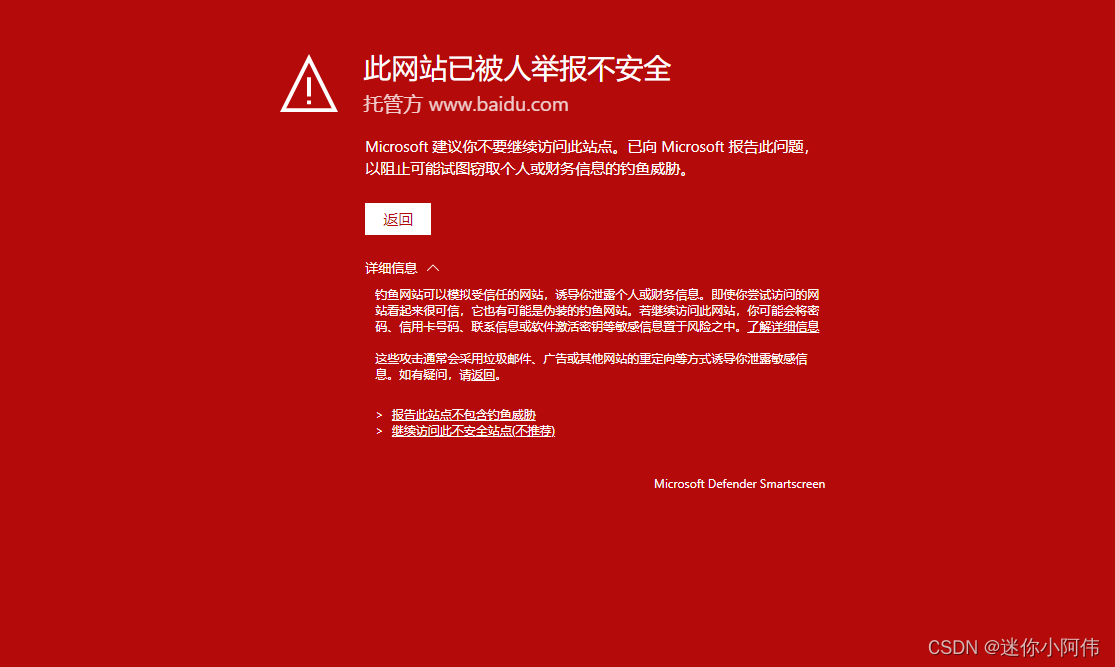
Starting from the afternoon of January 29, a large number of users reported that when using Bing via the Edge browser to search Baidu content, a prompt saying "This site has been reported as unsafe" would appear. The solutions are as follows. You only need to choose one of the two methods. After completing the settings, restart the Edge browser.
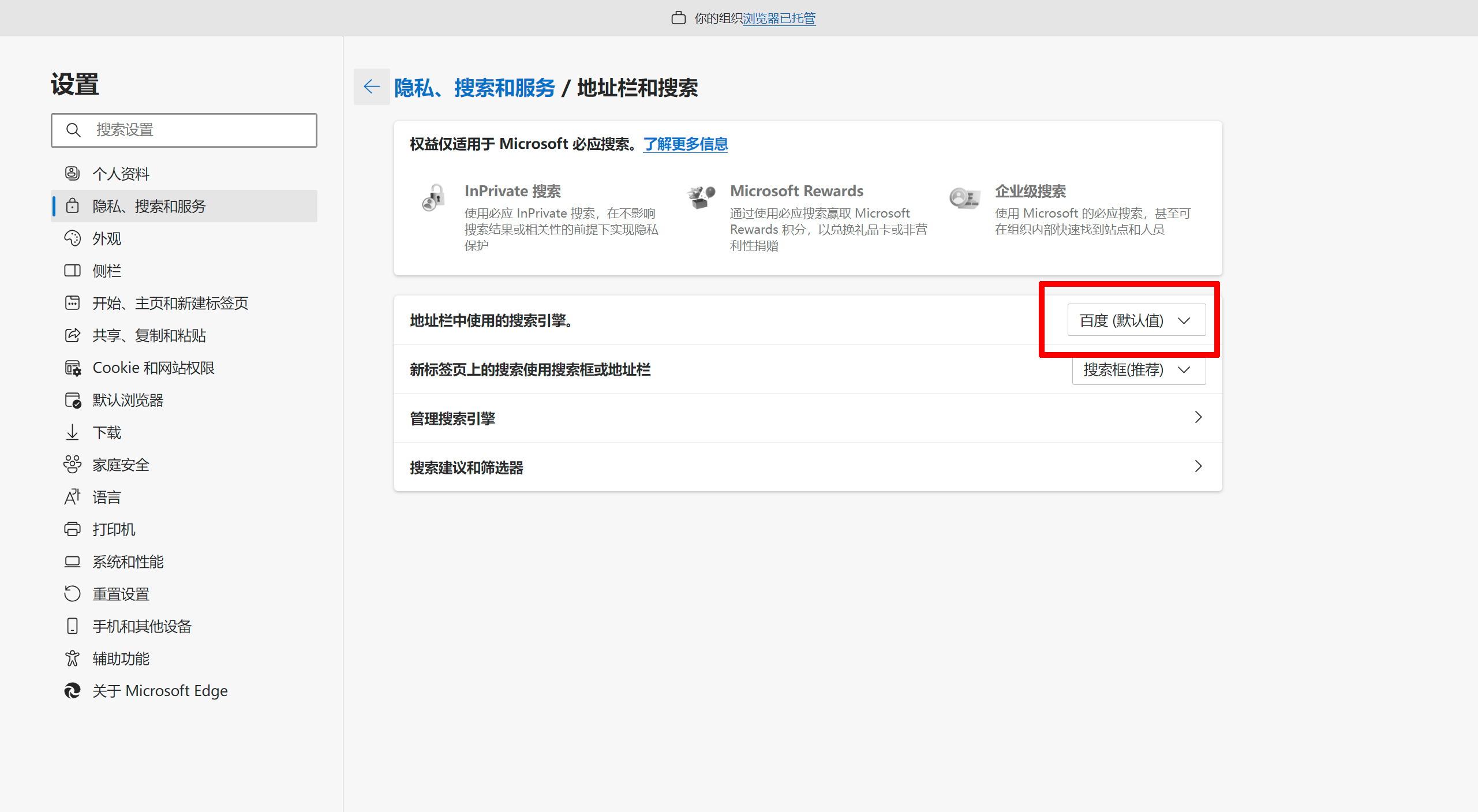
1. Enter edge://settings/search in the browser's address bar, and change the search engine used in the address bar to Baidu (default).
2. Enter edge://settings/privacy in the browser's address bar, and scroll down to the Security section. Disable "Microsoft Defender SmartScreen".
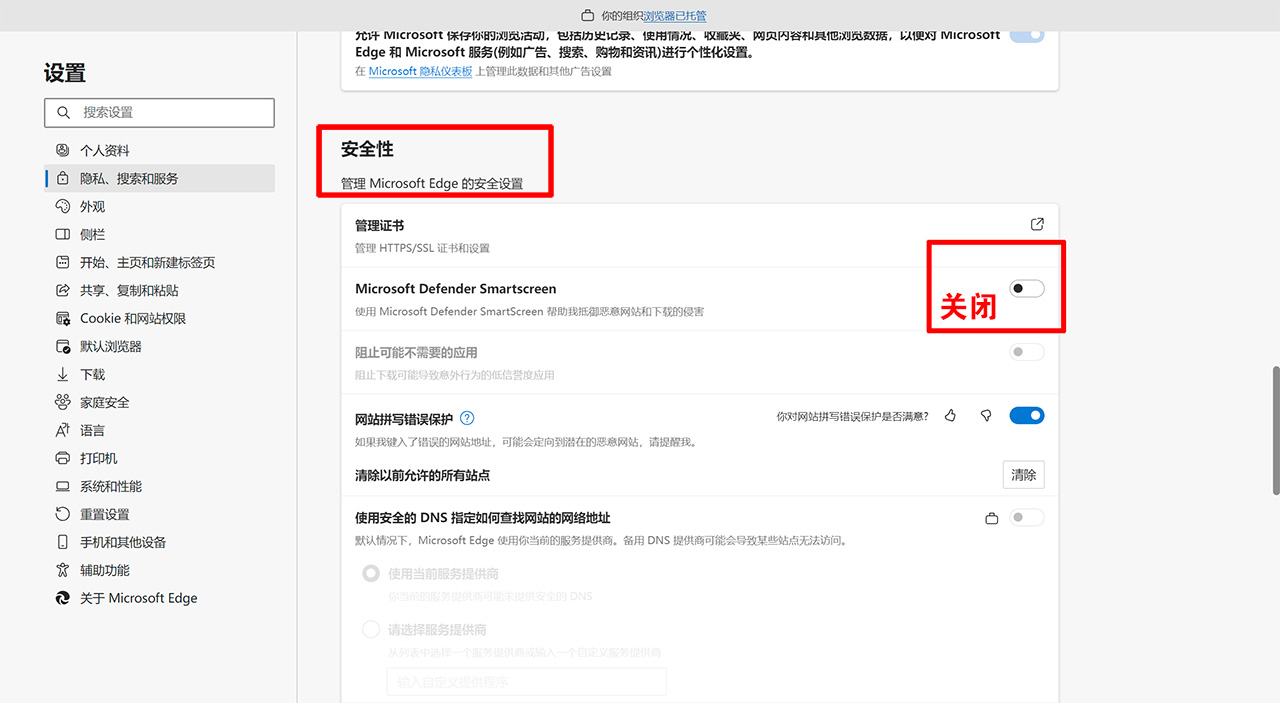
You can choose either of the methods above. After completing the settings, remember to restart the Edge browser, and the "This site has been reported as unsafe" prompt will be removed.









