
 Script Planner Assistant▸
 AI Apps
 AI News
ChatGPT-Integrated AI Bike: Urtopia Carbon
小编 ·

ChatGPT-Integrated AI Bike: Urtopia Carbon
The Urtopia Carbon e-bike stands out in a crowded market with its ultra-light design, futuristic look, and smart riding features. The Urtopia Carbon bike can serve as your mobile coach, smart companion, and voice-controlled assistant. Activate voice commands, tell the bike where you'd like to ride and provide the distance. Then, the ChatGPT integration with the bike will find the best cycling route to meet your needs. You will then be guided along this route, either on the display screen or through voice commands.
The Urtopia Carbon's lightweight carbon fiber frame, sleek integrated battery, embedded display and controls in the Smartbar, single-speed belt drive, and smartphone connectivity make it a bicycle of the future.
Lightweight, cool design, and a solid riding experience have me considering the Urtopia Carbon as a future bike option.
Even with a single gear, the motor propels you forward well. I was able to ride at speeds up to 20 mph on fairly flat roads, from 10 mph to 14 mph uphill, and only had to walk up one steep hill after going up a half-hill at 7 mph. Urtopia definitely makes me consider whether having multiple gears on an e-bike is worth the maintenance and complexity for someone who doesn't ride frequently.
Urtopia Carbon Official Website:https://newurtopia.com/
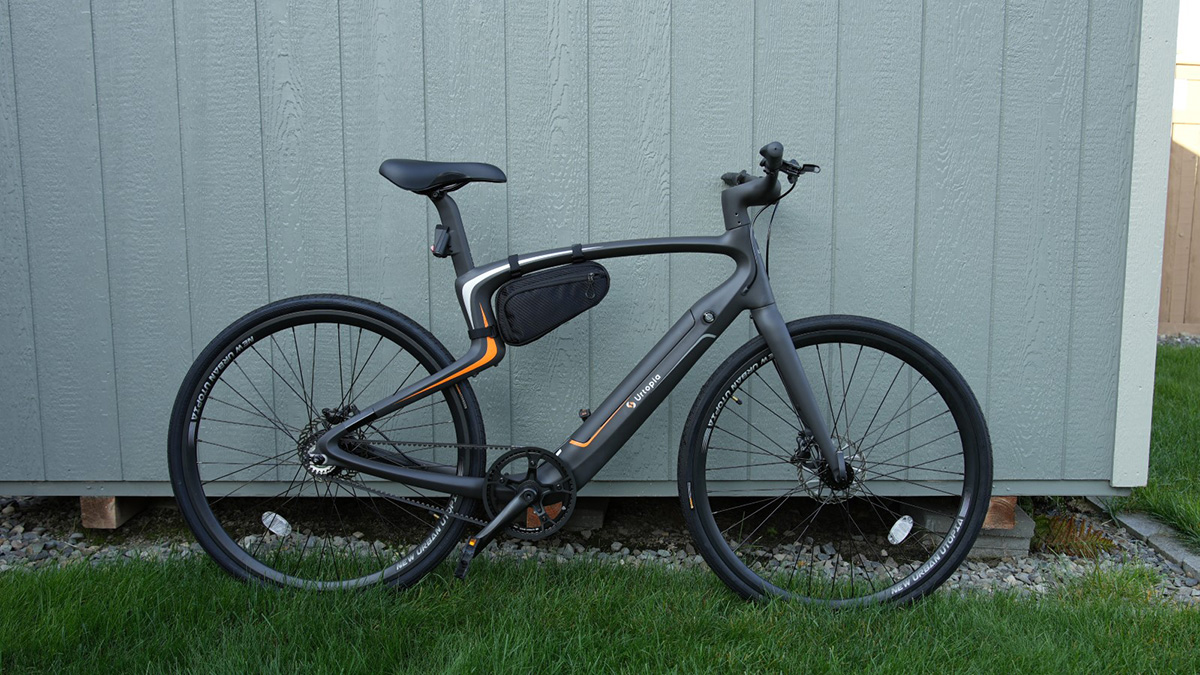
Urtopia Carbon Pros:
Lightweight, modern design
Additional features through a smartphone app
Four riding speed levels
Integrated cellular service for location tracking
Urtopia Carbon Cons:
Voice commands aren't always reliable
Stock seat is uncomfortable
Kickstand not included
Urtopia Carbon Smartphone App
The smartphone app is essential to the full Urtopia Carbon E-Bike experience, available for iOS and Android. There are three main tabs in the app: Home, Navigation, and Mine. The home screen displays tiles containing your recent rides, estimated CO2 saved, news, a user guide, and the story behind Urtopia.
The Navigation section of the app allows you to search for a destination, then plot a route to that destination. The map view gives you the distance and estimated duration, assuming you're cycling. Tap the "Start" button to begin navigation to the destination, and if your bike is turned on and connected to your phone, navigation prompts will appear on the central display of the Smartbar. This is a really cool feature of the bike, so you don't need a separate bike computer.
On the last tab, Mine, you can connect to the bike via Bluetooth, view weekly ride reports, check your previous routes (data collected via GPS and uploaded via eSIM), and the CO2 saved. Your ride route will display the start time, duration, distance, average speed, and a route map. Tap the play button to view your route in a playback animation. Drilling into your bike connection, you can view battery status, adjust sound/volume/vibration levels, set a fingerprint, check the health of your bike, and view some advanced settings. There are also buttons to turn on the lights, lock the bike, or sound an alarm.









