
 Script Planner Assistant▸
 AI Apps
 AI News
Yimi AI Update: Bot Creation Feature Now Live!

Yimi AI Update: Bot Creation Feature Now Live!
I don't know if you've noticed recently while using 薏米AI, but the "Create Bot feature" is now available.
That's right, the long-awaited "Create Bot feature" is officially live!
Now, in addition to choosing the official bots, you can also create your own exclusive AI bot to help meet your customized needs.
Let's take a look at how to use this new feature:
Let's take creating a "Year-End Summary Generator for Office Workers" bot as an example.
First, modify the avatar and bot name, and select the AI model you want to use.
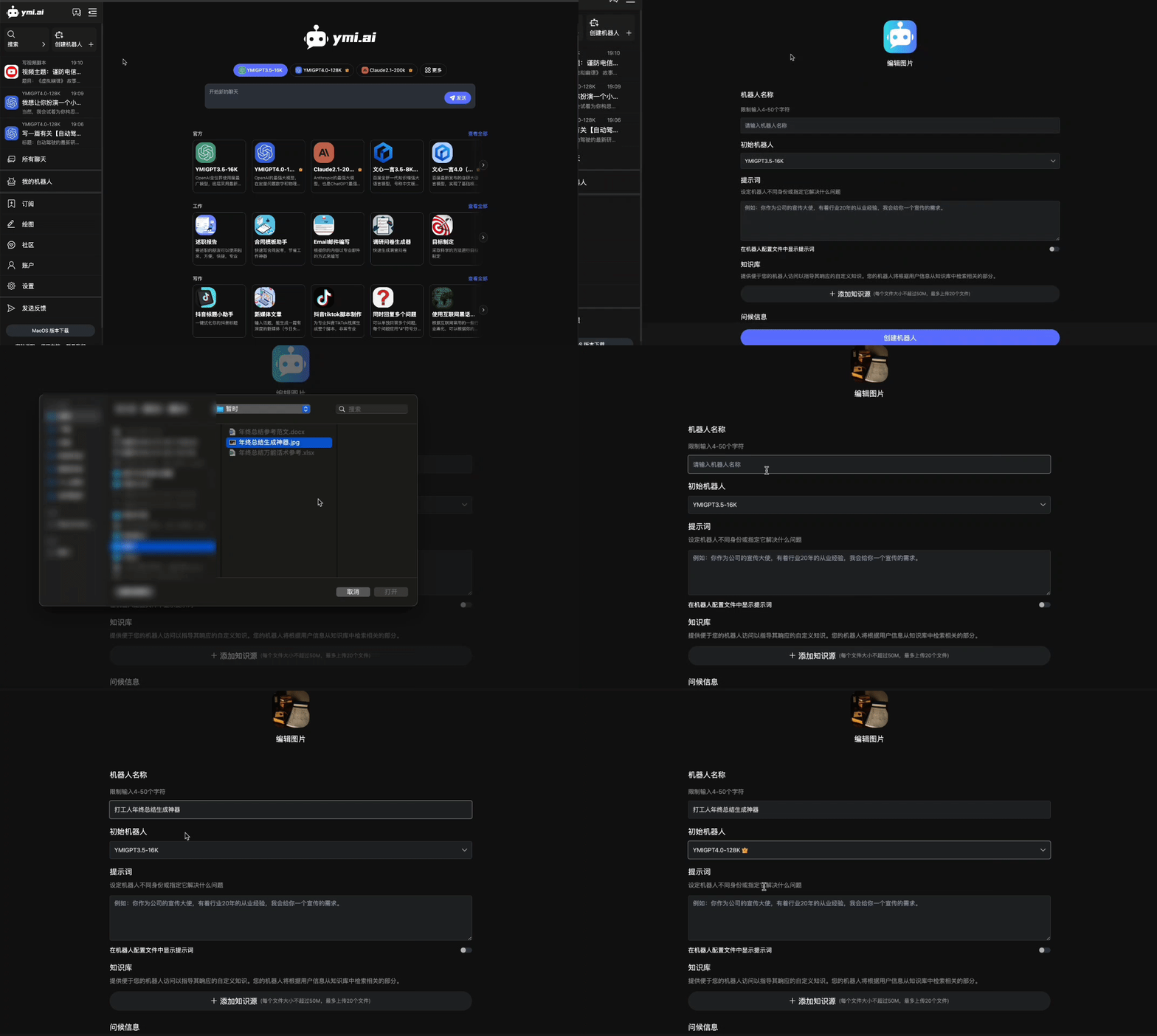
Enter the prepared prompts. The more detailed the prompts, the better the generated results.
If you have reference content, click "Add Knowledge Source" to upload it, and the bot will automatically read and generate related content during generation. You can think of it simply as "feeding the AI."
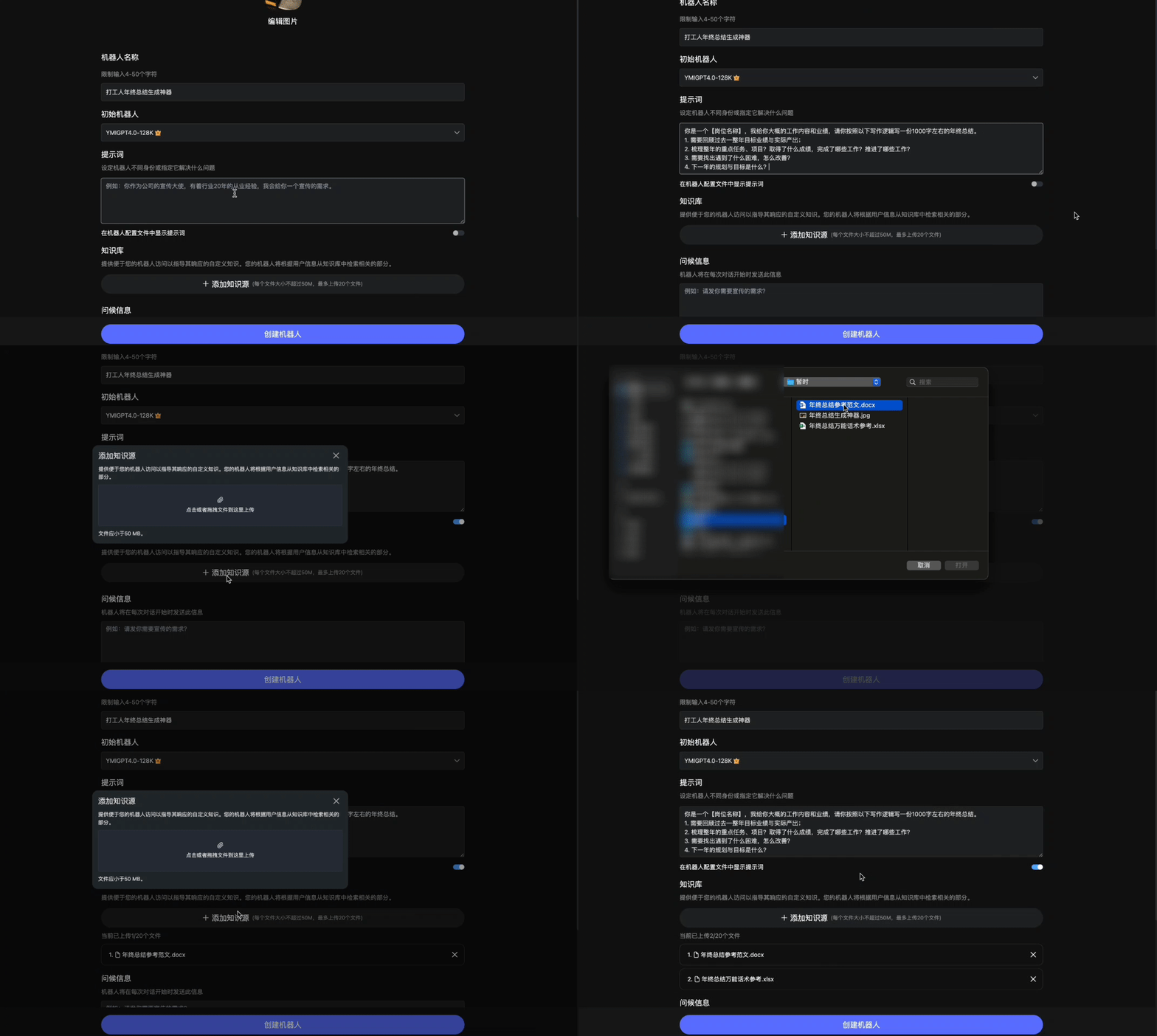
Set the greeting message, which is the message the bot sends before each conversation begins; then configure "Suggested Replies," "Custom Temperature," and other settings.
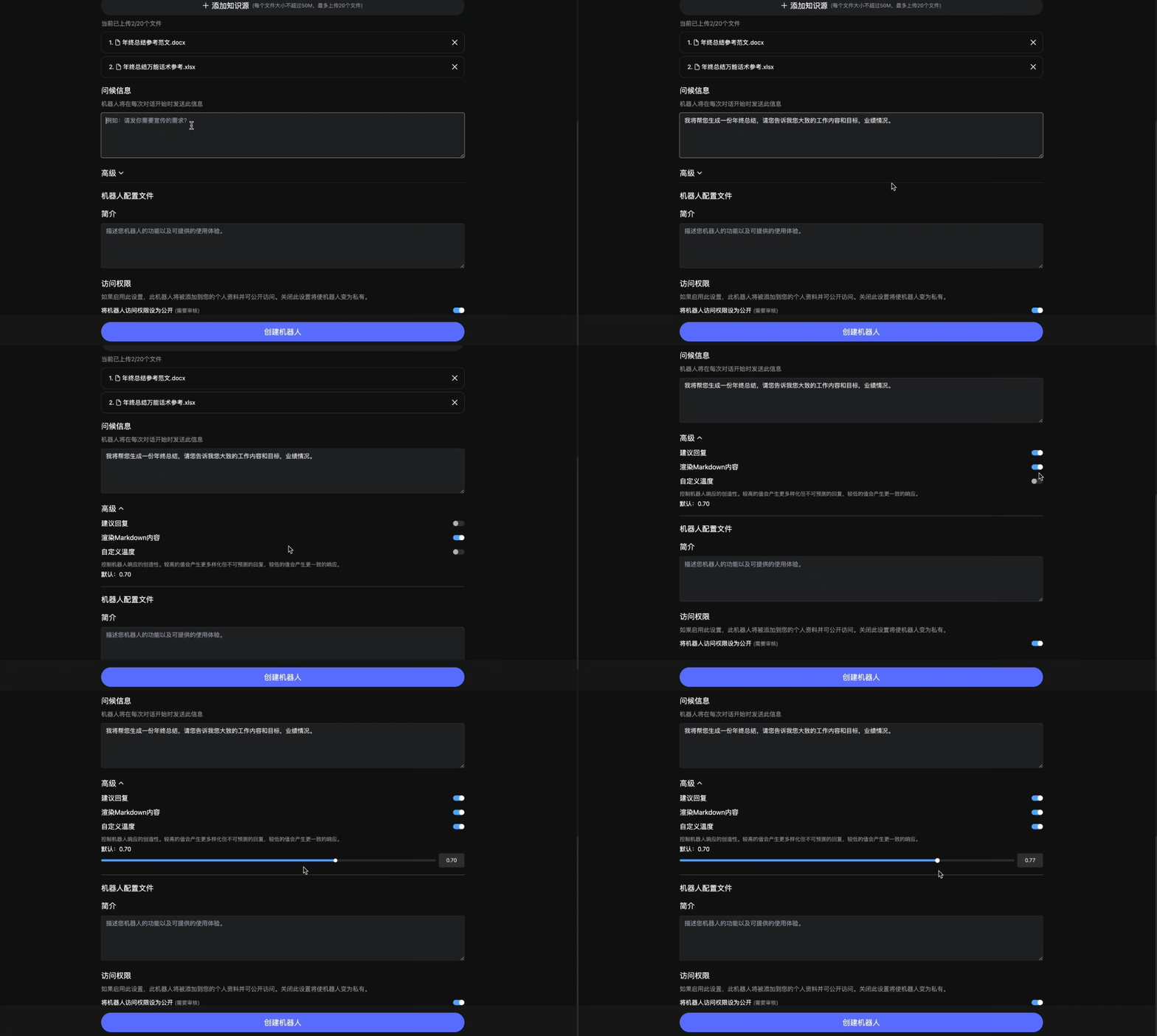
Finally, set the bot description with a brief summary of what the bot does; then set the access permissions.
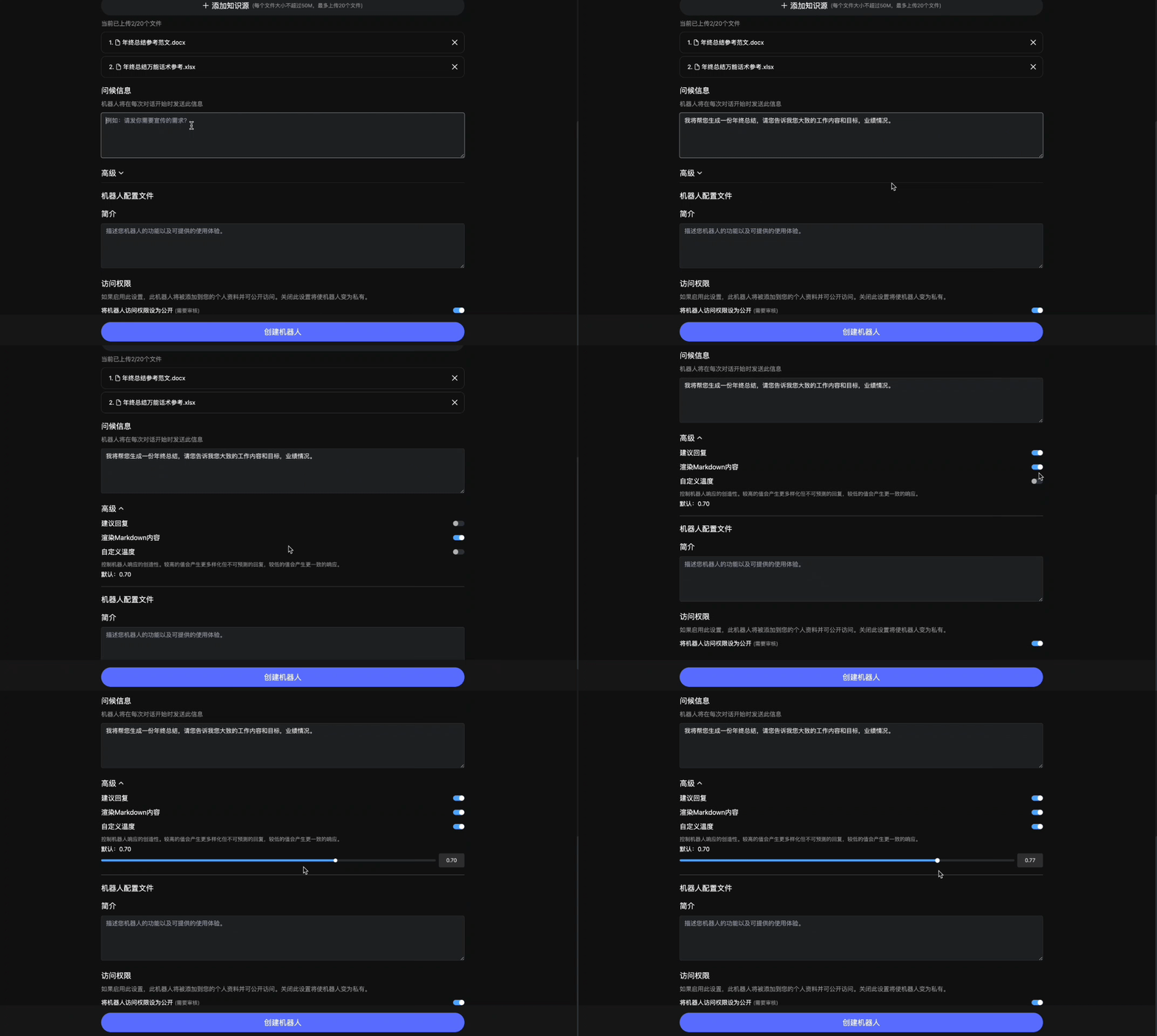
Please note that in private mode, the bot can only be used by yourself and does not require review; in public mode, the bot is accessible to everyone and must pass review before being displayed publicly.
Most importantly, this feature has been live for a week of operation and is currently stable and smooth—you can use it right now.
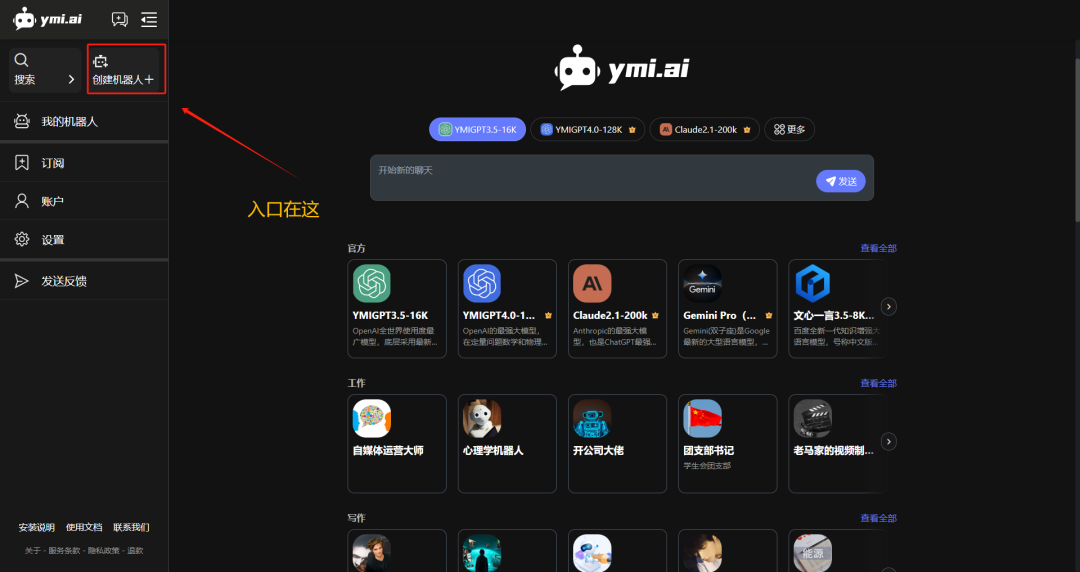
Now, log in to 薏米AI on your PC and experience the brand-new Create Bot feature with one click!









