
 Script Planner Assistant▸
 AI Apps
 AI News
AiPPT Update Alert! Replace Fonts & Backgrounds in One Click

AiPPT Update Alert! Replace Fonts & Backgrounds in One Click
While you weren't paying attention, we've been working hard behind the scenes to make our product even better.
Now let's take a look at all the new features and improvements in this update!
One-Click Font Replacement
With our one-click replacement feature, you can easily and quickly adjust the fonts in your PPT, making edits faster and more convenient! Let's take a look at how to use it.
In the AI PPT editor page, select a text box and you'll find 【One-Click Uniform Font】 at the bottom of the settings menu on the right side — that's the entry point for this feature.
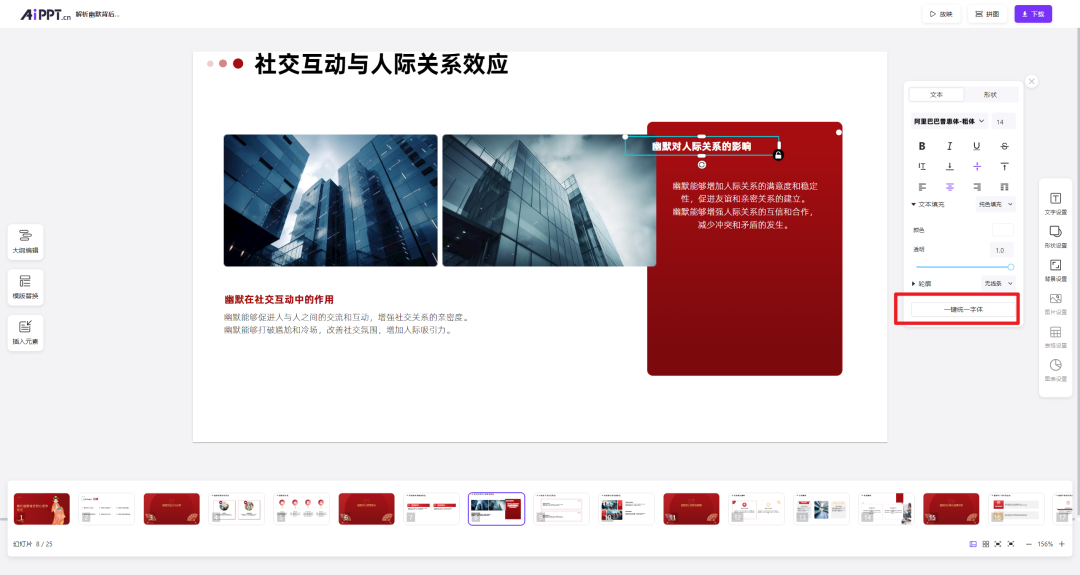
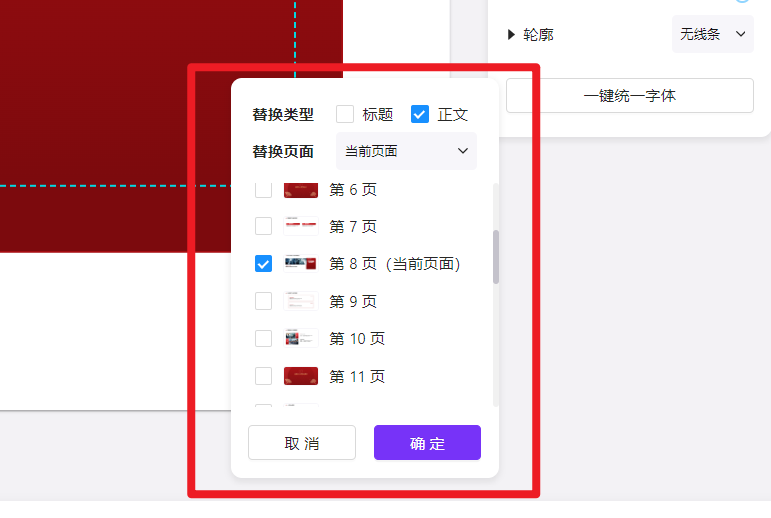
Click it to bring up the settings panel. Here, you can uniformly set the font for the title or body text of any combination of slides.
One-Click Background Replacement
With our one-click replacement feature, you can change the PPT background however you like and quickly achieve the effect you want.
Also in the AiPPT editor page, a new 【Set Uniform Background】 option has been added at the bottom of the background settings menu.
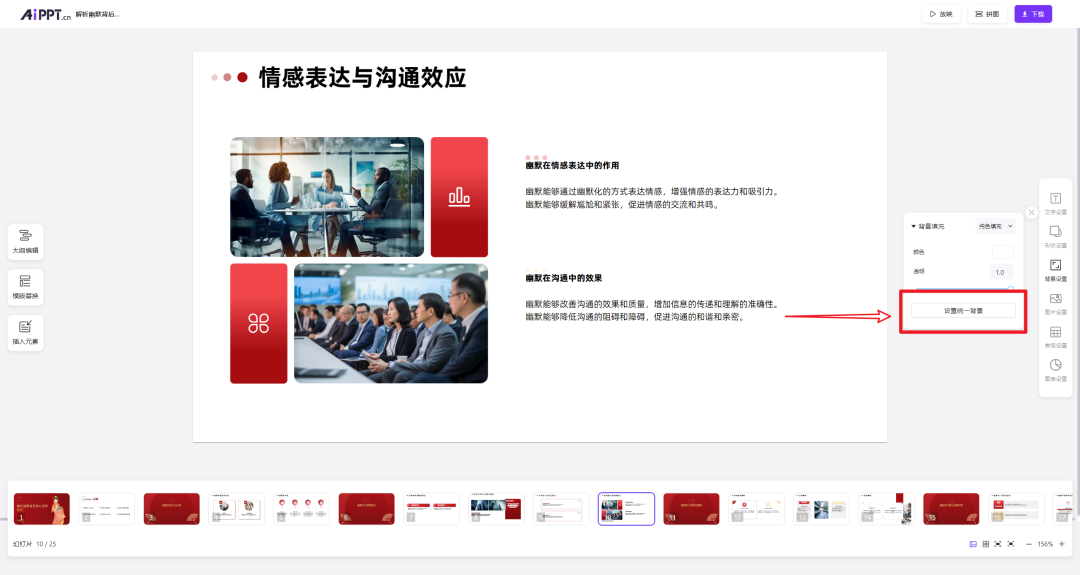
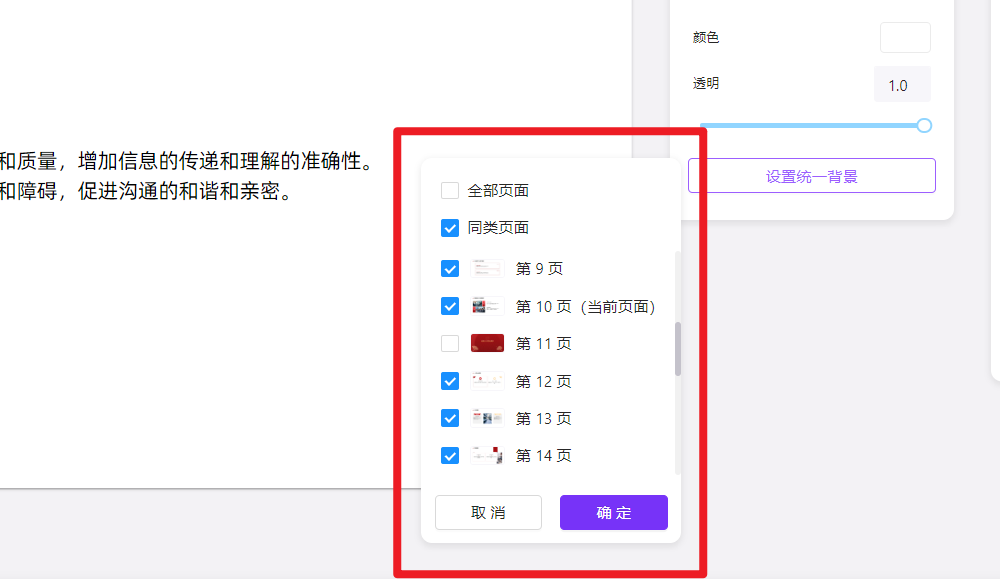
Click it to bring up the settings panel, which supports background replacement for any combination of slides.
We are constantly working to improve product quality and user experience. Your feedback and suggestions are extremely important to us.
If you have any thoughts or feedback, feel free to send us a private message on our official account. As always, we're here to listen and improve!









