Script Planner Assistant▸
 AI Apps
 AI News
TusiArt: TAMS 2.0 Engine Upgrade — Even Faster Image Generation!

TusiArt: TAMS 2.0 Engine Upgrade — Even Faster Image Generation!
Dear Tusi Art family members:
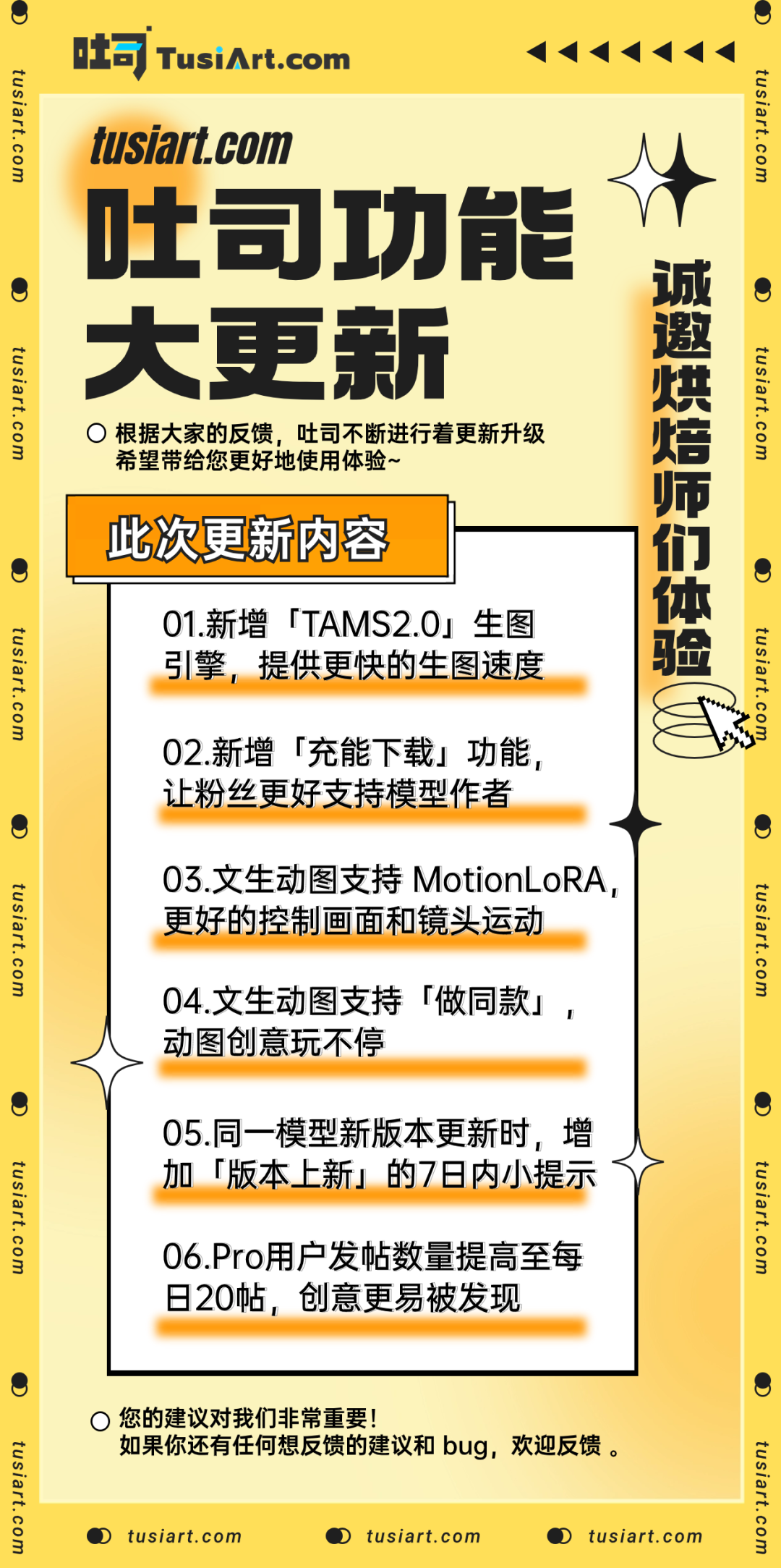
Thank you so much for all your suggestions! As a team that listens to feedback, Tusi Art has once again rolled out new features. Based on everyone's input, Tusi Art has been continuously optimizing and improving to bring you a better experience~
Let's take a look at this week's updates together, and feel free to visit tusiart.com to experience the new features~
1. TAMS 2.0 Image Generation Engine
With the TAMS 1.0 image generation engine and the support of both software and hardware, Tusi Art's image generation speed has reached the leading level in China. For details, please see this WeChat article: "Image Generation Speed Upgraded Again, the Boss Says If It's Still Laggy, He'll Eat the Server!"
However, we feel that this speed is still not极致 enough. After a period of adjustment and exploration, we have finally released the "TAMS 2.0 Image Generation Engine"!
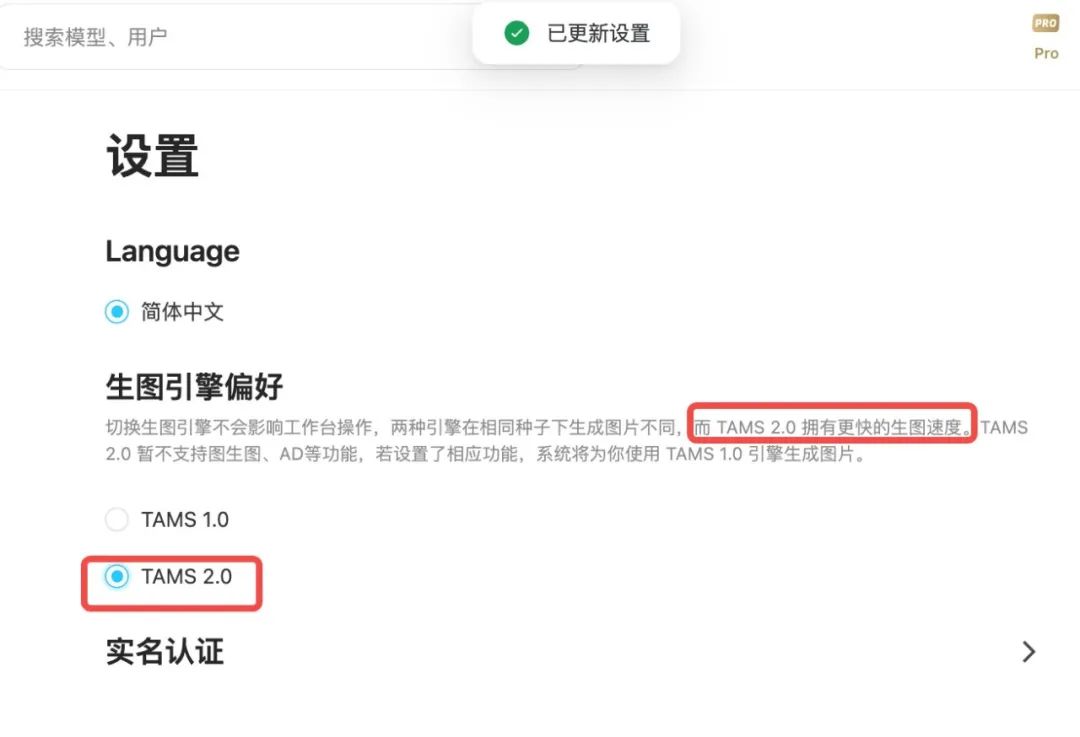
TAMS 2.0 offers faster image generation speed — it truly lives up to the phrase "far ahead"! Video without acceleration shows a 33% speed boost! About 8 images can be generated in around 20 seconds!
Hurry to Tusi Art settings and switch to TAMS 2.0 to experience the silky-smooth image generation~
2. Charged Download
Charged Download: To further strengthen the connection between model authors and their fans, and to better support the healthy development of model authors, the "Charged Download" feature has been added. After fans complete sponsorship to the model author, the model author will, as a token of thanks, gift the model's download rights to the supporters~
So how exactly does it work? Here's a guide prepared by Tusi Art for you~
How to Set Up Charged Download?
Go to the model page
Upload a new model, or enter the Edit Project option in the upper right corner of an existing model, and enable "Charged Download" according to the prompts and set up the relevant content
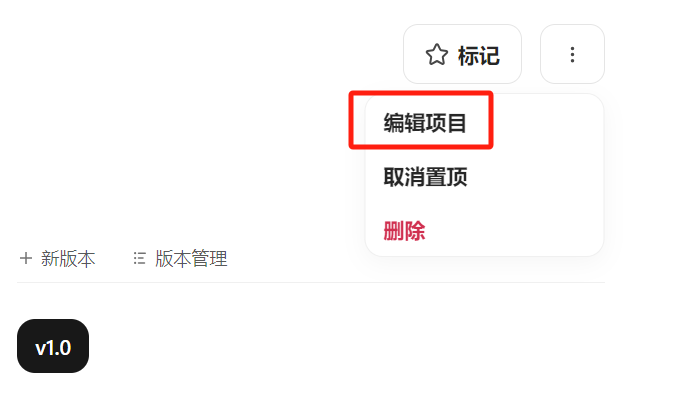
Note: After completing the setup, be sure to click the "Update" button at the very bottom to ensure the settings are saved successfully~
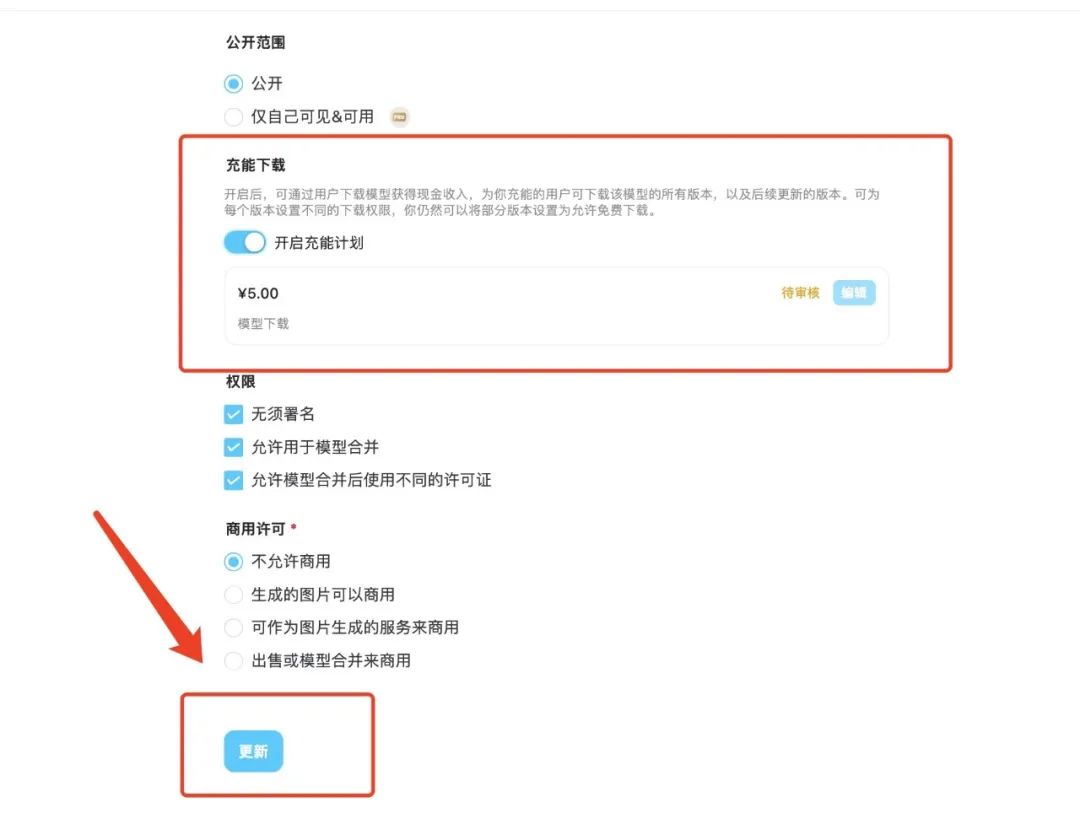
Tips: Please comprehensively evaluate and reasonably set the models participating in the "Charged Plan". If a model itself violates platform rules, the "Charged Download" may be rejected from being enabled, and we reserve the right to take further action.
How to Perform Charged Download?
Go to the model page
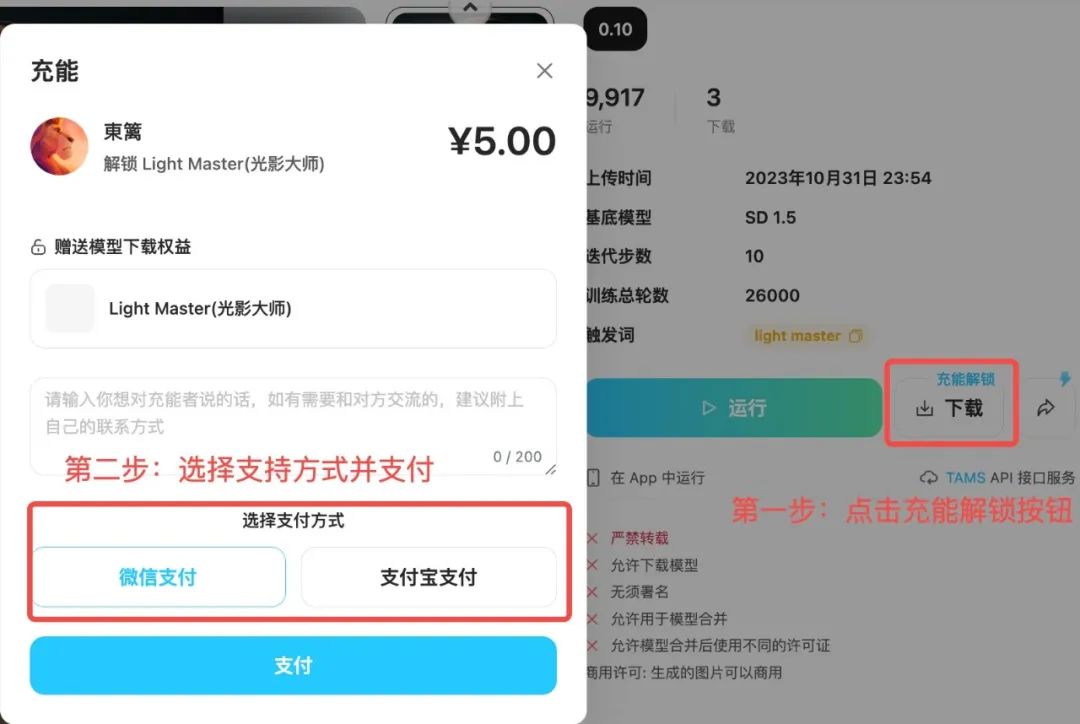
On the page of a model you like, click the "Download" button with Charged Download. After completing the sponsorship to the model author on the popup page, you can unlock the model's download rights given by the author to supporters.
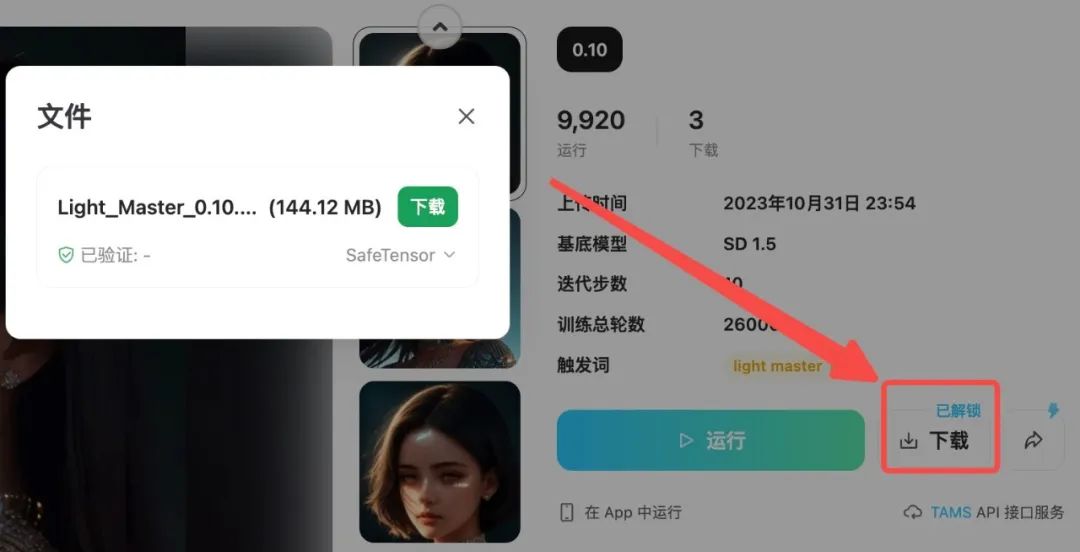
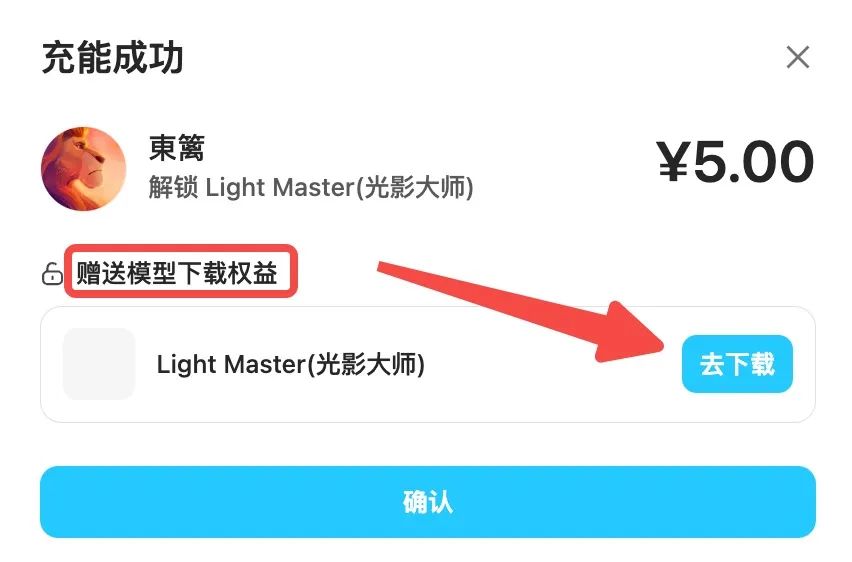
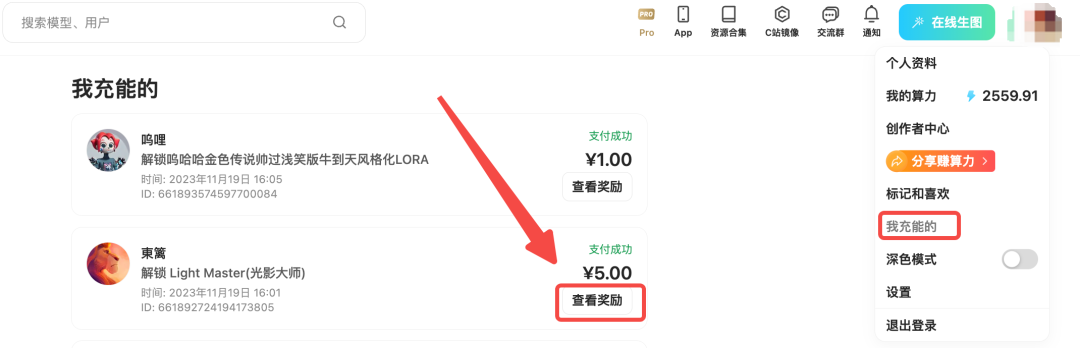
If you accidentally exit the page, you can go to "Settings" and click "My Charged Plans" to view all the "Charged Plans" you have supported.
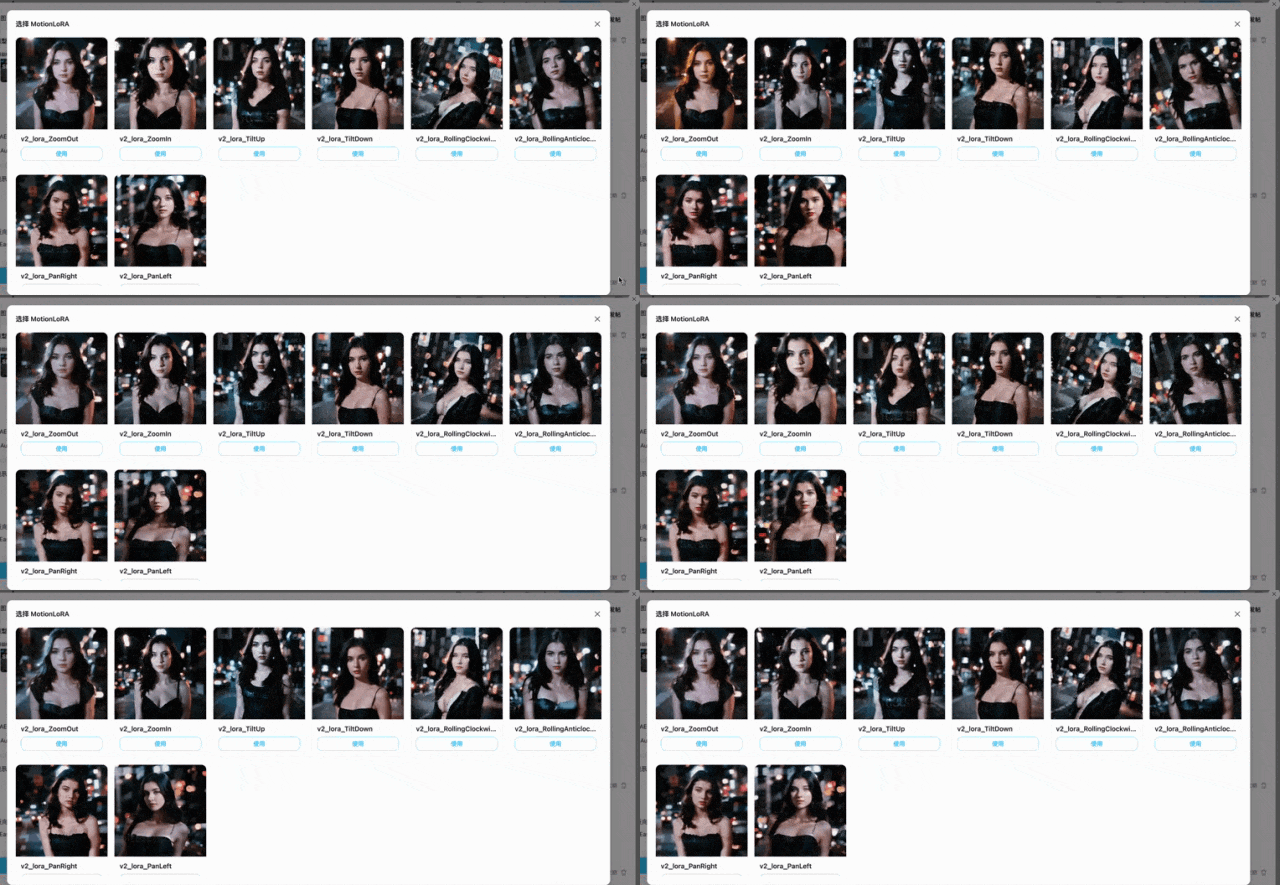
3. Text-to-Animation Now Supports MotionLoRA
MotionLoRA Support: Tusi Art's text-to-animation feature has been further enhanced with MotionLoRA (Motion LoRA), allowing better control of picture and camera movements. Give it a try~
4. Text-to-Animation Now Supports "Make Same"
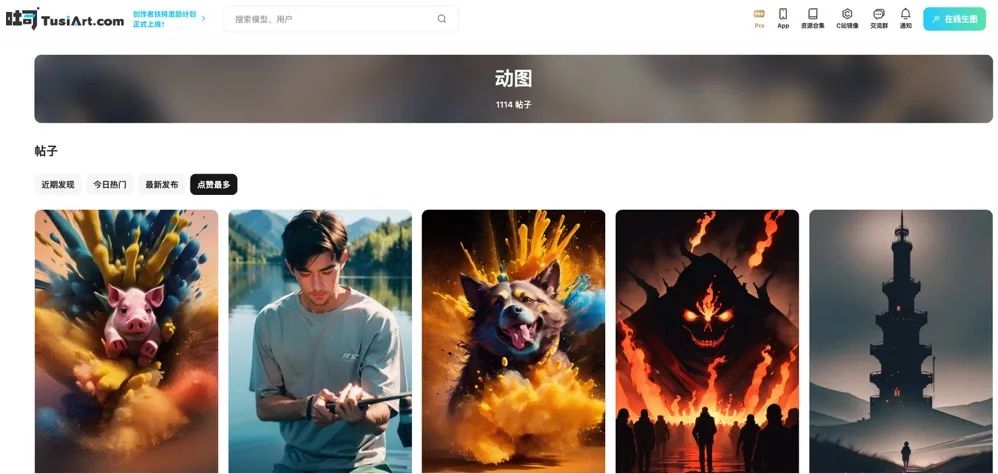
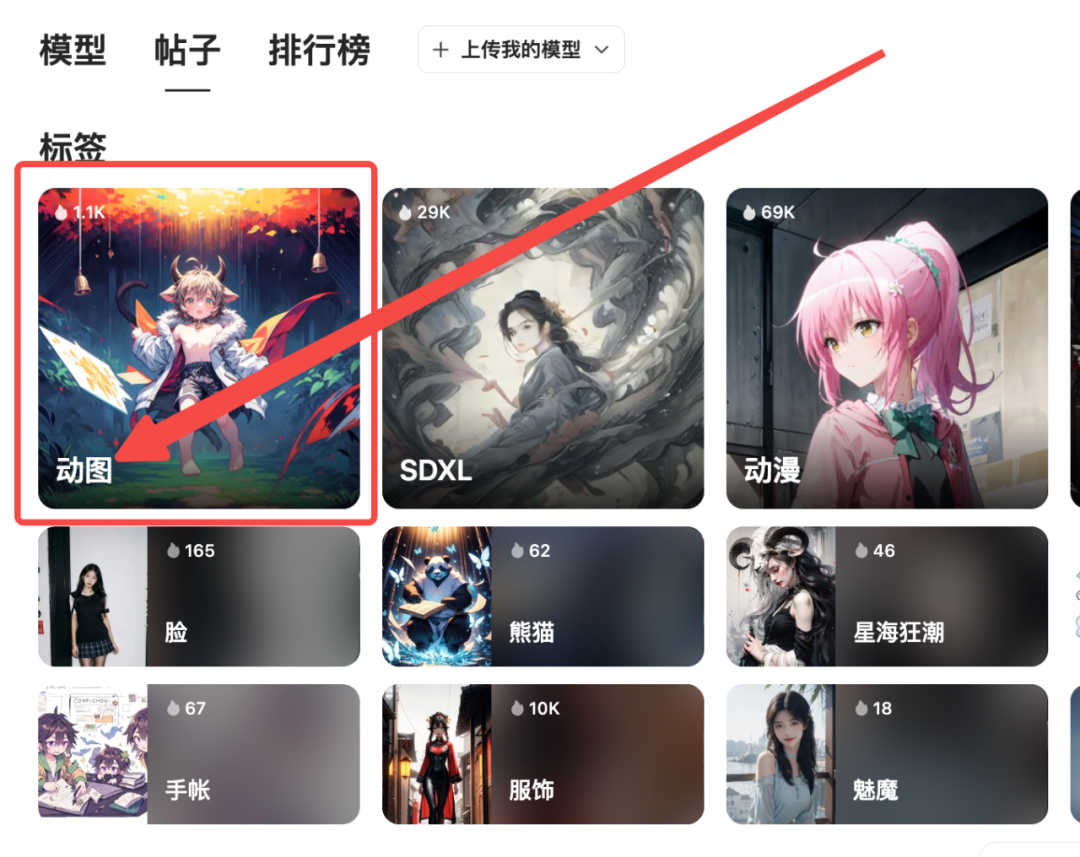
Text-to-animation now fully supports the "Make Same" feature. You can go to "Posts" → "Animations" to browse by today's discoveries or most likes sorting, find inspiration, and one-click to make the same to experience it~