
 Script Planner Assistant▸
 AI Apps
 AI News
A Fresh New Start: ShanJian APP Gets a Major Upgrade — Check Out the Highlights

A Fresh New Start: ShanJian APP Gets a Major Upgrade — Check Out the Highlights
The updated version of ShanJian APP is officially launched today
What changes are included in this update?
How to use the latest features?
The original "Image & Text Quick Edit" entry has been upgraded to Spoken Video - Free Creation
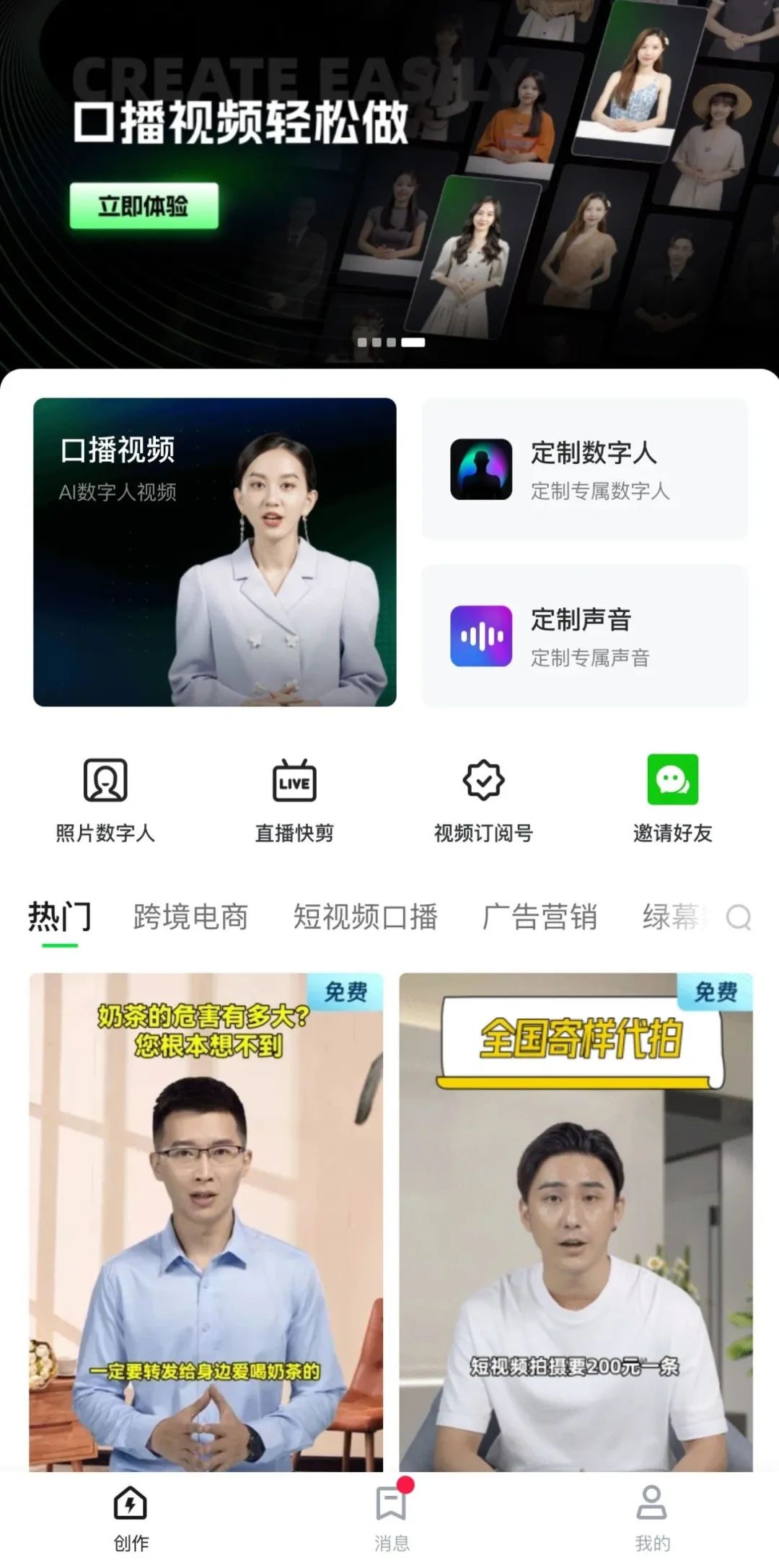
The operation of the upgraded Free Creation is essentially the same as the original Image & Text Quick Edit
The original "Smart Video Generation" entry has been upgraded to Spoken Video - Smart Video Generation
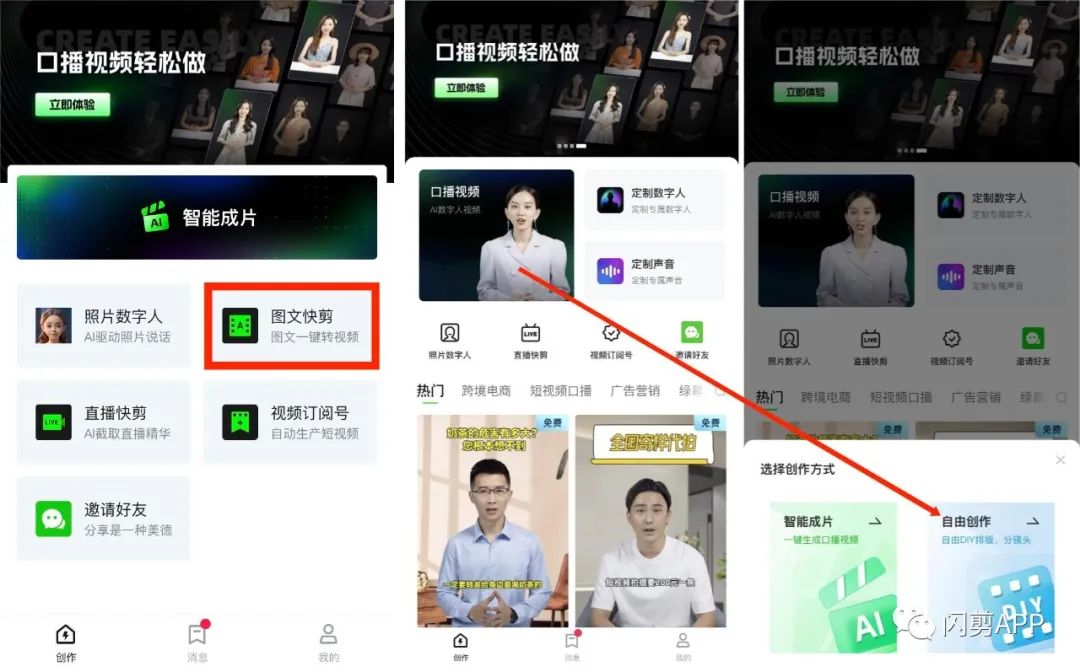
The operation of the upgraded Smart Video Generation has not changed either
You only need to provide a few keywords
Smart Video Generation can generate an original script and copywriting for you
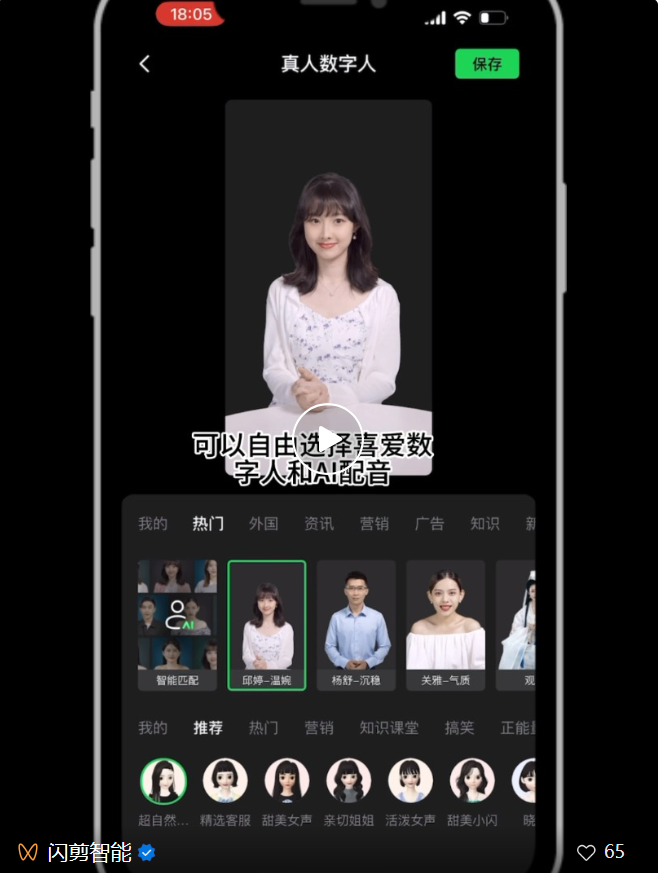
There are also multiple digital human avatars to choose from
Achieving a full-process ai automated video creation
Friends who still don't know how to operate
Please watch the video below:
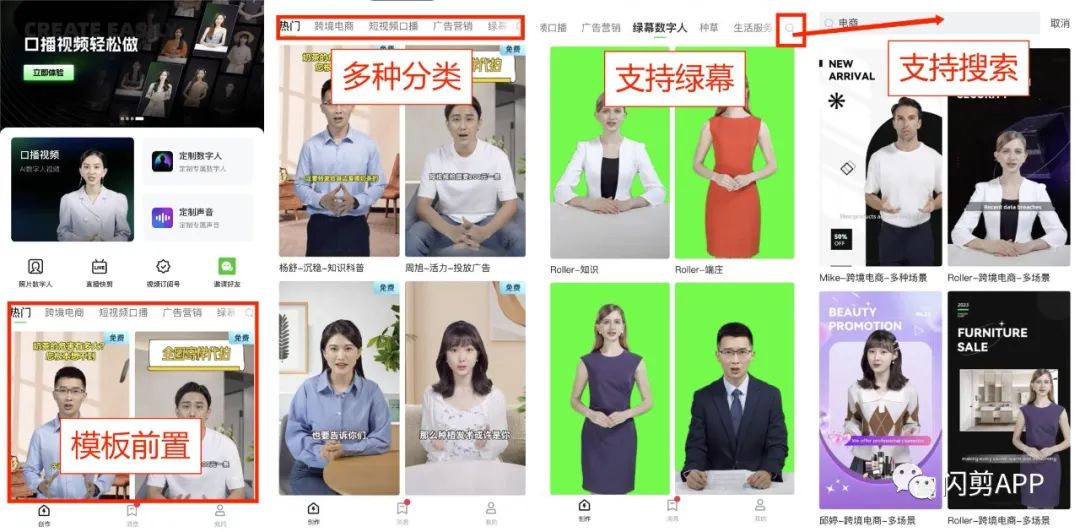
Video templates have been moved to the front of the homepage
You can use video templates
To jump directly to the original Image & Text Quick Edit interface
Truly achieving one-click start to creation
Not only can you quickly get excellent results
Greatly improving our work efficiency
And the template library will be updated in real-time
Helping friends keep up with the latest trends
Suddenly have to step away in the middle of creating?
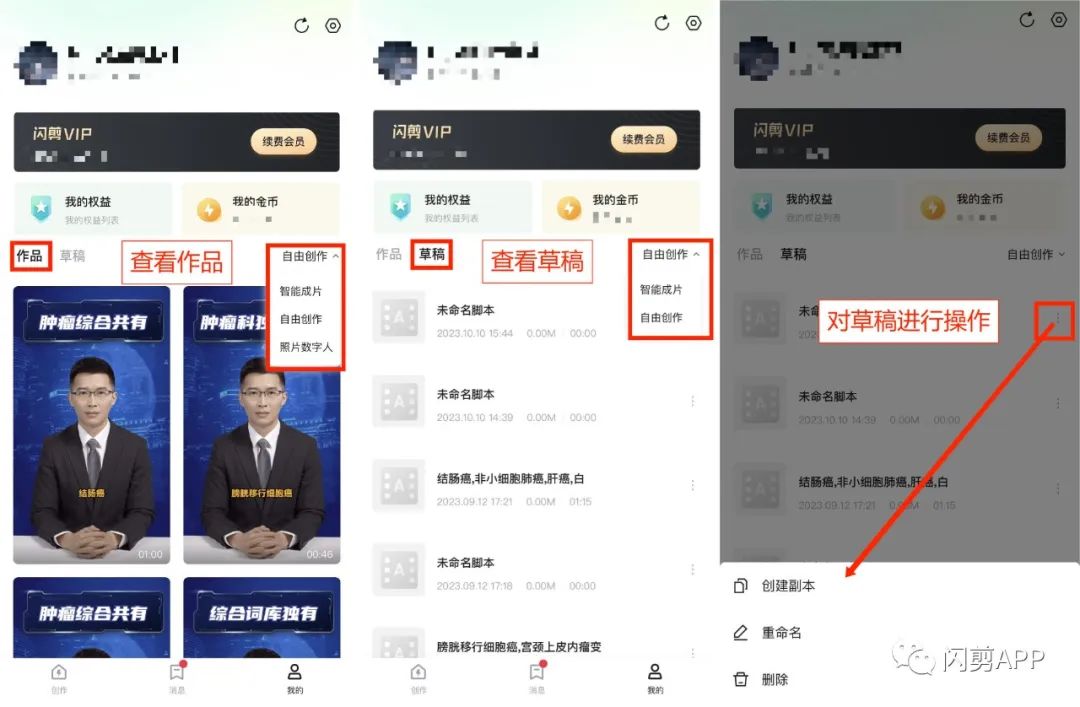
You must not miss this Draft feature
Generated works will be displayed in the [Works] column
Works that haven't been edited yet will be saved in the [Drafts] column
Just click to enter the Drafts
And you can continue creating with one click
Are you satisfied with this update?
In the future, ShanJian Smart will bring you
More AI video creation tools
Making your video creation simpler!
Search "ShanJian" in the app store
Or scan the QR code below
Follow the prompts to complete the upgrade









