Script Planner Assistant▸
 AI Apps
 AI News
XiaoyuTai Features & User Guide

XiaoyuTai Features & User Guide
Q: What is Xiaoyutai?
A: Xiaoyutai is a click-based text creation ai tool that allows users to command AI to create text through click operations.
Q: How to access it?
A: Currently there are 3 ways
1. PC web version — Search for Xiaoyutai in your browser to enter the official website, or visit www.xiaoyutai.com
2. Mobile web version — Search for Xiaoyutai in your browser to enter the official website, or visit www.xiaoyutai.com
3. Mobile WeChat Official Account — Follow this official account, click "Start Creating"/"Free Chat" to enter the official website
Q: How to log in and register?
A: The PC web version and mobile WeChat Official Account use WeChat for registration and login. After logging in, you can bind your phone number, and use that phone number to sync-login to the mobile web version.
Q: How to create content through Xiaoyutai?
A: The Xiaoyutai homepage lists different functional modules, providing users with content output in various styles. Users can select the appropriate functional module, click to enter, and command the AI by clicking options or inputting text, using AI for creation.

02 Feature Introduction
Q: What can Xiaoyutai write?
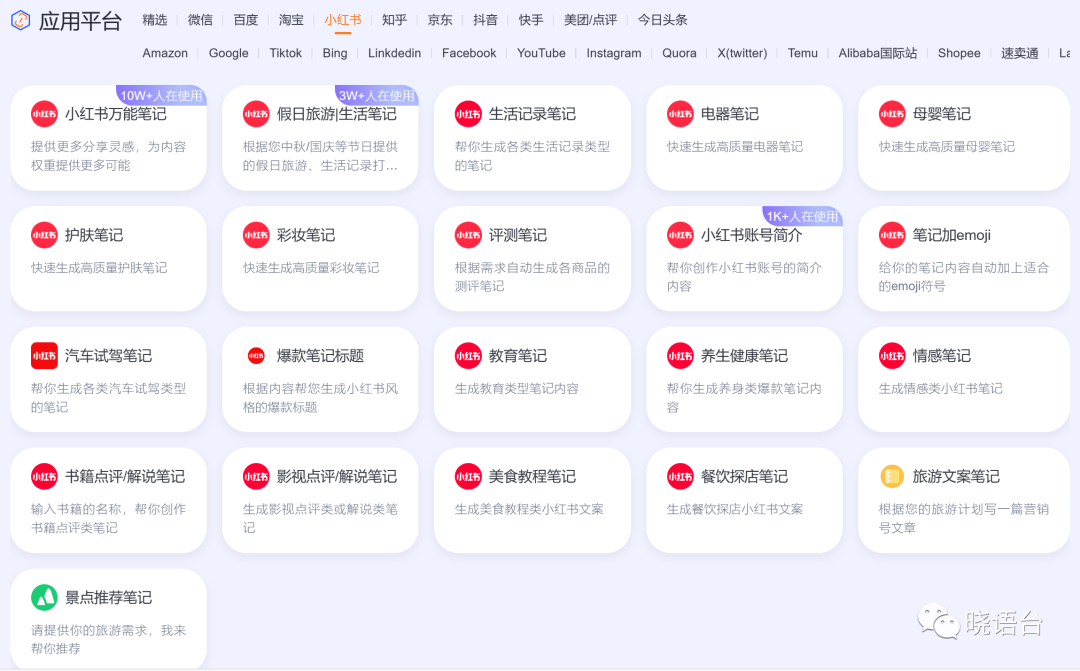
A: Virtually all the text content you can think of. Xiaoyutai is equipped with a large number of functional modules, covering 15 major industries, 14 major professions, 28 social platforms, with a total of 500+ creation scenarios.
Through Xiaoyutai, users can perform various forms of text creation. For example, professionals can generate weekly reports, daily reports, summary reports, and event plans. Enterprises can introduce Xiaoyutai AI to handle repetitive text-based work, achieving cost reduction and efficiency improvement.
For freelancers, such as self-media creators, they can create various copywriting. Email marketing, e-commerce operations, and video scripts can also be generated on Xiaoyutai.
Q: What is a creation scenario?
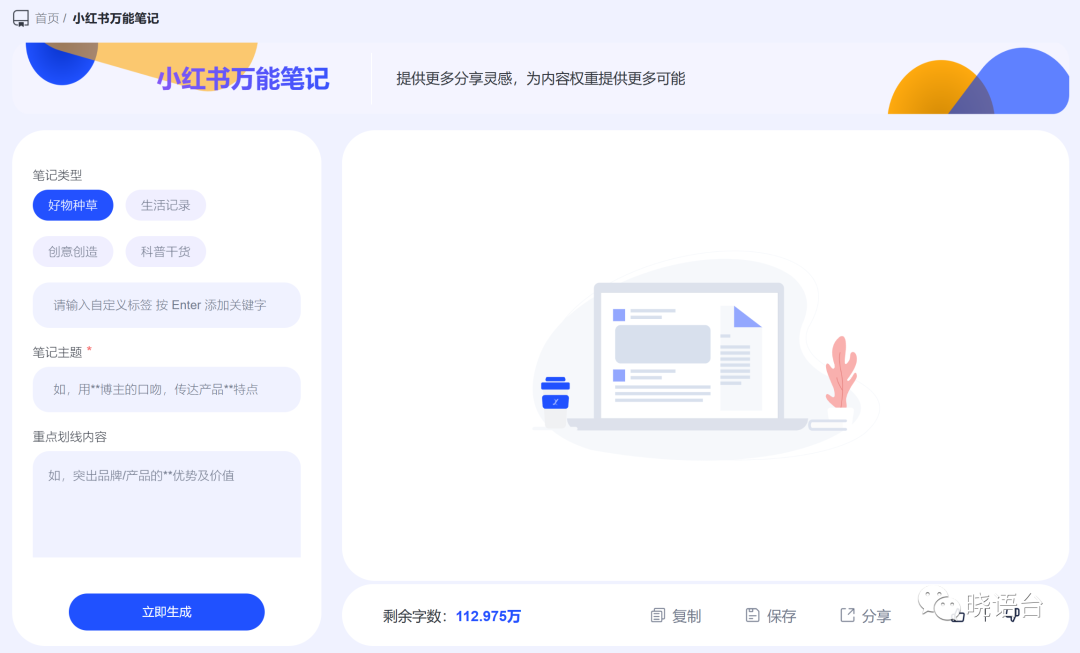
A: A feature designed for specific needs, like "Corporate Product News" and "Xiaohongshu Universal Notes" — their targeting is very clear. You can choose the creation scenario that suits your needs to create content.
Q: What if I can't find the creation scenario I want?
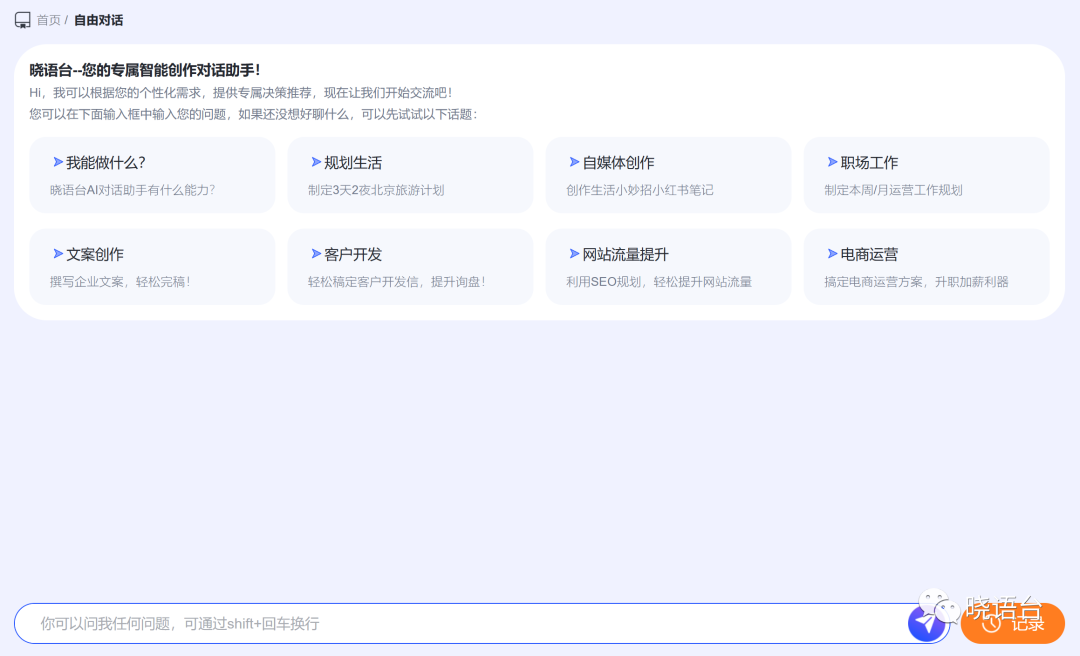
A: You can go to the left navigation bar — [Free Chat]. This is a conversational AI where you can directly state your needs and ask the AI to create content.
Q: Are the creation results for the same functional module the same?
A: No. The functional module only determines the basic creation direction, and the specific content depends on the user's commands.
Q: Will my creation be similar to other users' content?
A: No. Xiaoyutai does not produce duplicate content. AI creation is real-time, so even with the same commands, the results produced by AI will differ.
Q: So is the content produced by Xiaoyutai original?
A: Yes, it is your original work.
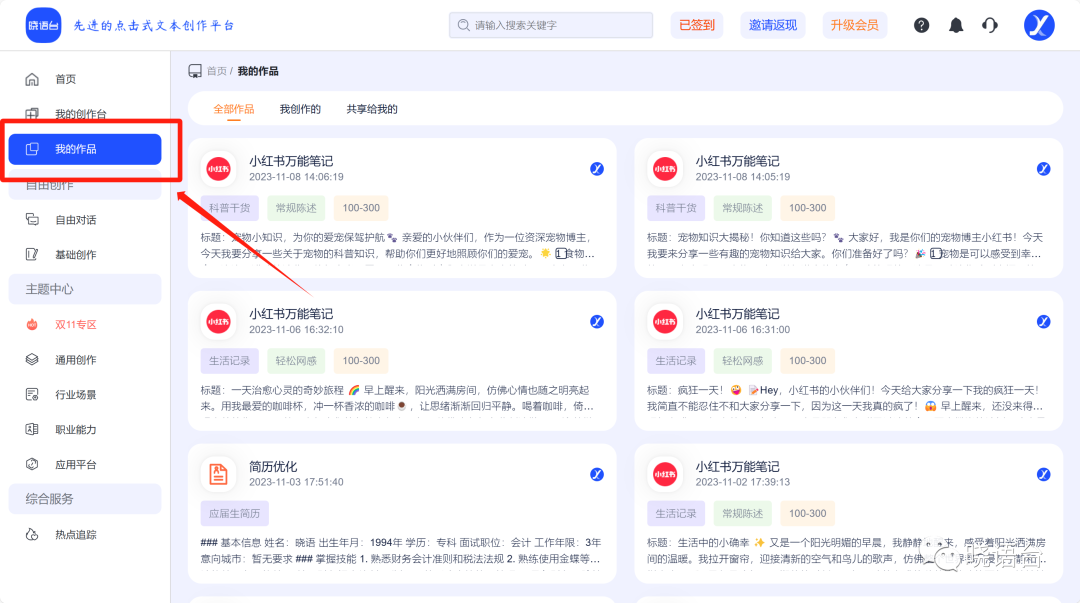
Q: How to find previously generated content?
A: In the left creation panel — [My Works].
03 Usage Related
Q: How can I see how much free usage time I have left?
A: Xiaoyutai's creation is not counted by the number of times, but uses "remaining word count" for calculation. Payment is only required when word count is used up or expires.
Q: How to get free word count?
A: Currently there are 4 ways
1. First-time registration and login — One-time gift of 3,000 words
2. Daily check-in — 500 words gifted each time
3. Invite friends to register — 2,000 words gifted for each successful friend registration
4. Use redemption code — Xiaoyutai's official account posts content on all major mainstream social platforms, with redemption codes dropped in comment sections that can be exchanged for 2,000 words
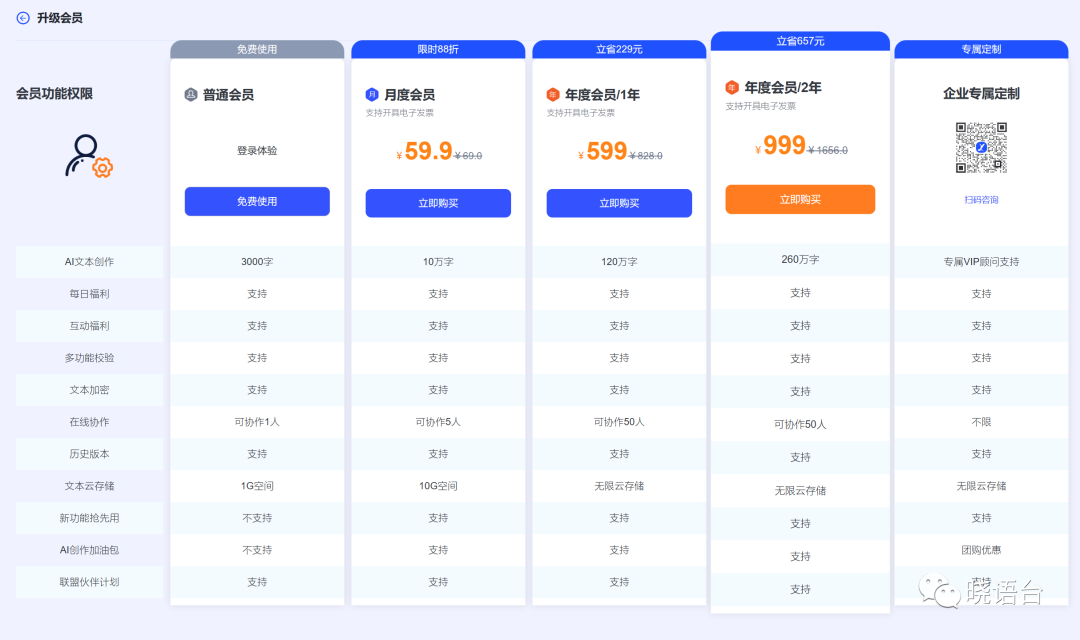
Q: How to purchase membership?
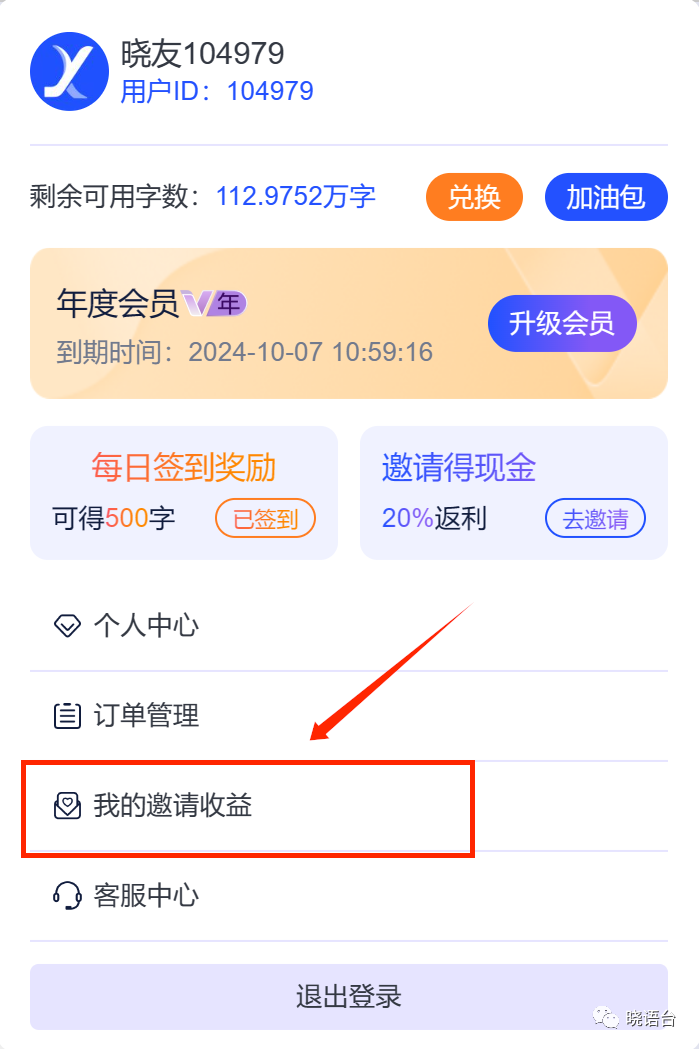
A: Top navigation bar — [Upgrade Membership]; or click on avatar — [Upgrade Membership].
Q: What are the differences between different types of memberships?
A: Word count, number of collaborators, cloud storage space, etc.
Q: Will the membership auto-renew after expiration?
A: No.
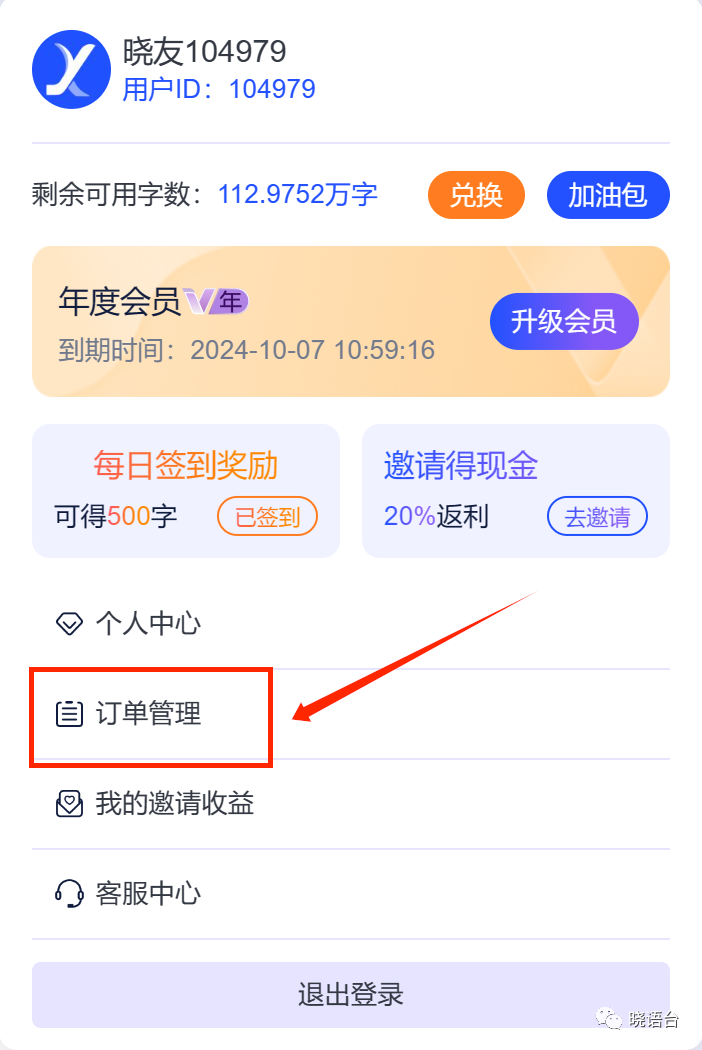
Q: Is invoice supported?
A: Yes. Click on avatar — [Order Management] to apply for an invoice.
Q: What if my membership expires but I still have unused word count?
A: The remaining word count will expire, so please use it up within the membership period.
Q: Is the invitation cashback real?
A: Yes, it is real. Click on the top navigation — [Invitation Cashback] to invite friends to register on Xiaoyutai, and you can receive word count rewards. If the invited friend registers as a member for the first time, you will receive 20% of their payment amount.
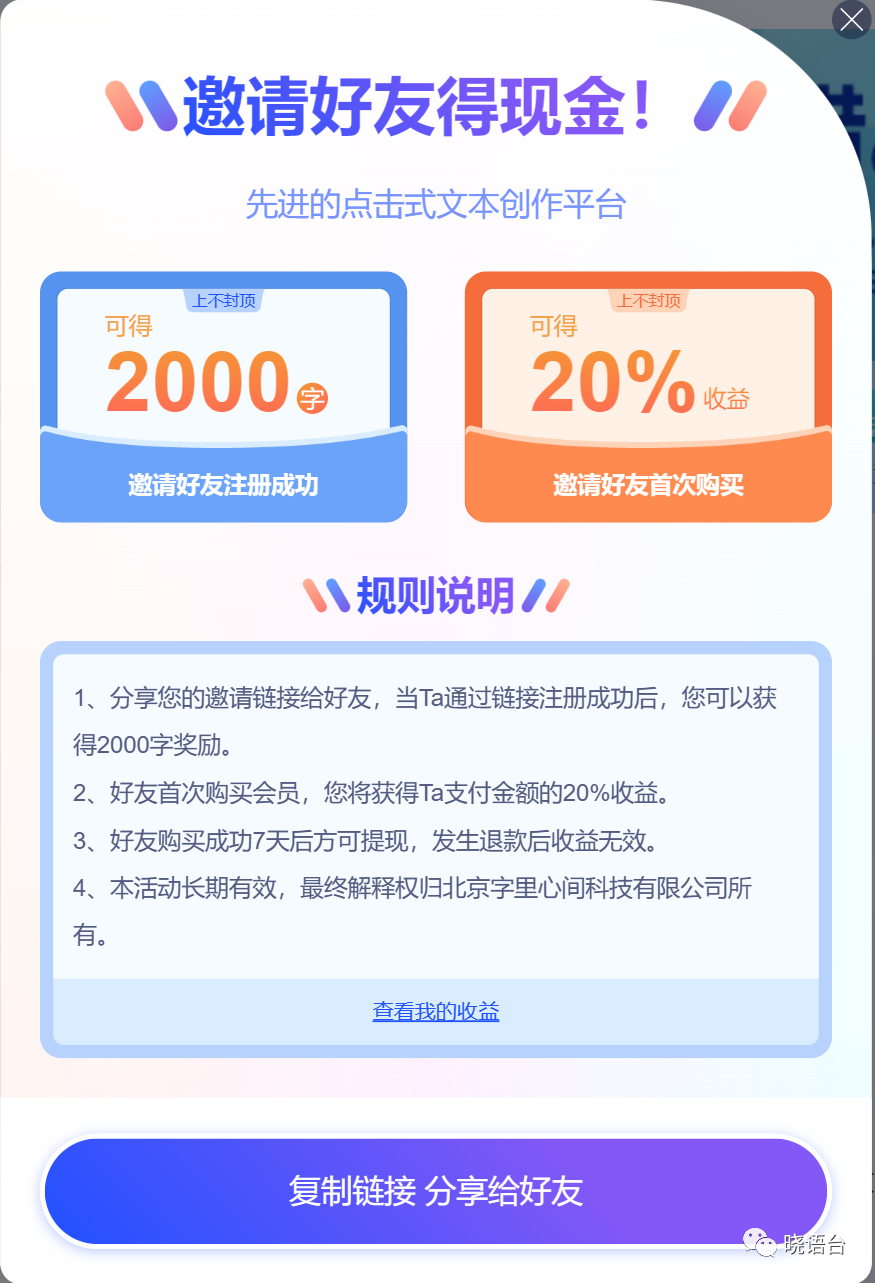
Q: How to withdraw the invitation cashback?
A: 7 days after the friend's successful purchase, click on the top navigation — [Invitation Cashback] — [View My Earnings], or click on avatar — [My Invitation Earnings] to withdraw.