
 Script Planner Assistant▸
 AI Apps
 AI News
Douhui AI: Make Your "Hotspots" Stand Out Like Never Before

Douhui AI: Make Your "Hotspots" Stand Out Like Never Before
Recently, Douhui Panorama has rolled out brand-new upgrades!Thinking what you think, delivering what you need!
NO.1 | "Hotspots" more eye-catching!
Hotspots in panoramas are frequently used,and have already become one of the most frequently used settings by users in panorama configuration. To optimize the user experience, Douhui Panorama has undergone a brand-new upgrade this time~
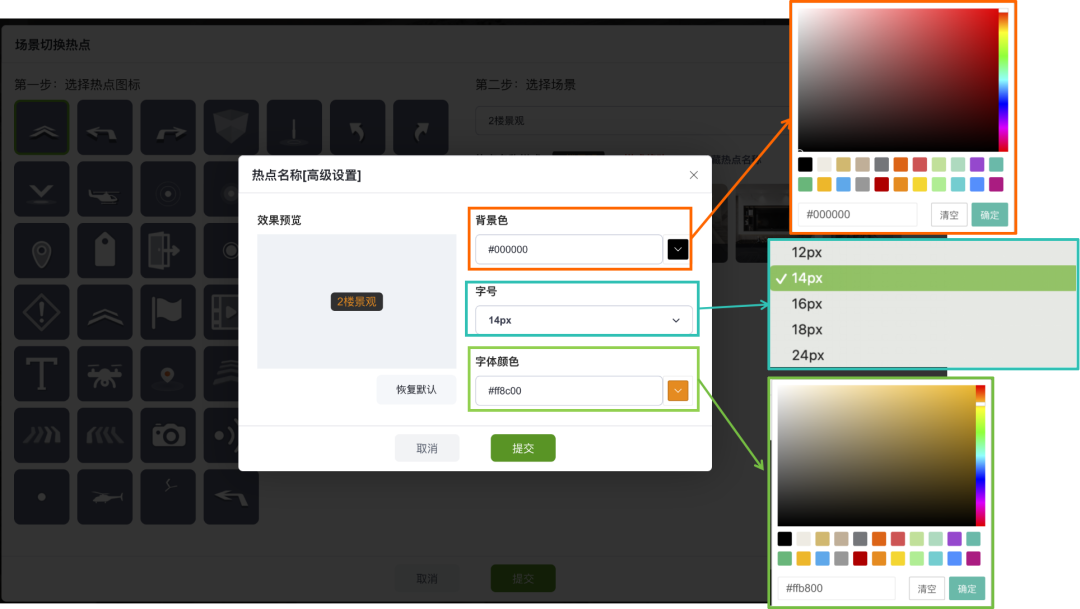
01. Customizable background color
02. Adjustable font size
03. Customizable font color
NO.2 | Scene library group management!
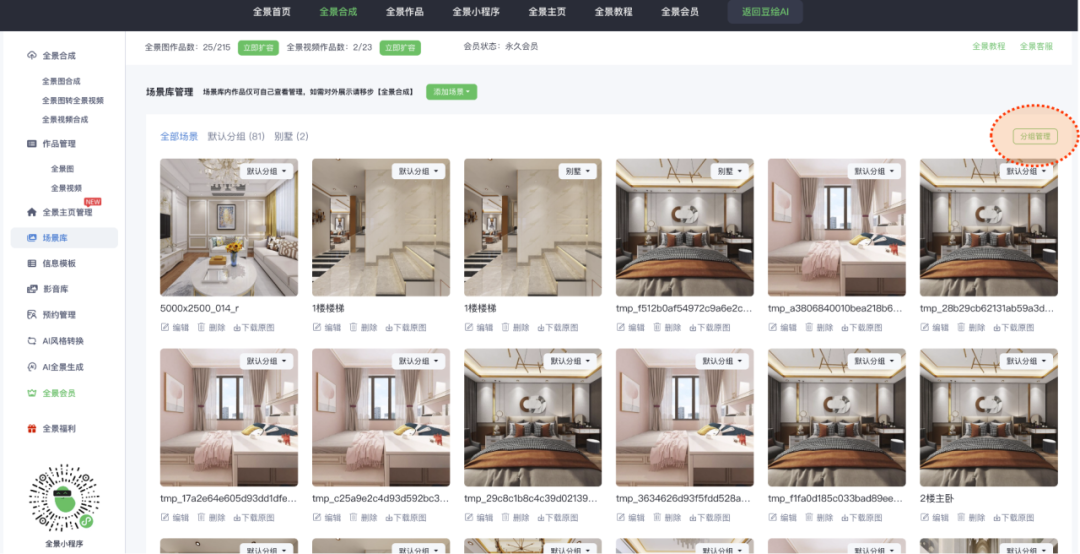
Too much and too messy content in your scene library?
Feeling confused when you click in?
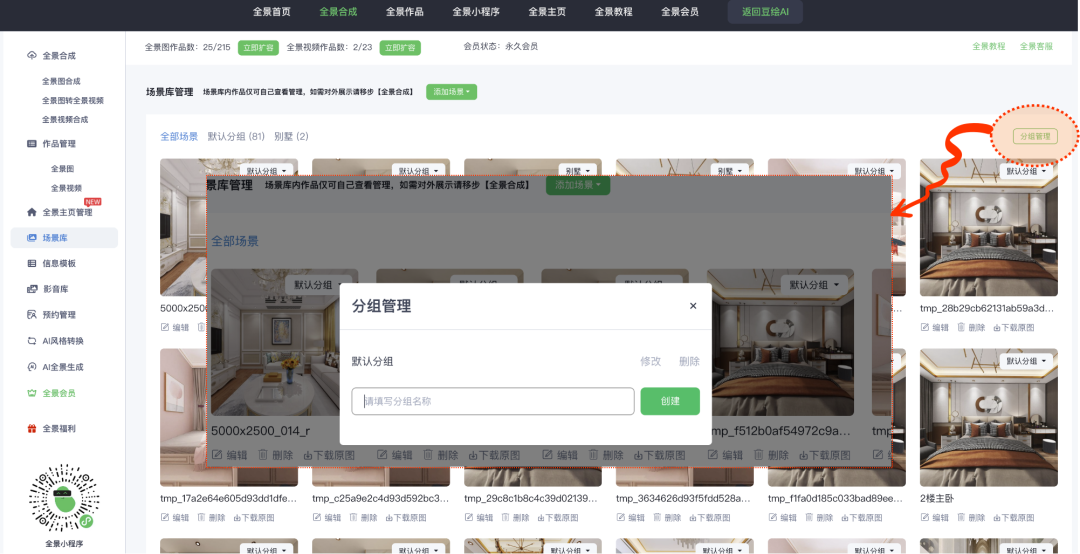
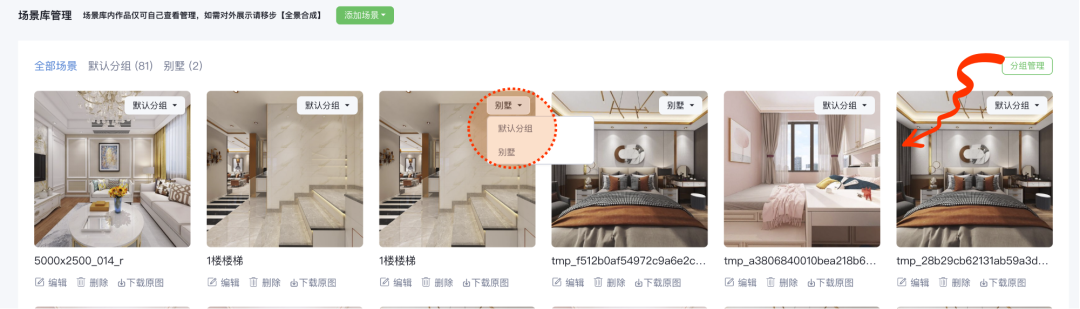
Now Douhui Panorama supports group management!
It helps Douyou users manage their massive "scene library" content in a better and cleaner way. When composing panorama works, you can also find the scenes you need more quickly and conveniently!
NO.3 | Customizable rotation angle for floor plans
The scene hotspots on floor plans can now be rotated to a custom angle. When viewers enter the panorama, the initial scene rotation can better match the layout of the floor plan.
01. Upload the floor plan and anchor the scene marker points in the corresponding scene
02. Open the radar meter to identify the specific viewing angle of the current scene, and rotate the corresponding sector to match the viewing angle of the current panorama scene.
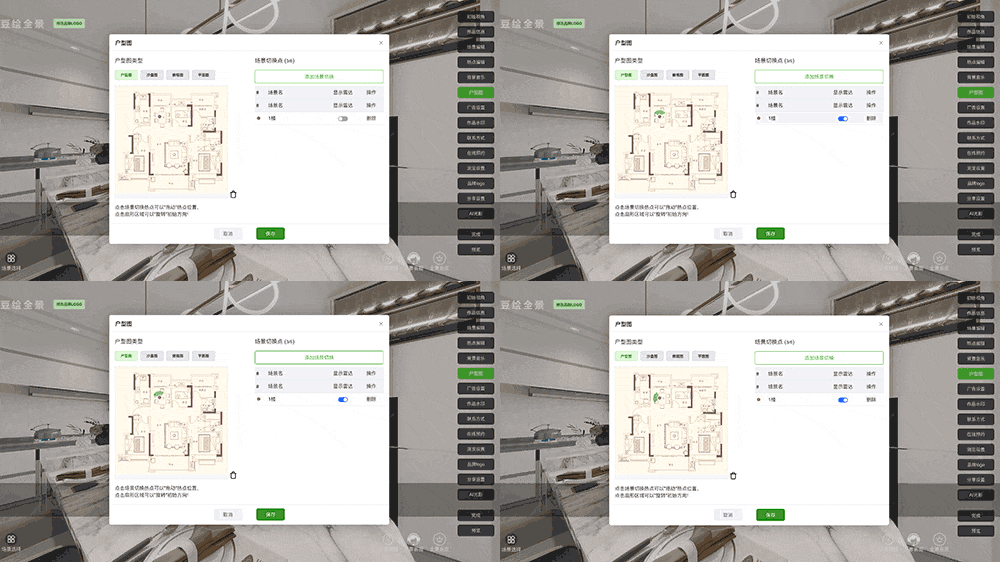
Editing area
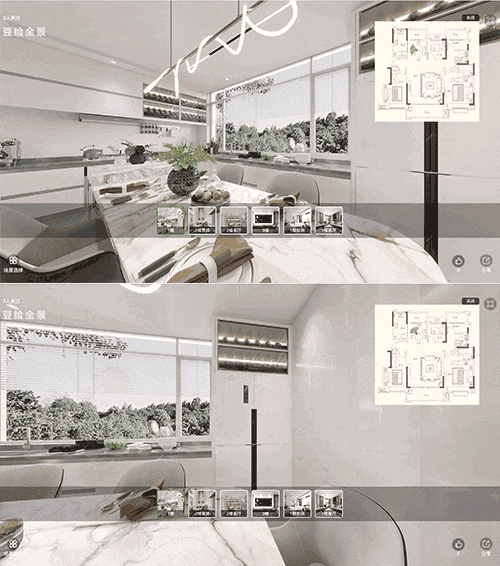
Preview effect
The sector on the floor plan rotates synchronously with the scene
At the same time, the Douhui Panorama mini program has also undergone a brand-new experience and optimization upgrade, making it easier for all Douyou users to use on mobile devices~









