
 Script Planner Assistant▸
 AI Apps
 AI News
One-Click Replicate Pro Workflows: TouchAI Workflow Is Live!

One-Click Replicate Pro Workflows: TouchAI Workflow Is Live!
Some of you may have already noticed that 触手ai has launched a new feature [Workflow],the entrance is at [Creation - Professional Mode - Workflow (top tool bar, to the right of Reference to Image)]
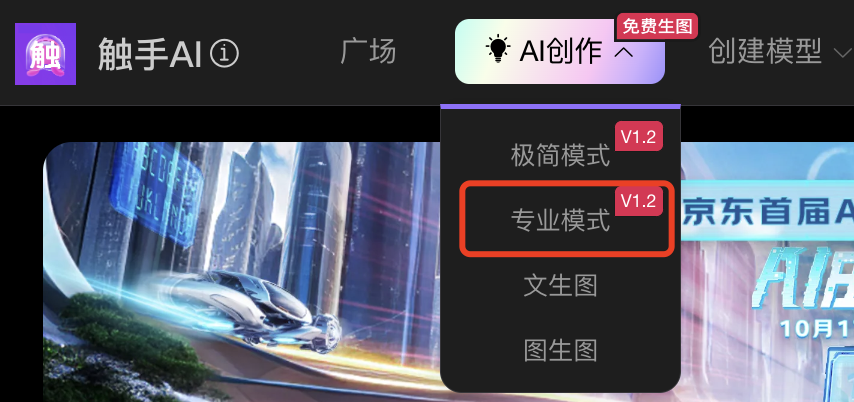

Today we bring you the introduction and tutorial of Workflow:
[What is Workflow?]
Workflow is a package of steps in the AIGC image generation process. Such as image-to-image, reference-to-image, image upscaling, etc.
[What can Workflow do?]
Save single-step or multi-step work habits (steps, parameters) for easy use and improved efficiency.
[How to use Workflow?]
Using Preset Workflows
We have preset some sample workflows for you to click and use.
Click on these workflows, and the relevant parameters will sync to the professional mode, then you can start creating!

Saving Your Own Workflow
After debugging the effect you want, you can [Save as Your Workflow] with the current parameters.
There are two save entrances (see the image below). The saved workflow will be stored in Workflow, click to use~
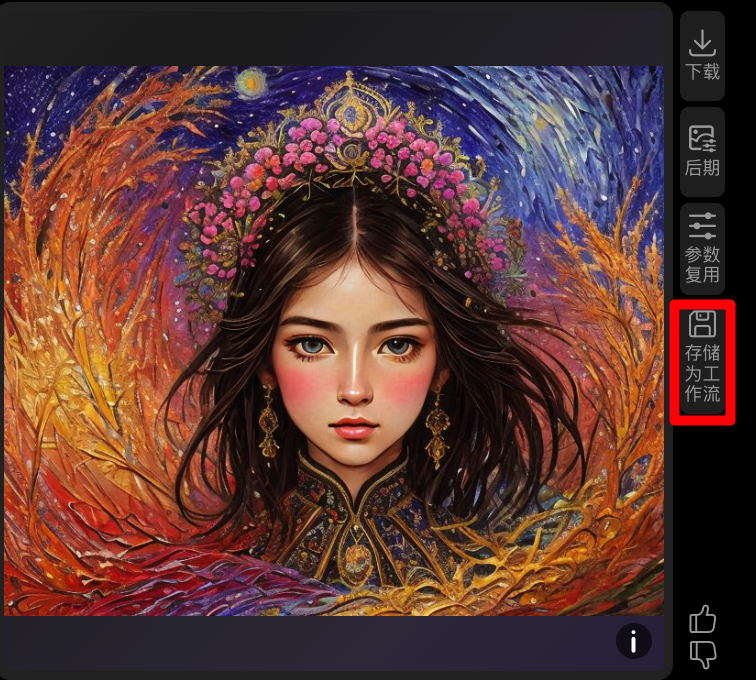
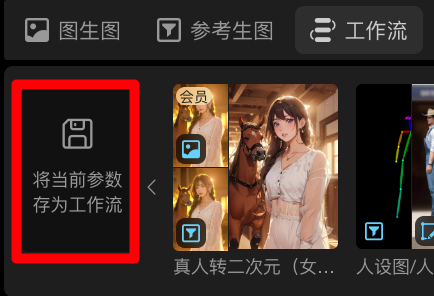
The workflow cover is automatically cropped into a collage of image-to-image, reference-to-image base image + generated result image, making it easy for everyone to identify and compare
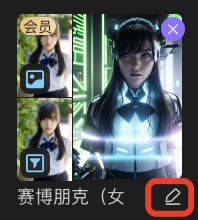
For saved workflows, click the edit pen to change the name
▲
~Welcome everyone to use it, 触手 sincerely awaits more feedback~









