
 Script Planner Assistant▸
 AI Apps
 AI News
Xiaoyu AI Writing — User Manual

Xiaoyu AI Writing — User Manual
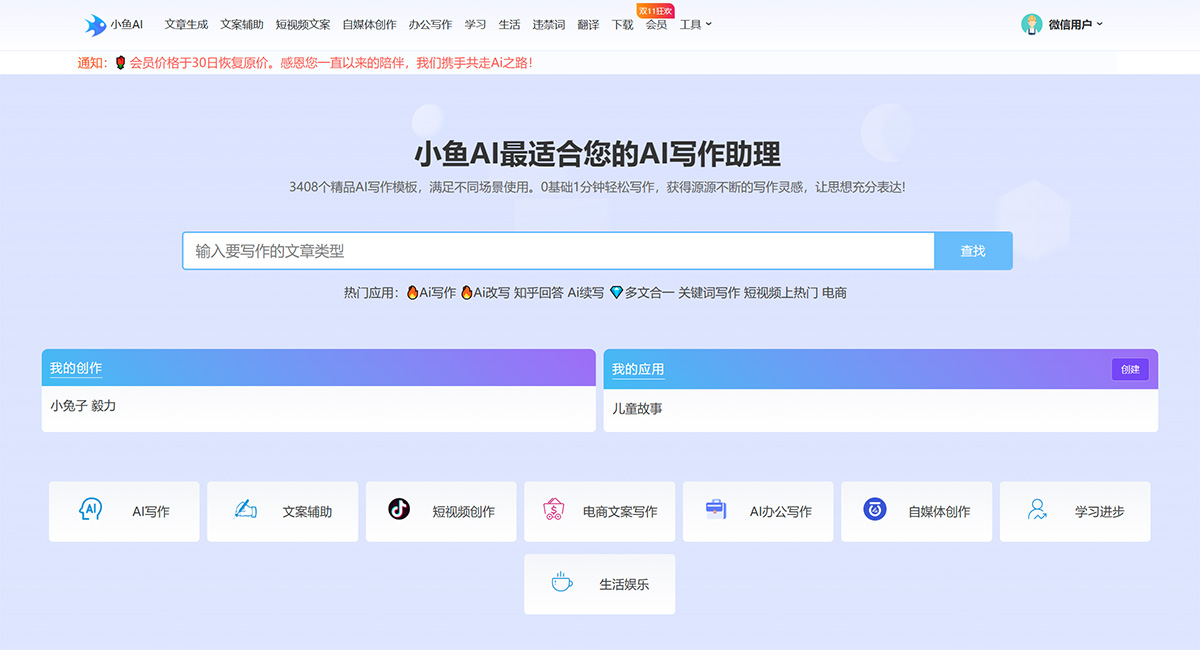
1.1 Introduction to Xiaoyu AI Writing
Xiaoyu AI is a free online intelligent AI writing platform that automatically generates high-quality original content. It offers over 435 intelligent writing templates, supporting AI writing, AI continuation, keyword-based article writing, and article title generation. It covers scenarios such as AI film and TV commentary, AI Zhihu answers, short video scripts, automatic office document writing, promotional copywriting, intelligent translation, AI novel writing, Xiaohongshu (RED) note titles, recommendation copywriting, Amazon product descriptions, cross-border e-commerce copywriting SEO optimization, product SEO optimization, modern poetry, and more. Making writing easier and letting your ideas be fully expressed!
1.2 Use Cases for Xiaoyu AI Writing
This system is suitable for copywriters, short video script writing, e-commerce product copywriting, marketing soft-article writing, thesis creation, and daily office copywriting. The system is designed to provide reference for copywriting and inspiration. Please do not use it for cheating or any illegal or non-compliant behavior.
1.3 Privacy and Data Security
All your creation records on Xiaoyu AI (including inputs and all output results) are encrypted and stored with strict protection. Creation records can be deleted (please note that deleted records cannot be recovered).
2. Getting Started
2.1 Find an Application
Enter the type of copywriting you want to write in the search box on the homepage, then select the corresponding type to start writing.
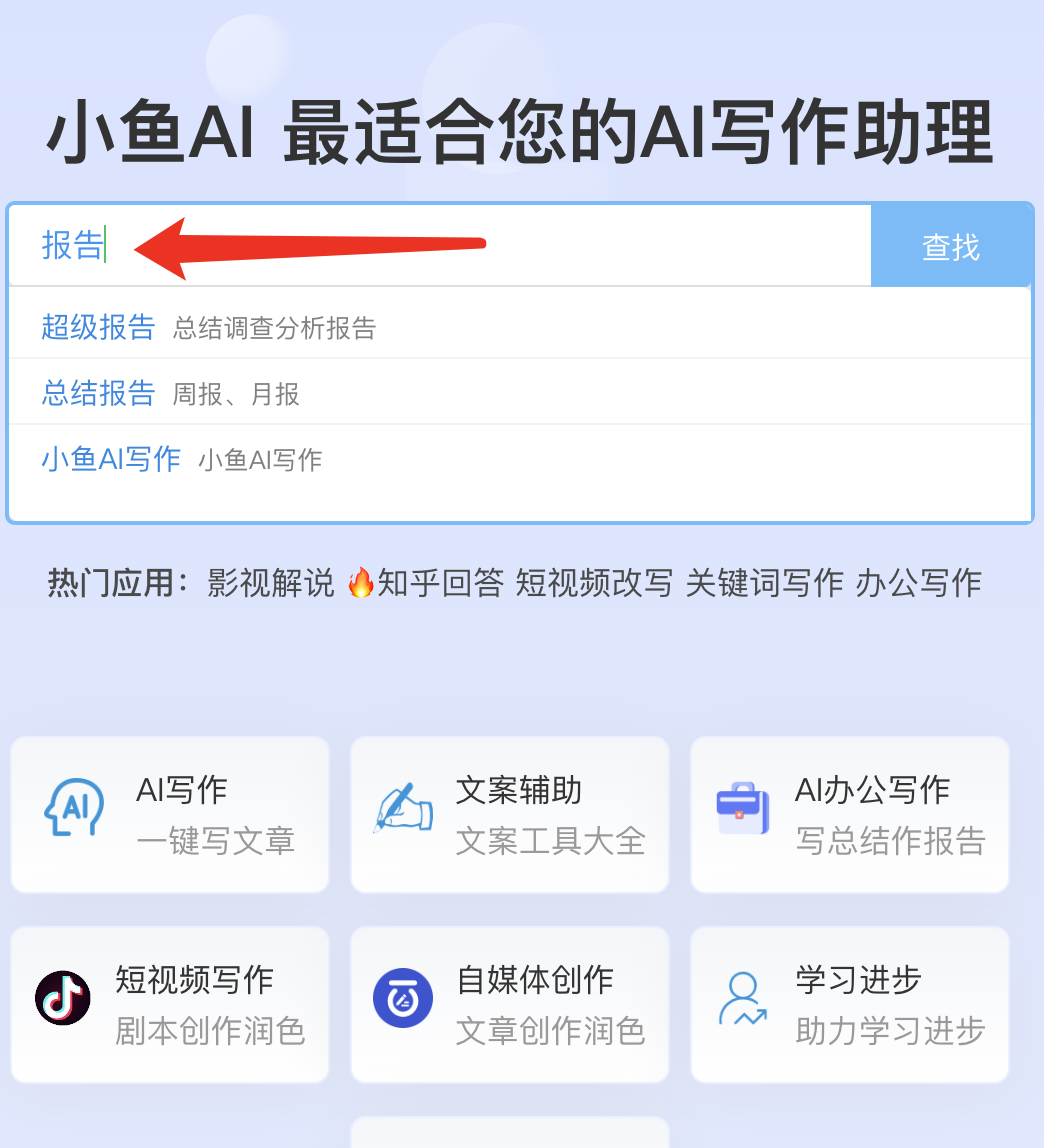
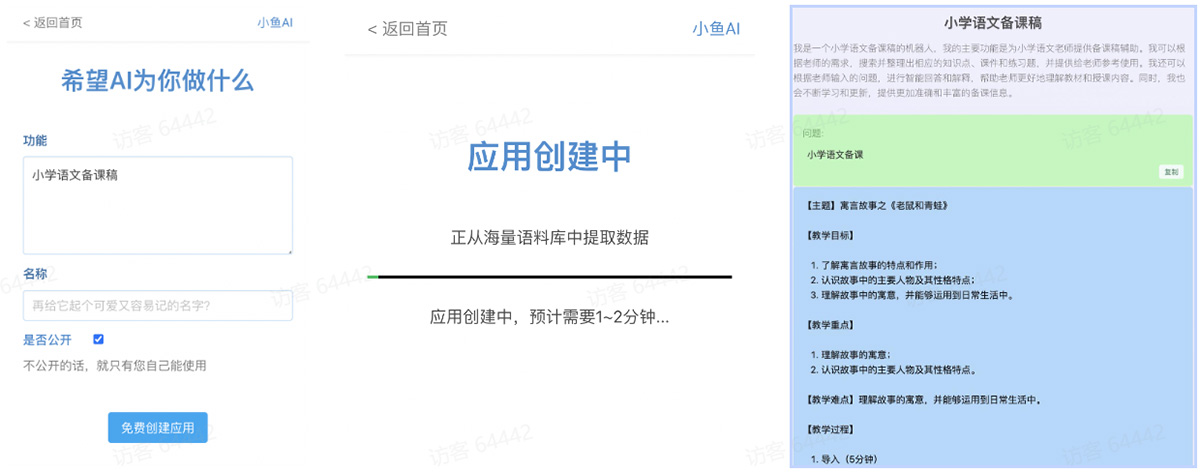
If you can't find a suitable application, you can also try creating one.
2.2 Using the Xiaoyu AI Writing Client
Currently supports Android, Windows, and Mac clients. Download link: https://www.xiaoyuxiezuo.com/static/download.htm
2.2.1 Official Account
Official Account [Xiaoyu AI Assistant
2.3 Register and Log In
Visit the official website or open the APP, then choose to log in.
3. Applications
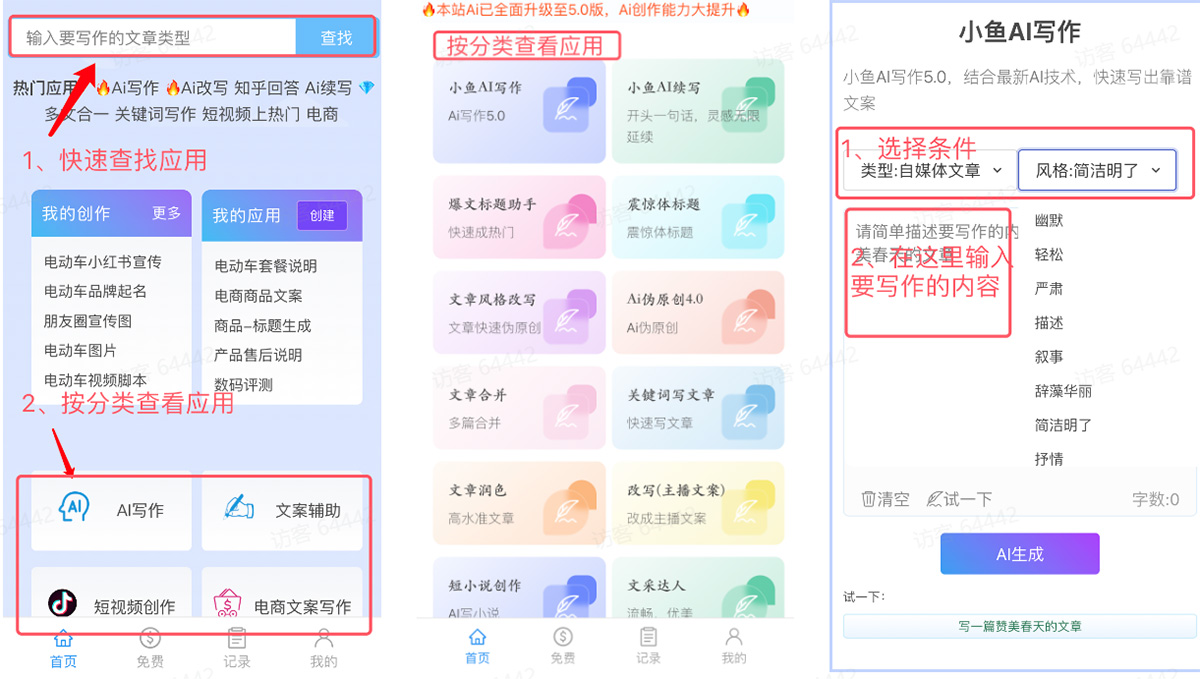
3.1 Quick Start
3.2 Application Search
1. Log in
2. Enter the type of copywriting you want to write in the search box on the homepage.
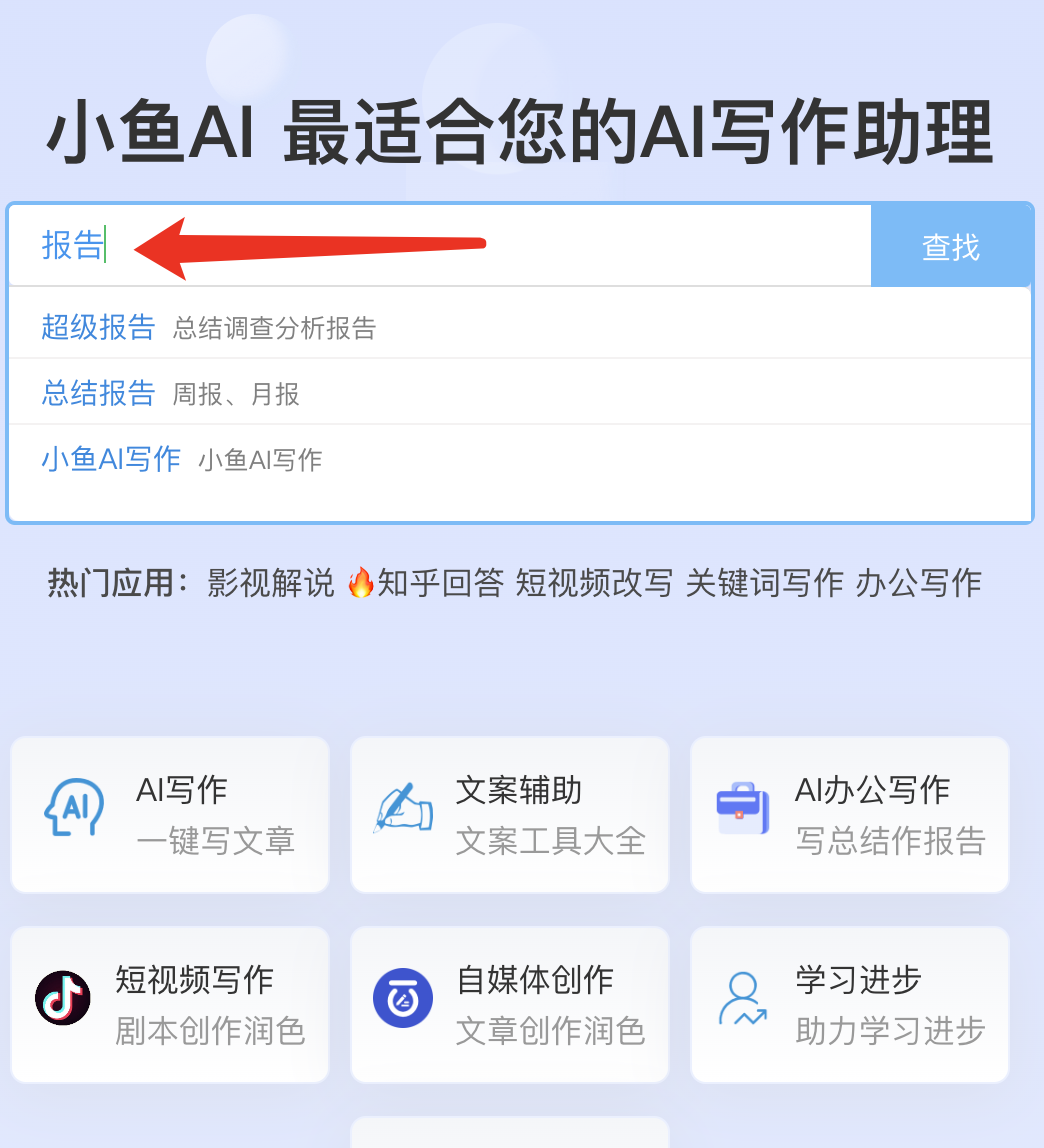
On the Create Application page, fill in the function and name of application A, click Create for Free, and wait a moment to get your custom AI application.
3.3 Markdown Format Copy
After AI writing is complete, select the down arrow next to the [Copy] button, then choose [Original Format] to export in Markdown format.
4. Writing Records
Select Creation Records from the Personal Center to view my creation records and favorite records. Writing records can be deleted; please note that deleted records cannot be recovered.
5. Content Violations
According to relevant regulatory requirements, content generated by AI writing needs to undergo necessary content checks. Our detection technology is based on platforms such as Tencent and Toutiao. If non-compliant content is detected, a prompt will appear; some severely non-compliant content will be hidden as required. If you believe the detection is inaccurate, you can contact customer service to verify and restore the content.









