
 Script Planner Assistant▸
 AI Apps
 AI News
How to Open Huawei Xiaoyi AI Voice Assistant?

How to Open Huawei Xiaoyi AI Voice Assistant?
Huawei Xiaoyi Intelligent Voice Assistant is an intelligent voice assistant product launched by Huawei. It can help users complete various operations and obtain information through voice interaction.
Huawei Xiaoyi Intelligent Voice Assistant has powerful voice recognition and semantic understanding capabilities, which can accurately recognize users' voice commands and provide corresponding services according to users' needs. Users can talk to Huawei Xiaoyi to achieve voice control of their phones, sending text messages, playing music, checking the weather, ordering takeout, booking travel, and various other functions.
Huawei Xiaoyi Intelligent Voice Assistant also supports smart home control, allowing users to control smart devices through voice commands, such as smart bulbs, smart speakers, smart door locks, etc. At the same time, it can also provide practical functions such as real-time translation, voice navigation, and voice memo, making users' lives more convenient.
The features of Huawei Xiaoyi Intelligent Voice Assistant also include highly personalized services, which can provide personalized recommendations and suggestions based on users' preferences and habits. In addition, it supports multi-language recognition and multi-dialect understanding, which can meet the needs of users in different regions.
Huawei Xiaoyi Intelligent Voice Assistant provides users with rich services and a convenient operation experience through voice interaction. It is a powerful, intelligent, and efficient intelligent voice assistant product.
1. How to open Xiaoyi Voice Assistant on your phone?
To open Huawei Xiaoyi Voice Assistant on your phone, please upgrade your device to the latest version before using this feature. You can follow these steps:
1. Go to the phone's [Settings] menu and find the "Smart Assistant" option.
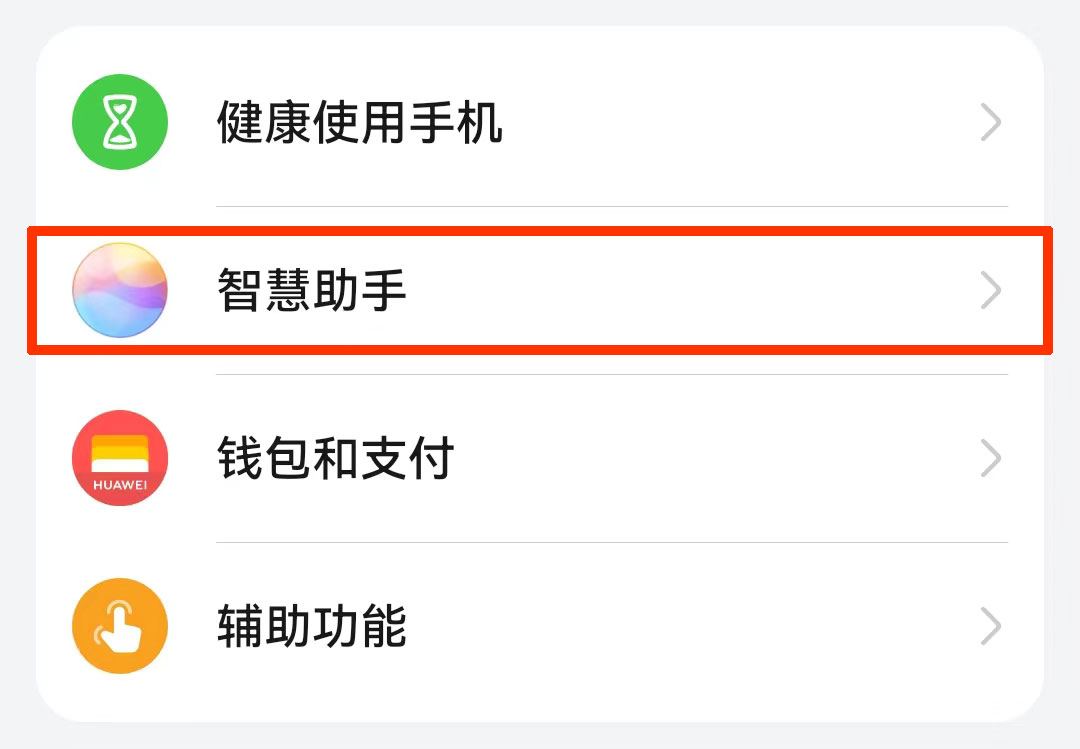
2. In the "Smart Assistant" option, enter the "Smart Voice" settings page.
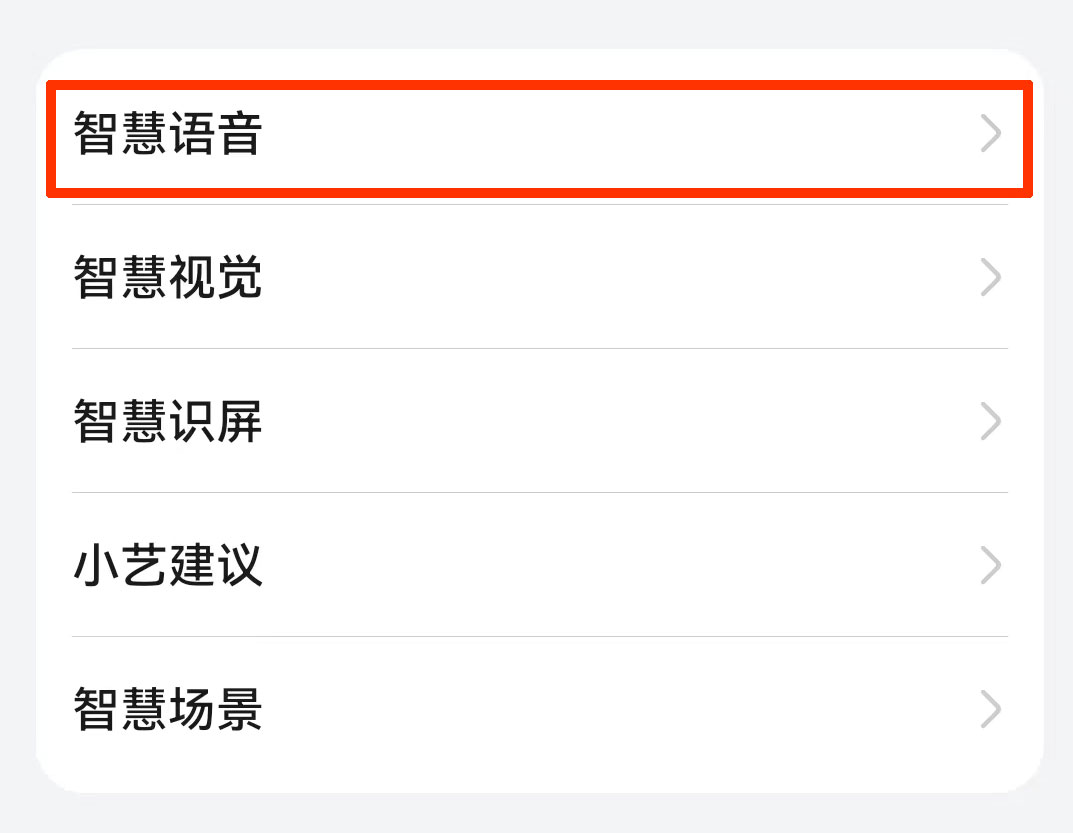
3. In the "Voice Wakeup" option, turn on the voice wakeup switch. Different versions have different voice wakeup switches; some may not have voice wakeup temporarily, only power wakeup and Bluetooth wakeup. Follow the on-screen prompts and record a wakeup word, such as "Xiaoyi Xiaoyi".
4. After enabling it, you can say the wakeup word "Xiaoyi Xiaoyi" or press and hold the phone's power button for 1 second to wake up the Xiaoyi Intelligent Voice Assistant.
Please note that the above steps may vary depending on the Huawei phone model and system version. If you cannot find the relevant settings, please refer to the phone's user manual or look up related information on Huawei's official website.
2. How to open Xiaoyi Voice Assistant on your Huawei watch, you can follow these steps:
1. Enter the watch's settings interface.
2. In the settings interface, find and tap the "Smart Assistant" option.
3. In the Smart Assistant menu, find and tap the "Smart Voice" option.
4. In the Smart Voice settings, find the "Voice Wakeup" option and turn on the voice wakeup switch.
5. Follow the on-screen prompts to record a wakeup word. The default wakeup word is "Xiaoyi Xiaoyi".
After enabling voice wakeup, you can use the wakeup word to activate the Xiaoyi Voice Assistant and start voice interaction with it. Please note that your watch needs to remain connected and online for the Xiaoyi Voice Assistant to work properly.









