
 Script Planner Assistant▸
 AI Apps
 AI News
Chaohui AI: Your Go-To AI Commercial Photo Tool — One Click to Generate Stunning AI Model Images

Chaohui AI: Your Go-To AI Commercial Photo Tool — One Click to Generate Stunning AI Model Images
Note: The following models are all generated by Chaohui AI.
AI commercial photography tools instantly create e-commerce clothing model images, only 1 yuan per image, costs reduced by 99%! Simply upload an original clothing image, keep the clothing unchanged, and change the model and scene:
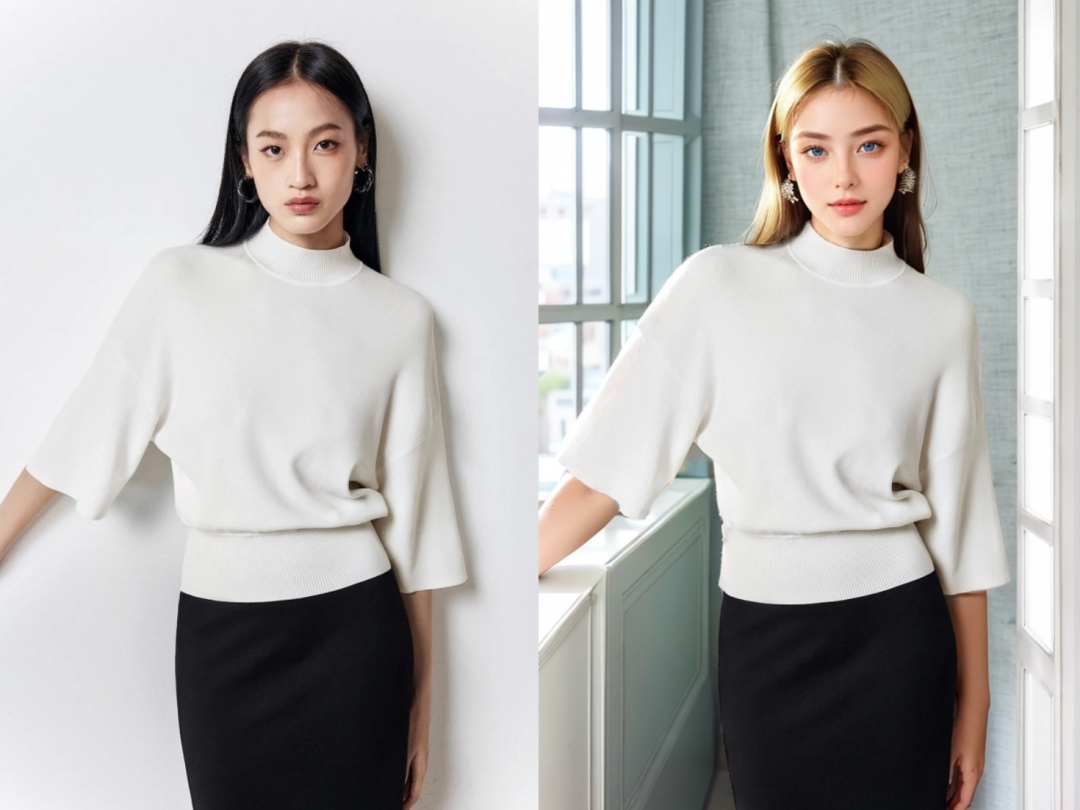
The left image is the real-person photo input to the AI, the right image is the new image output by the AI
You can shoot various scenes without leaving home, with natural lighting and shadows: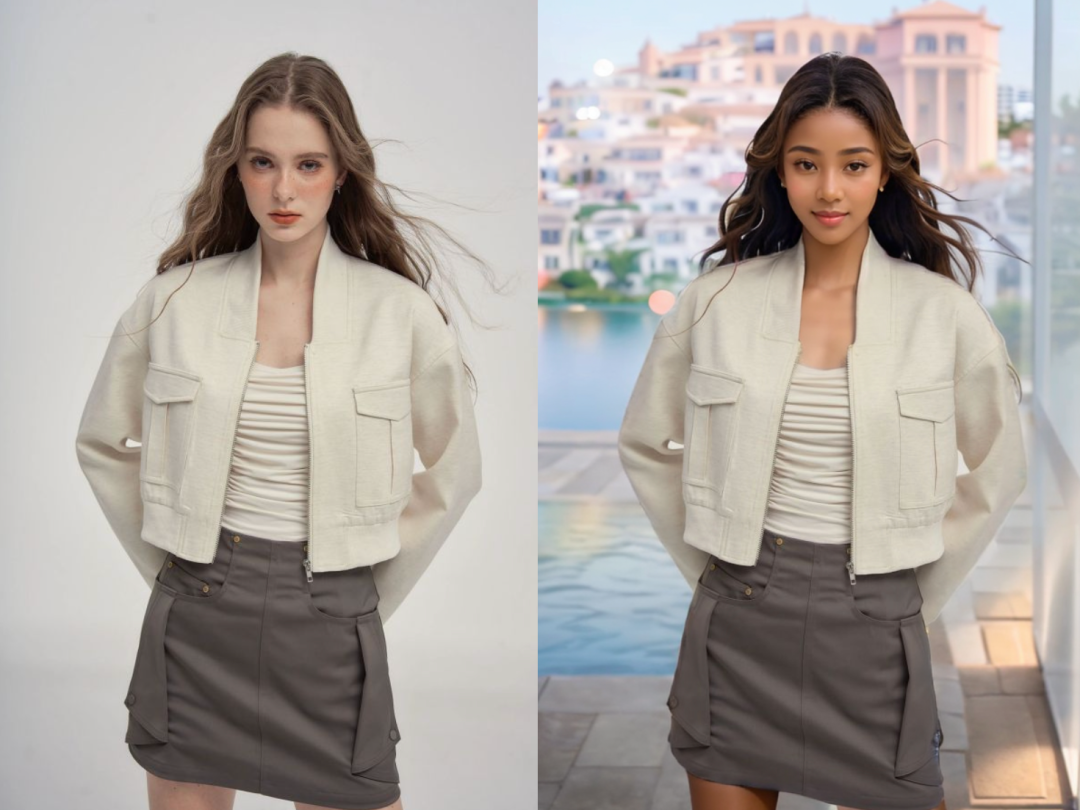
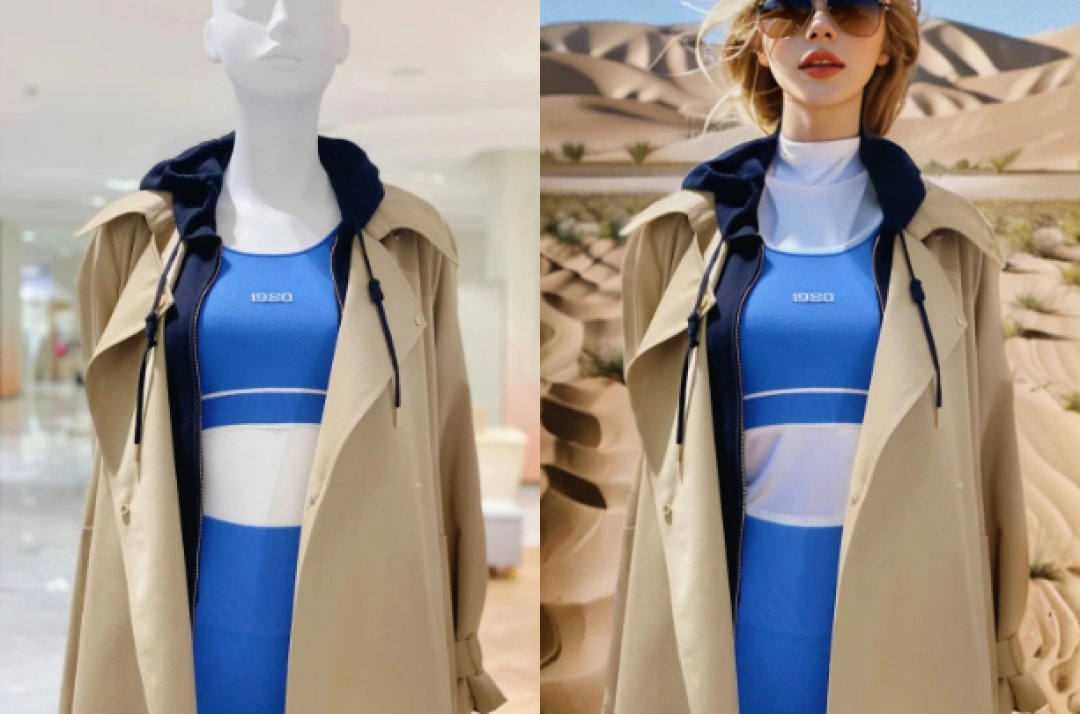
As a result, the traditional commercial photography approach requires on-location shooting, with payments to models, photographers, venues, etc., averaging about 100-200 yuan per image.
Now, you can use AI commercial photography tools to create e-commerce clothing model images. Merchants no longer need extensive on-location shooting, eliminating the steps and costs of hiring models, changing scenes, or even going out to take photos, with costs dropping straight to 1 yuan.
Create an AI clothing model image in 1 minute. Currently, the AI commercial photography supports 2 types of scenes:Mannequin image to virtual model: Dress the clothing on a mannequin, one-click to photograph other styles of models and scenes
Real-person image to virtual model: Provide real-person photos, one-click to photograph other styles of models and scenes
The function can be completed in just a few simple steps, with a simple interface and a full process of about 1 minute.
For example, let's select a real-person photo and want to change the model and scene.
First, upload the original clothing image. The system will automatically perform intelligent recognition on the image. Edit and select the areas you want to keep unchanged, such as: the clothing;
Then select the desired model and scene. Here we choose a Chinese-style model and a living room scene;
Finally, click on intelligent image generation, ... wait for 30s, and you can see in the results that the clothing details are well preserved, while other elements have been intelligently adjusted, and the scene is completely new.
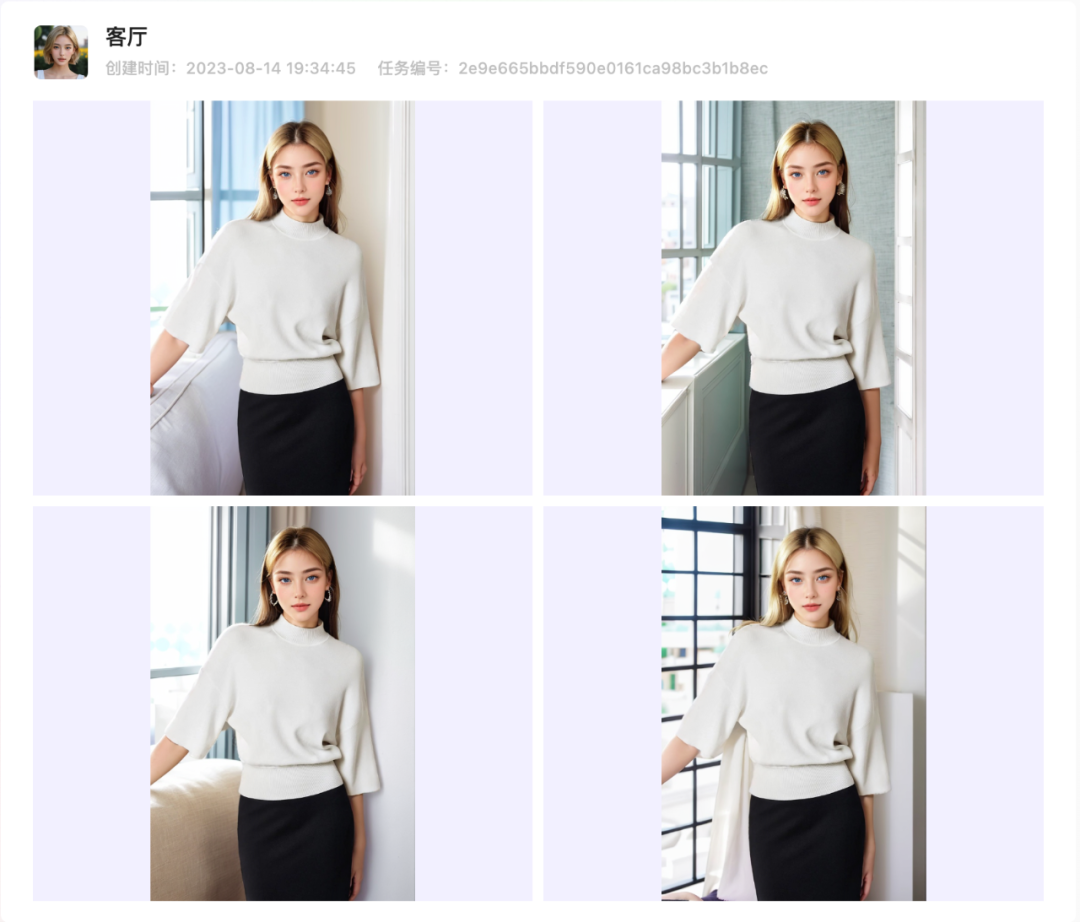
Each intelligent image generation will produce multiple images for easy selection. To train exclusive models and customize scenes, we offer different types of AI models with various styles.
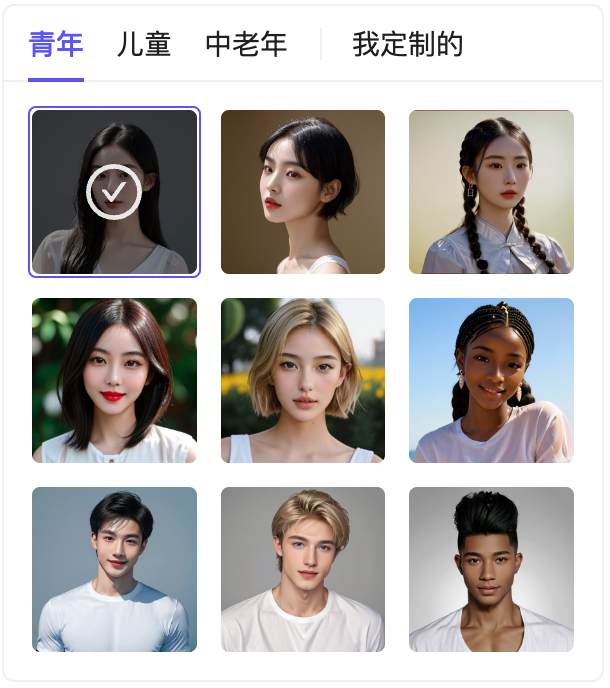
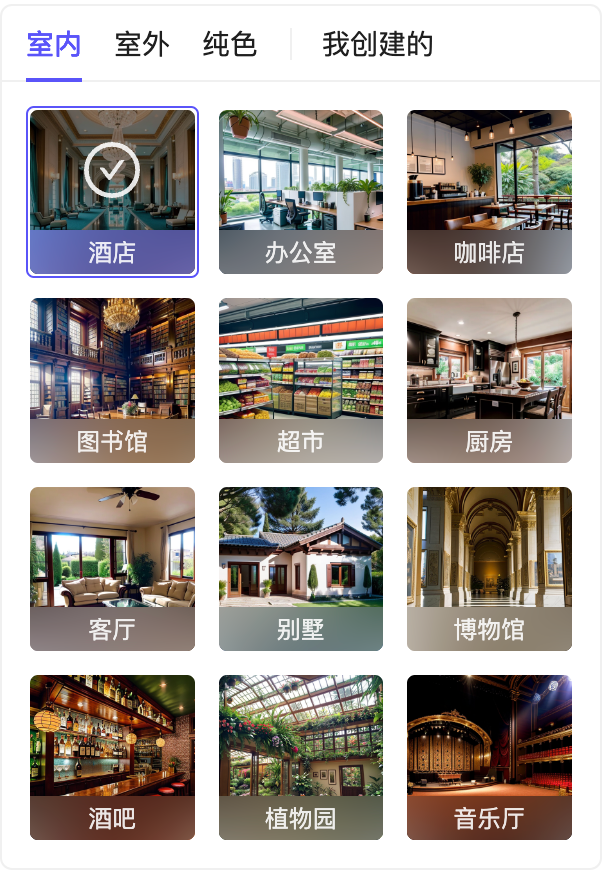
If you are not satisfied with the existing scenes, you can also create exclusive scenes.
Chaohui AI website:Click here to visit









