
 Script Planner Assistant▸
 AI Apps
 AI News
Getimg Tutorial: How to Use Getimg.ai
小编 ·

Getimg Tutorial: How to Use Getimg.ai
1. Open the getimg.ai website, first click "Create an account" in the top right corner to create an account. If you don't find a sign-up option, click "Forgot your password?", then enter an email address. Then in your email, click "change password" to set your password.
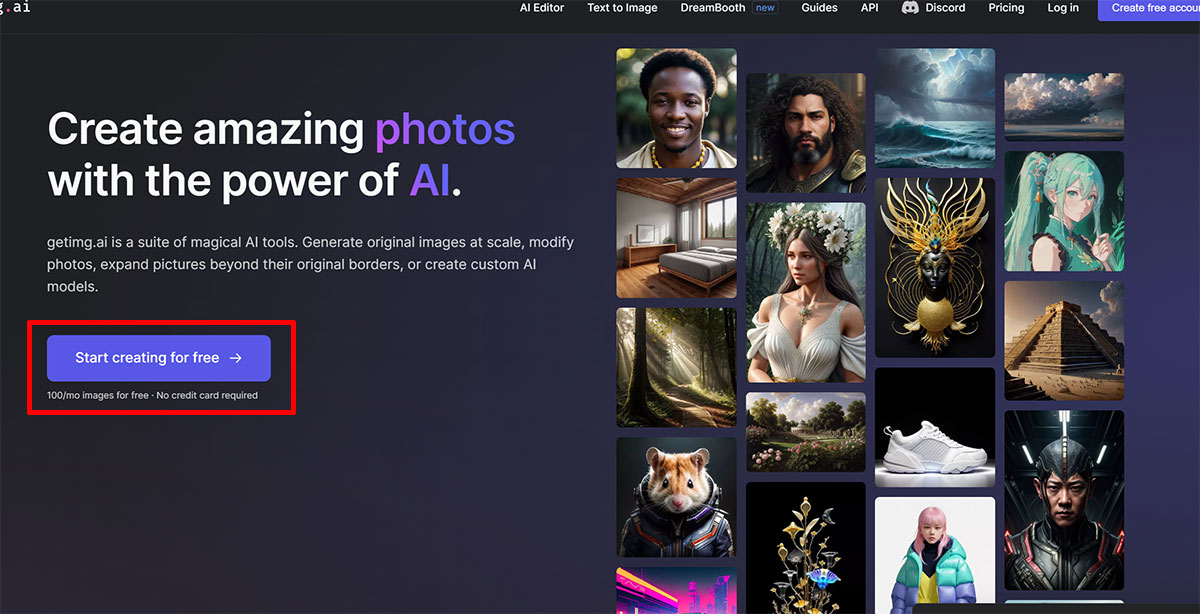
2. Click "Start creating for free" to begin, and you will receive 100 free image credits each month! Generating one image costs 4 credits, and the image's width resolution is only 768.
3. Upload the original image of your product, and enter the prompt for the image you want (Full brown clean mug placed on the grass with sunlight). For the other settings, follow the instructions shown in the image.
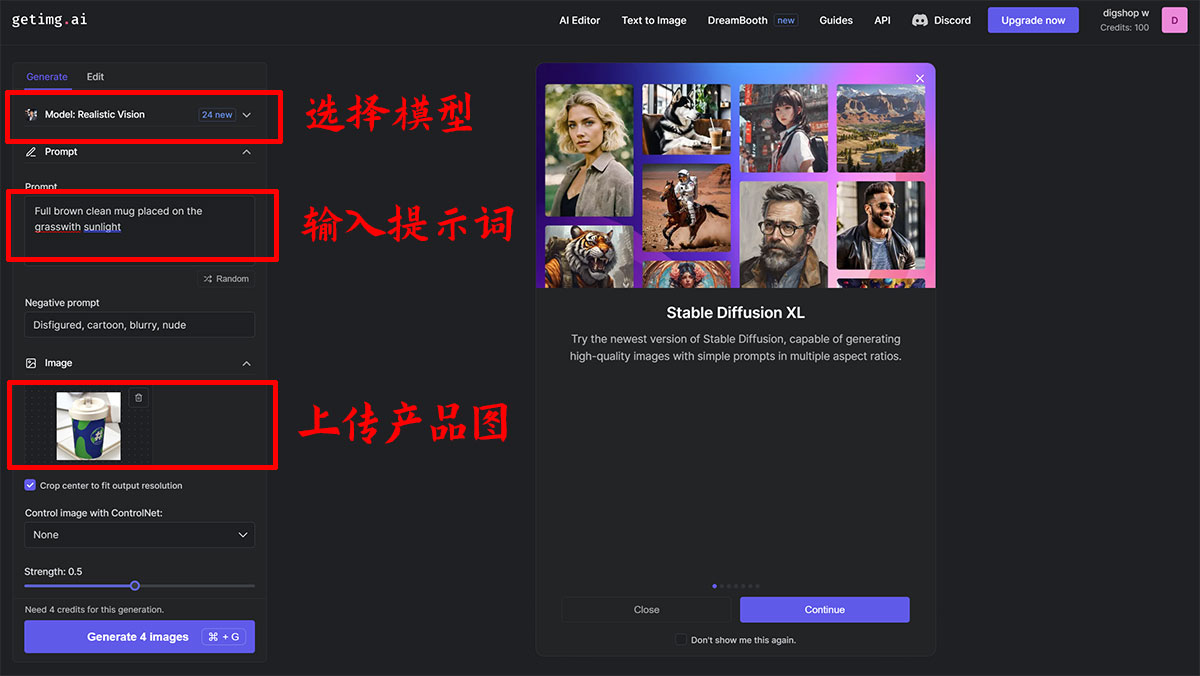
4. Click Generate image and wait for it to be created. However, please note that you should leave as much space as possible around the main subject of the product image.









