
 Script Planner Assistant▸
 AI Apps
 AI News
PageTalk: An Open-Source Browser AI Extension
小编 ·

PageTalk: An Open-Source Browser AI Extension
PageTalk is an open-source browser AI extension that leverages Google's Gemini API to enhance the web browsing experience. Users can summarize web page content, engage in context-aware chats, and easily manage custom AI agents.
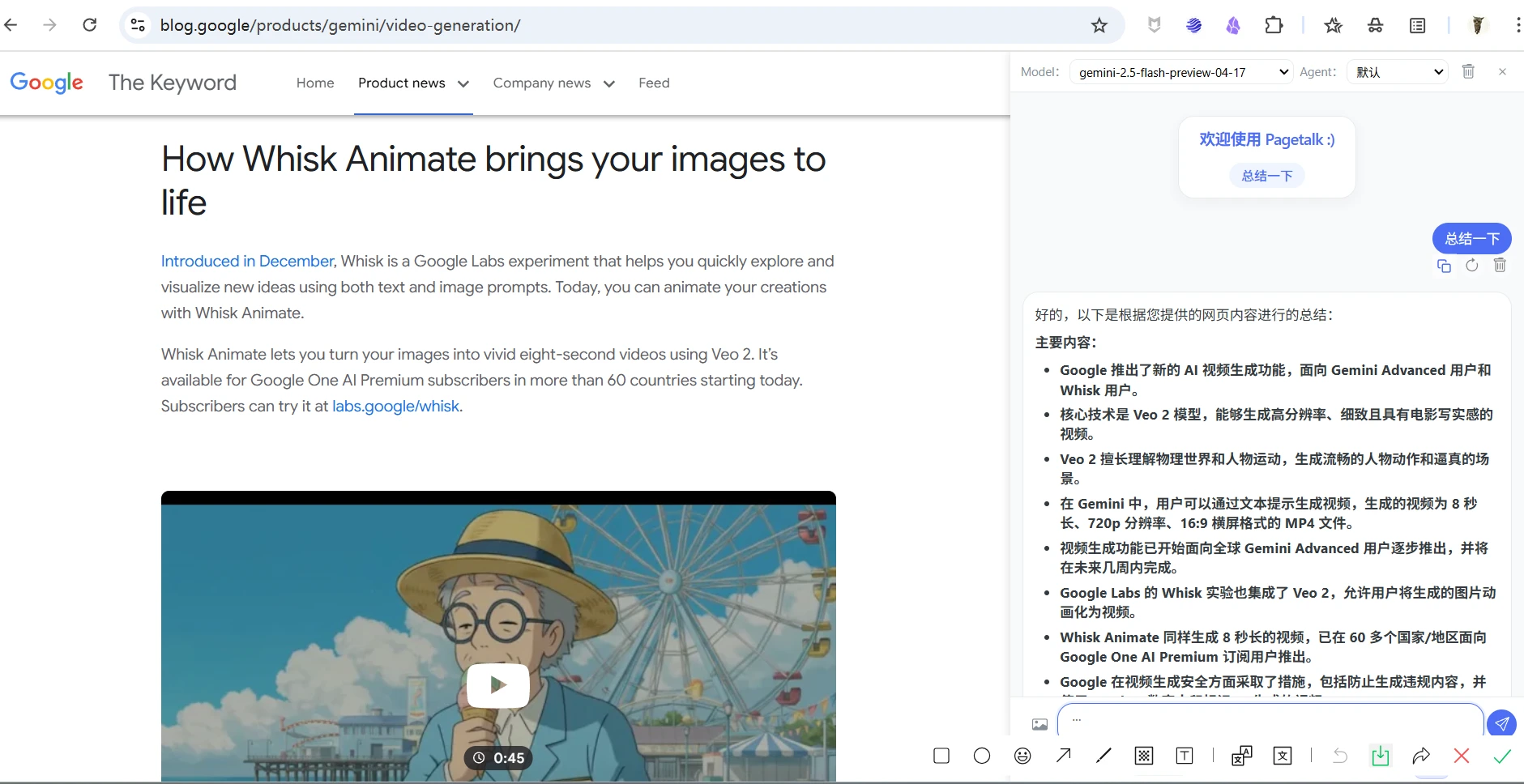
PageTalk Main Features
Web Page Interaction: Reads web page content for contextual conversations.
Gemini API Integration: Leverages Gemini for powerful language processing tasks.
Contextual Chat: Discuss the current web page content with AI.
Multi-Agent System: Create, customize, switch, and import/export AI agents.
Model Selection: Supports choosing from multiple Gemini models.
Image Input: Supports uploading or pasting images for discussion.
Rich Content Rendering: Supports rendering of Markdown, code highlighting, LaTeX, and Mermaid diagrams.
Personalization: Configurable API key, language (English/Chinese), and theme (light/dark).
Chat Export: Save chat history as Markdown or text files.
Adjustable Panel: Adjust the width of the sidebar panel.
PageTalk Installation Steps
Obtain API Key: Before using the extension, you need to get a Gemini API key from Google AI Studio.
Visit its open-source address: https://github.com/jeanchristophe13v/PageTalk.
Download the latest version of the compressed package.
Edge: Open edge://extensions/, enable "Developer mode", click "Load unpacked extension", and select the project folder.
Chrome: Open chrome://extensions/, enable "Developer mode", click "Load unpacked extension", and select the project folder.
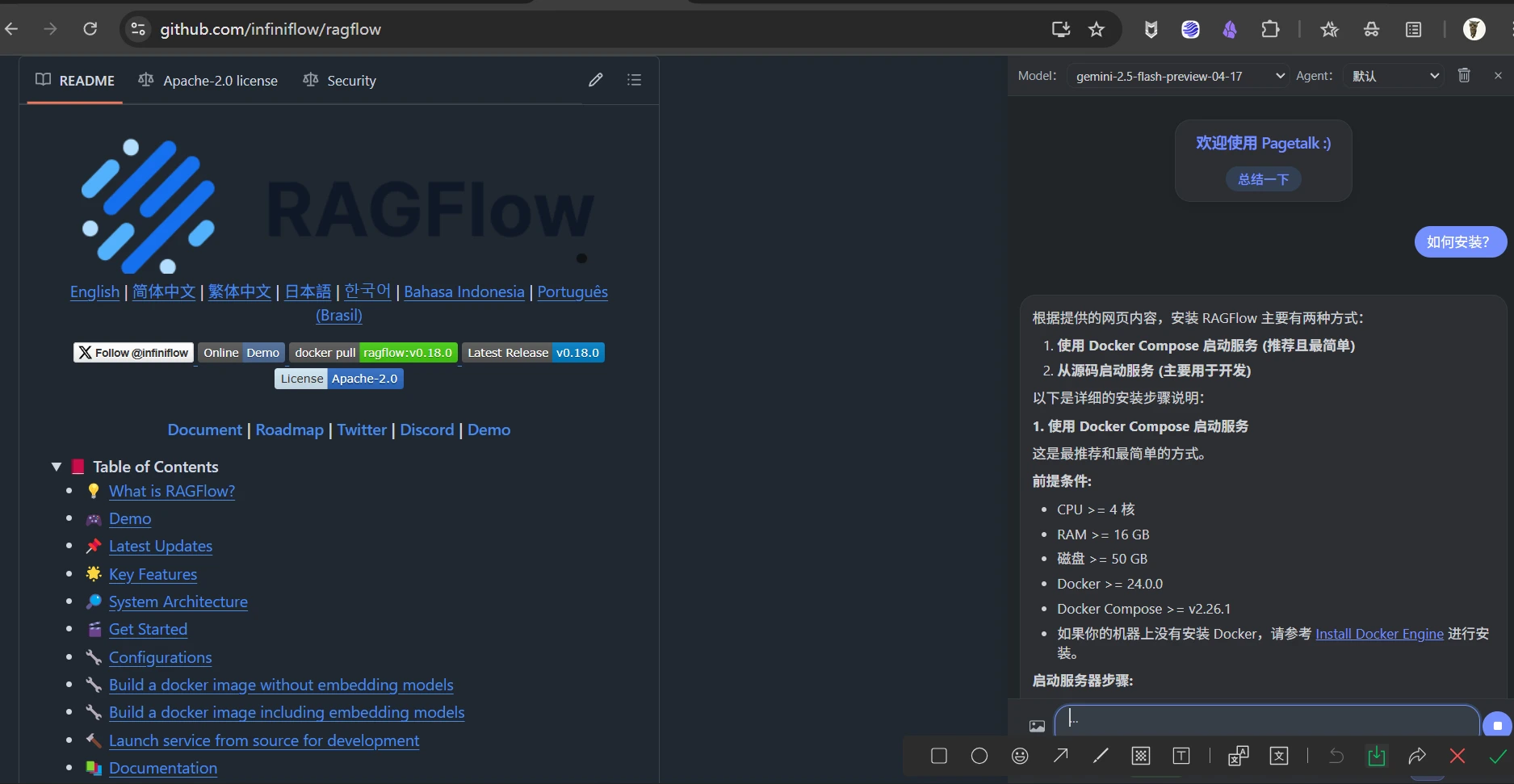
How to Use PageTalk
Open the Extension: Click the PageTalk icon or use the shortcut (default Alt+P).
Chat Tab:
Select a model/agent.
Extract page content (automatic or manual); the status shows context length.
Enter a message or paste/upload an image.
Send the message (press the Enter key or click the button).
Use the "Summarize" quick action.
Clear history/context (click the trash can icon).
Hover over a message to copy/delete/regenerate.
LaTeX ($...$, $$...$$) or Mermaid (mermaid ... ) syntax in AI responses will be automatically rendered. Click on a Mermaid diagram to zoom/pan.
Settings Tab: Includes General, Agents, and Models sub-tabs.
General: Switch language/theme, export chat history.
Agents: Manage agents, import/export configurations.
Models: Set API key, select default model, toggle auto-extraction.
Use Cases
Learning & Research: Helps users quickly summarize web page content and grasp key information.
Information Retrieval: More efficiently obtain information from web pages through conversations with the AI assistant.
Multimodal Interaction: Supports image input for a richer interactive experience.
Github:https://github.com/jeanchristophe13v/PageTalk









