
 Script Planner Assistant▸
 AI Apps
 AI News
BotBrowser: Open-Source Anti-Detect Browser Tool
小编 ·

BotBrowser: Open-Source Anti-Detect Browser Tool
What is BotBrowser?
In self-media or cross-border e-commerce operations, users are often troubled by platforms identifying multiple accounts as belonging to the same user, forcing them to purchase expensive isolation tools.
The open-source stealth browser recommended in this article: BotBrowser. It is based on a modified Chromium kernel and can effectively bypass a variety of mainstream anti-scraping and anti-automation detection systems, enabling stealth web automation. BotBrowser supports Windows, macOS, and Linux systems, allows profile sharing across platforms, and offers strong anti-bot defense compatibility. It provides comprehensive fingerprint spoofing and WebRTC leak protection, ensuring that the user's IP is not exposed, helping to securely manage multiple accounts.
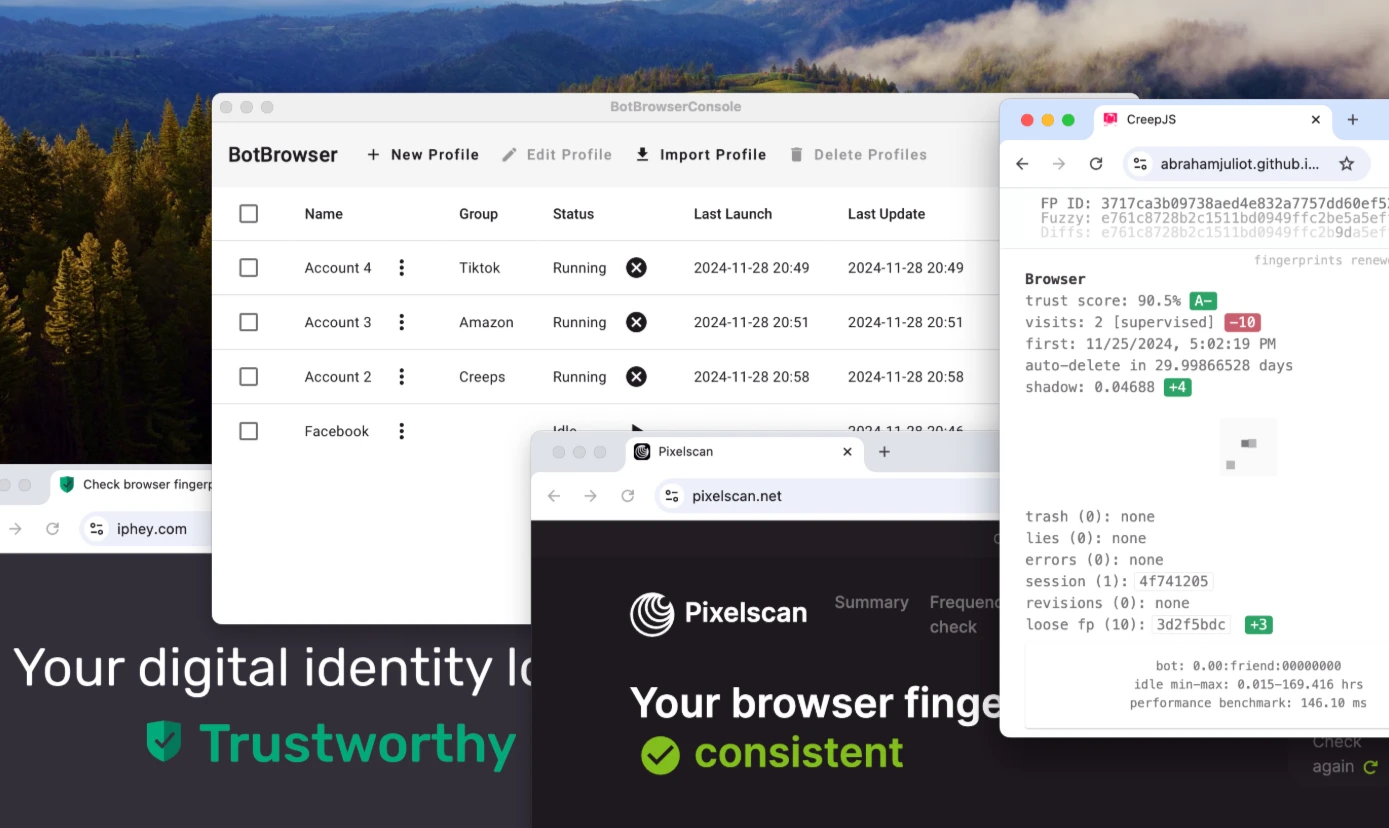
BotBrowser Core Features
Cross-platform support:
Supports Windows, macOS, and Ubuntu operating systems.
Provides cross-platform configuration profiles that can be used seamlessly across different systems.
Stealth and detection evasion:
Bypass headless mode and incognito mode detection: By modifying Chromium's C++ source code, it can effectively evade common automation detection.
Noise injection: Randomizes 2D Canvas, WebGL, fonts, text metrics, and audio fingerprints to avoid detection.
Simulate OS-specific properties: Adjust scrollbar width, system fonts, and other settings to enhance authenticity.
Comprehensive fingerprint spoofing: Supports disguise across browser version, operating system, graphics hardware, environment settings, media devices, and more.
Proxy and network control:
Proxy integration: Supports hiding the real IP by configuring proxy servers.
Dynamic language and timezone settings: Automatically adjusts the browser's language and timezone settings based on the proxy IP.
WebRTC leak protection: Prevents the real IP from being exposed during WebRTC communication.
Automation control:
Powerful automation capabilities through Chrome DevTools Protocol (CDP) combined with Playwright and Puppeteer.
Prevents CDP leak detection, ensuring the stealth of automation operations.
Performance and success rate:
Achieves a success rate of over 98% against advanced anti-bot measures.
Supports over 350,000 account registrations per day, demonstrating excellent stability and speed.
BotBrowser Usage
1. Download and install:
Download the installer for your operating system from the GitHub Releases page.
Fix commands and startup parameter suggestions are provided for specific issues on macOS and Windows.
2. Launch methods:
Command line (CLI): Launched using the --bot-profile parameter to specify the configuration file path.
Playwright / Puppeteer integration: BotBrowser can be used in automation frameworks with simple configuration.
BotBrowserConsole: A free open-source graphical interface tool that makes it easy to manage and launch multiple browser instances.
3. Testing and verification:
Detailed test scripts and video demonstrations are provided, showcasing BotBrowser's effectiveness in bypassing mainstream anti-scraping systems such as Cloudflare, Akamai, Kasada, and reCAPTCHA.
BotBrowser download: https://github.com/MiddleSchoolStudent/BotBrowser/releases









