
 Script Planner Assistant▸
 AI Apps
 AI News
MoneyPrinterTurbo: Generate HD Short Videos with One Click Using AI and a Keyword
小编 ·

MoneyPrinterTurbo: Generate HD Short Videos with One Click Using AI and a Keyword
What is MoneyPrinterTurbo?
MoneyPrinterTurbo is a short video generation tool based on the AI large model, capable of generating high-definition short videos with one click. Users only need to provide a video topic or keyword, and it can automatically generate video scripts, materials, subtitles, and background music, and synthesize them into a complete short video. It is especially suitable for bloggers, marketing personnel, or users who want to efficiently generate video content and need to quickly produce short videos.
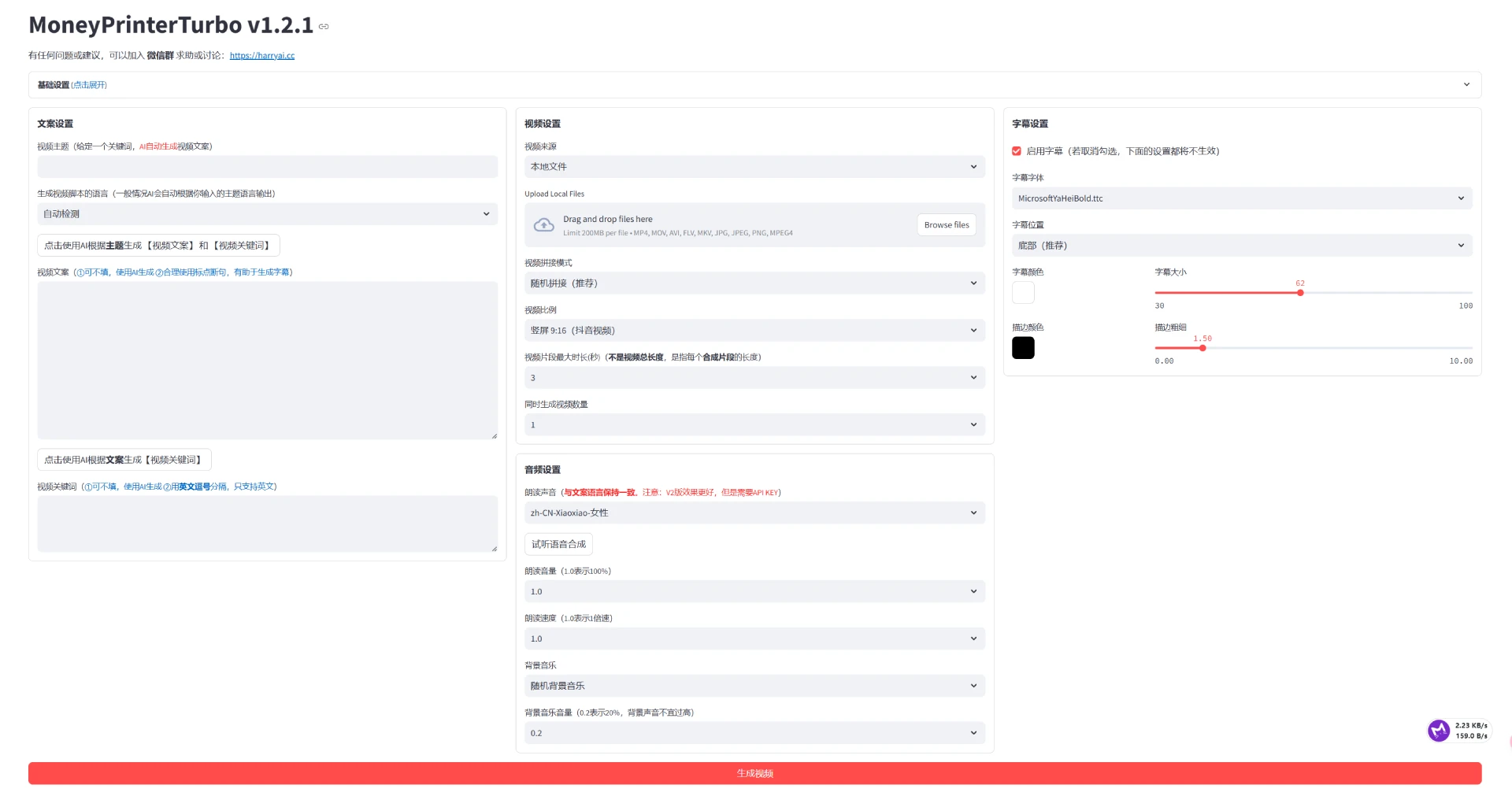
Main Features of MoneyPrinterTurbo
One-Click Generation: Enter a topic or keyword to automatically complete video production.
Multi-Language Support: Supports video scripts in Chinese and English.
High-Definition Video Sizes: Supports vertical (9:16) and horizontal (16:9) video formats.
Batch Generation: Multiple videos can be generated at once, making it easy to choose the most satisfactory work.
Voice Synthesis: Supports multiple voice synthesis options with real-time preview.
Subtitle Generation: Supports subtitle generation with adjustable font, position, color, and size.
Background Music: Supports random or specified background music with adjustable volume.
Material Sources: Provides high-definition royalty-free materials, and also supports local materials.
Model Integration: Supports integration with multiple AI models, such as OpenAI, Moonshot, Azure, etc.
MoneyPrinterTurbo Deployment Method
1. Download the One-Click Startup Package
Visit the Baidu Netdisk link: https://pan.baidu.com/s/1pSNjxTYiVENulTLm6zieMQ
Extraction code: g36q
After downloading, extract it to a folder without Chinese characters, special characters, or spaces in the path, for example D:\MoneyPrinterTurbo.
2. Update Code (Optional but Recommended)
Enter the extracted folder and find the update.bat file.
Double-click to run update.bat, and the program will automatically pull the latest code from GitHub to ensure you are using the latest version.
3. Start the Program
Find the start.bat file in the extracted folder.
Double-click to run start.bat, and the program will start automatically and try to open the browser.
If a blank page is displayed after the browser opens, it is recommended to manually open http://127.0.0.1:8501 with Chrome or Edge browser.
4. Start Using
The page opened in the browser is the Web interface of MoneyPrinterTurbo, where you can enter video topics, select parameters, and generate videos.
GitHub Project: https://github.com/harry0703/MoneyPrinterTurbo









