
 Script Planner Assistant▸
 AI Apps
 AI News
Gemini 2.0 Flash Experimental: Features and Usage Guide
小编 ·

Gemini 2.0 Flash Experimental: Features and Usage Guide
What is Gemini 2.0 Flash Experimental?
Gemini 2.0 Flash Experimental is an experimental multimodal ai model launched by Google. By combining text, images, and natural language understanding, it delivers more powerful generation and interaction capabilities.
Key Features of Gemini 2.0 Flash Experimental
Native Image Generation
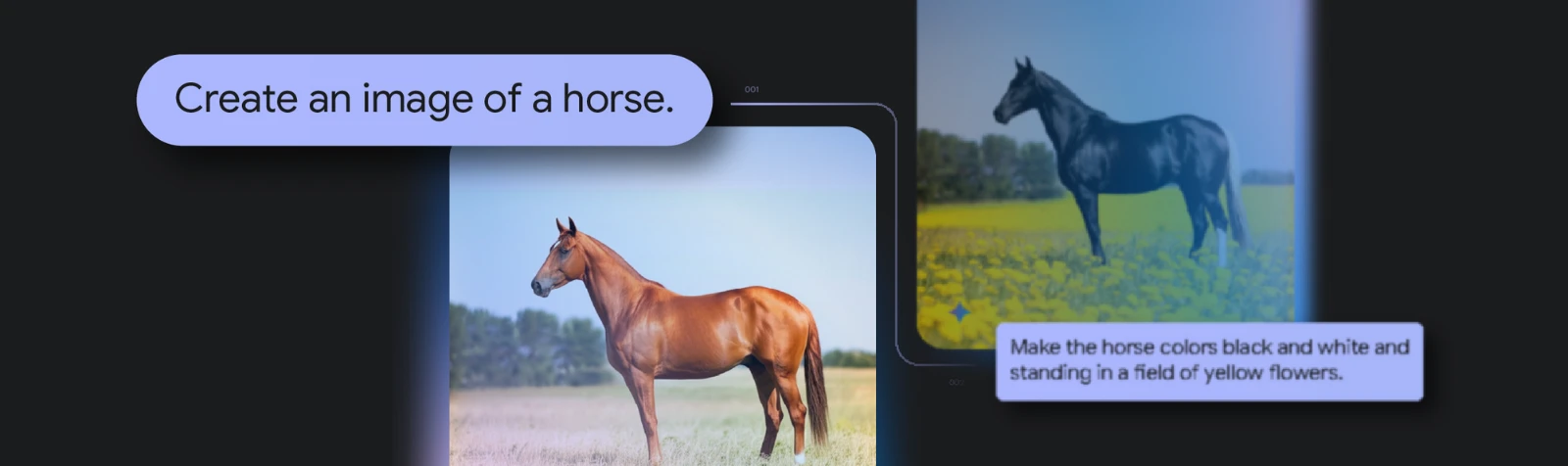
Gemini 2.0 Flash is the first multimodal AI tool to integrate image generation capabilities directly into the model. Users can generate images directly from text prompts without relying on external diffusion models.
Multimodal Interaction
Text and image combination: It can generate coherent stories while maintaining consistency in characters and scenes.
Conversational image editing: It supports multi-turn dialogue, allowing users to progressively refine images using natural language instructions.
World-knowledge-based image generation: Leveraging enhanced reasoning capabilities, it generates images that better match real-world scenarios, such as producing detailed cooking step-by-step illustrations from a recipe.
Improved Text Rendering
Gemini 2.0 Flash excels at rendering long text within images, producing clear and accurate textual content suitable for scenarios such as advertisements, social media posts, or invitations.
Powerful Reasoning Capabilities
Gemini 2.0 Flash performs excellently in multi-step problem solving, logical reasoning, and mathematical reasoning, capable of handling complex tasks.
Use Cases of Gemini 2.0 Flash Experimental
Creative content generation: Generate illustrations, stories, or advertising designs from text prompts.
Interactive image editing: Users can gradually adjust the style or content of an image through a conversational interface.
Knowledge visualization: Present complex concepts or data in image form, such as generating schematic diagrams of scientific experiments.
How to Use Gemini 2.0 Flash Experimental
1. Use it via Google AI Studio
Gemini 2.0 Flash Experimental is available as an experimental version in Google AI Studio, supporting multimodal input and image generation. You can create projects directly in Google AI Studio and select the gemini-2.0-flash-exp model for experimentation.
2. Call it via the Gemini API
Install the SDK
pip install google-genai
Initialize the client
from google import genai
client = genai.Client(api_key="YOUR_API_KEY")
Call the model
response = client.models.generate_content(
model="gemini-2.0-flash-exp",
contents="Generate a story about a cute baby turtle in a 3D digital art style. For each scene, generate an image.",
config=genai.types.GenerateContentConfig(
response_modalities=["Text", "Image"]
),
)
print(response.text)
3. Use Vertex AI
Gemini 2.0 Flash Experimental also supports deployment and usage via Vertex AI. You can configure the model through the Vertex AI interface or API and leverage its powerful computing capabilities.
4. Multimodal Input and Output
Gemini 2.0 Flash supports input and output across multiple modalities, including text, image, audio, and more. For example, you can upload an image and ask the model to generate a related textual description.
5. Real-Time Interaction
Gemini 2.0 Flash Experimental provides a multimodal real-time API that supports low-latency bidirectional communication, suitable for real-time video or voice interactions.
Currently, the Gemini 2.0 Flash Experimental version is open to users and developers of Google AI Studio, and supports API-based calls. Developers can leverage this version to explore its potential in multimodal tasks and provide support for future product development.
Details:https://developers.googleblog.com/en/experiment-with-gemini-20-flash-native-image-generation/









