
 Script Planner Assistant▸
 AI Apps
 AI News
MTranServer: An Open-Source Offline Translation Server with Ultra-Low Resource Usage
小编 ·

MTranServer: An Open-Source Offline Translation Server with Ultra-Low Resource Usage
What is MTranServer?
MTranServer is an open-source offline translation server project with ultra-low resource consumption and ultra-fast speed, based on the Mozilla Firefox translation model. It only requires a CPU + 1GB of memory to run, with no GPU needed. The average response time for a single request is 50ms. It supports translation in all major languages worldwide. The translation quality is comparable to Google Translate. It can be deployed locally via Docker, and after deployment it can be used with the Immersive Translate plugin.
Although MTranServer's translation speed is very fast, the translation quality may not be as good as large online translation models such as Volcano Translation. It is more suitable for situations with high requirements for speed and privacy.
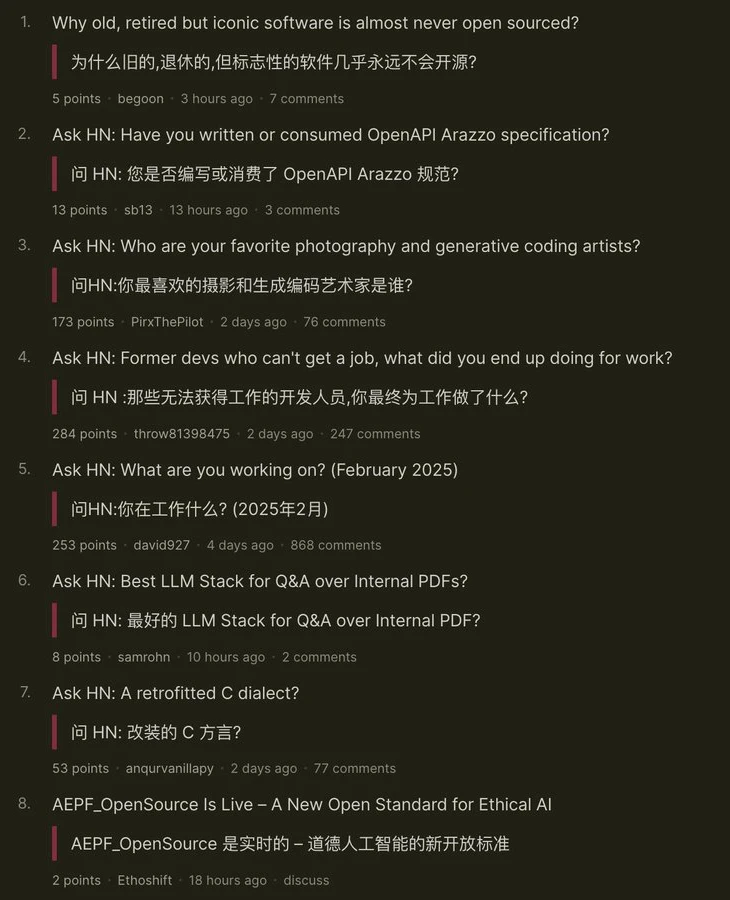
Features of MTranServer
Ultra-low resource requirements: Only requires a CPU and 1GB of memory to run, with no GPU support needed.
Fast response: The average response time for a single request is 50ms, with extremely fast translation speed.
Multilingual support: Supports translation in major global languages, with translation quality comparable to Google Translate.
Offline deployment: All translation models are built-in, requiring no internet connection, suitable for privacy protection and network-less environments.
Docker deployment: Supports quick installation and running via Docker, convenient for developers and enterprises.
Open source and free: The code is fully open source, and users can freely download, use, and modify it.
Use Cases of MTranServer
Individual users: Suitable for users who need to translate in a no-network environment, such as during travel or in the office.
Enterprise deployment: Can be deployed as a private translation service on a local server to protect data privacy.
Developers: Supports API calls, making it convenient for developers to integrate into other applications.
Installation and Usage of MTranServer
1. Environment preparation:
Ensure the device runs an operating system that supports Docker (such as Linux, Windows 10/11, or macOS).
Install Docker and verify the successful installation.
2. Download the project:
Visit the MTranServer GitHub page to download the source code or clone it via Git.
3. Build the Docker image:
Run the docker build -t mtranserver . command in the project directory.
4. Start the service:
Use the docker run -d -p 5000:5000 mtranserver command to start the service.
5. Test the service:
Send a translation request (such as via a browser or Postman) to verify that the service is running properly.
GitHub repository:https://github.com/xxnuo/MTranServer
Demo:https://mtranserver.2020818.xyz/









