
 Script Planner Assistant▸
 AI Apps
 AI News
Juliang Baiying Access Guide & Setup Tutorial

Juliang Baiying Access Guide & Setup Tutorial
巨量百应 is a comprehensive content marketing service platform under Douyin E-commerce, providing a series of tools and services for e-commerce creators, agencies, merchants, and other ecosystem partners. 巨量百应 provides back-end operation tools for in-depth data analysis of product promotion results, helping merchants or agencies collaborate with and manage relationships with content creators.
Official Application Entry for 巨量百应:https://buyin.jinritemai.com/mpa/account/login
I. Before activating 巨量百应, you need to register a business account on the Douyin platform. The specific steps are as follows:
1. Open the Douyin app, tap "Me" in the lower right corner to enter your personal homepage.
2. Tap the [three-line] more button in the upper right corner and select [Settings].
3. On the Settings page, tap [Account and Security], then tap [Apply for Official Verification].
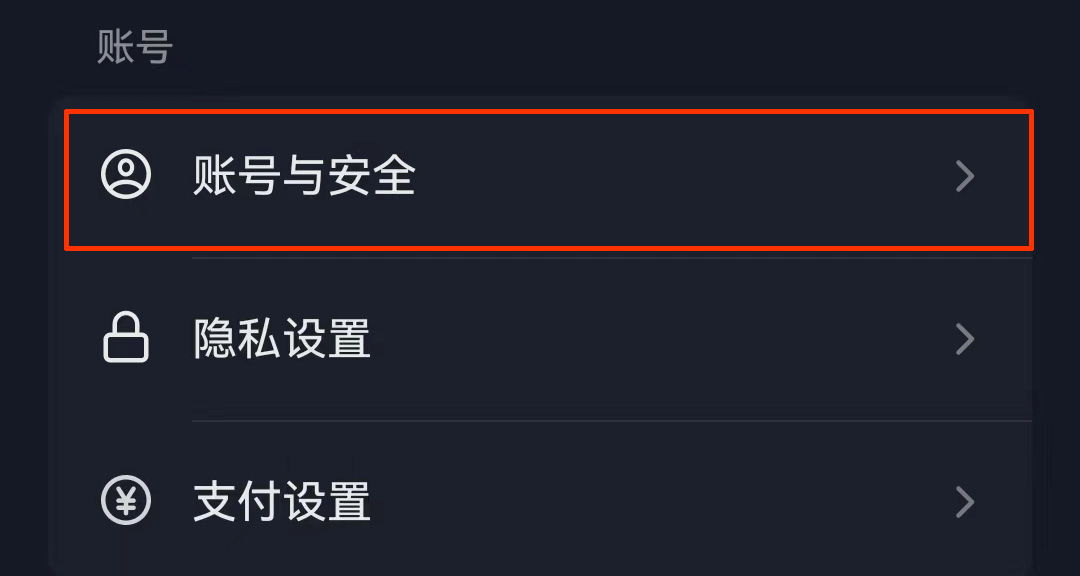
4. Select [Enterprise Verification] or [Agency Verification] as needed, fill in the enterprise information according to the prompts, and submit the verification application.
II. After the business account is registered, you can activate Douyin 巨量百应 by following the steps below:
First, open a browser on your computer, search for "巨量百应" or "抖音电商" (Douyin E-commerce), or go directly to the official application entry of 巨量百应: https://buyin.jinritemai.com/mpa/account/login to access the 巨量百应 official website.
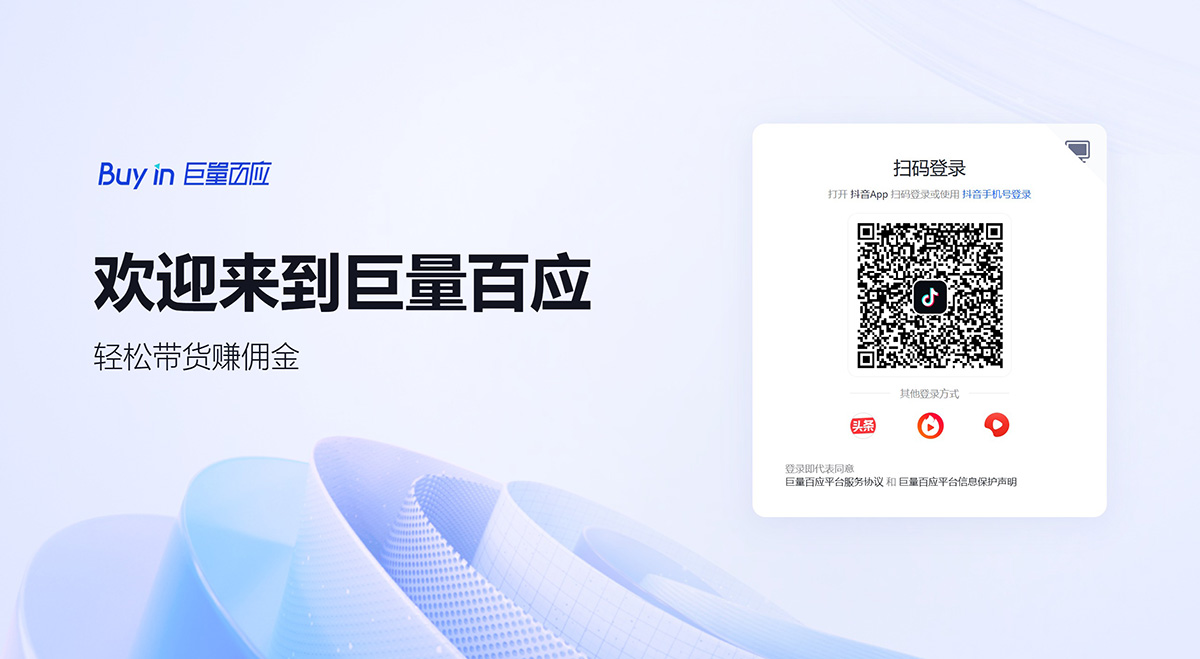
Materials Required to Activate 巨量百应
Basic qualification materials (company or enterprise name, business license, legal representative's ID card, legal representative's mobile number, email, etc.).
The original business license or a copy stamped with the official seal.
Photos of the front and back of the legal representative's ID card and a photo of the legal representative holding the ID card, or photos of the front and back of the agent's ID card and a photo of the agent holding the ID card.
Requirements for Onboarding onto 巨量百应
The MCN agency submitting the application must be an independent legal entity and a general taxpayer.
The company or agency must have been established for 1 year or more; agencies with less than 1 year of operation need to provide a supplementary explanation of their advantages (the advantage explanation document must include background information on team members and be stamped with the official seal).
Registered capital must be 500,000 yuan or more.
Have a fixed office location.
Provide certain merchant cooperation proof materials and creator resources.
The above requirements are updated and adjusted at different points in time. Please refer to the latest official announcements and policies for specific details.
After successfully activating your account, you need to prepay the advertising fees based on your delivery needs and account requirements. This step is a prerequisite to ensure your ads can be delivered smoothly. Choose the appropriate ad type in the account and deliver based on your goals and purchasing method. For example, you can choose different advertising models such as gaining followers, collecting leads, cost-per-click (CPC), or cost-per-mille (CPM).
III. After entering the 巨量百应 Creator Workbench, you can activate the workbench for e-commerce带货 once the requirements are met.
Specific Requirements:
Account real-name verification;
The number of videos on the personal homepage (public and approved) ≥ 10;
Account follower count (third-party-bound followers are not counted) ≥ 1000;
Product sharing deposit of ¥500.
After logging into the workbench, you can use a Douyin account that has activated the Showcase and带货 permissions to scan the code and enter. Click "Live Management" to enter the live streaming control center.In the live streaming control center, you can import live streaming products and manage features such as comments and shipping.
By following the above steps to activate 巨量百应, you can successfully activate and use the Douyin 巨量百应 platform for live streaming带货 and data management.









